AS Remote app iconAS Remote Universal TV remote

Control Every TV. From Your iPhone.

AS Remote is a universal TV remote app for iPhone that controls Samsung, LG, Roku, TCL, Google TV, Android TV, Fire TV and Hisense VIDAA TVs over Wi-Fi. No IR blaster or extra hardware: your iPhone and TV only need to be on the same network.

  • iPhone
  • iPhone Duo
  • iOS 17.6 or later

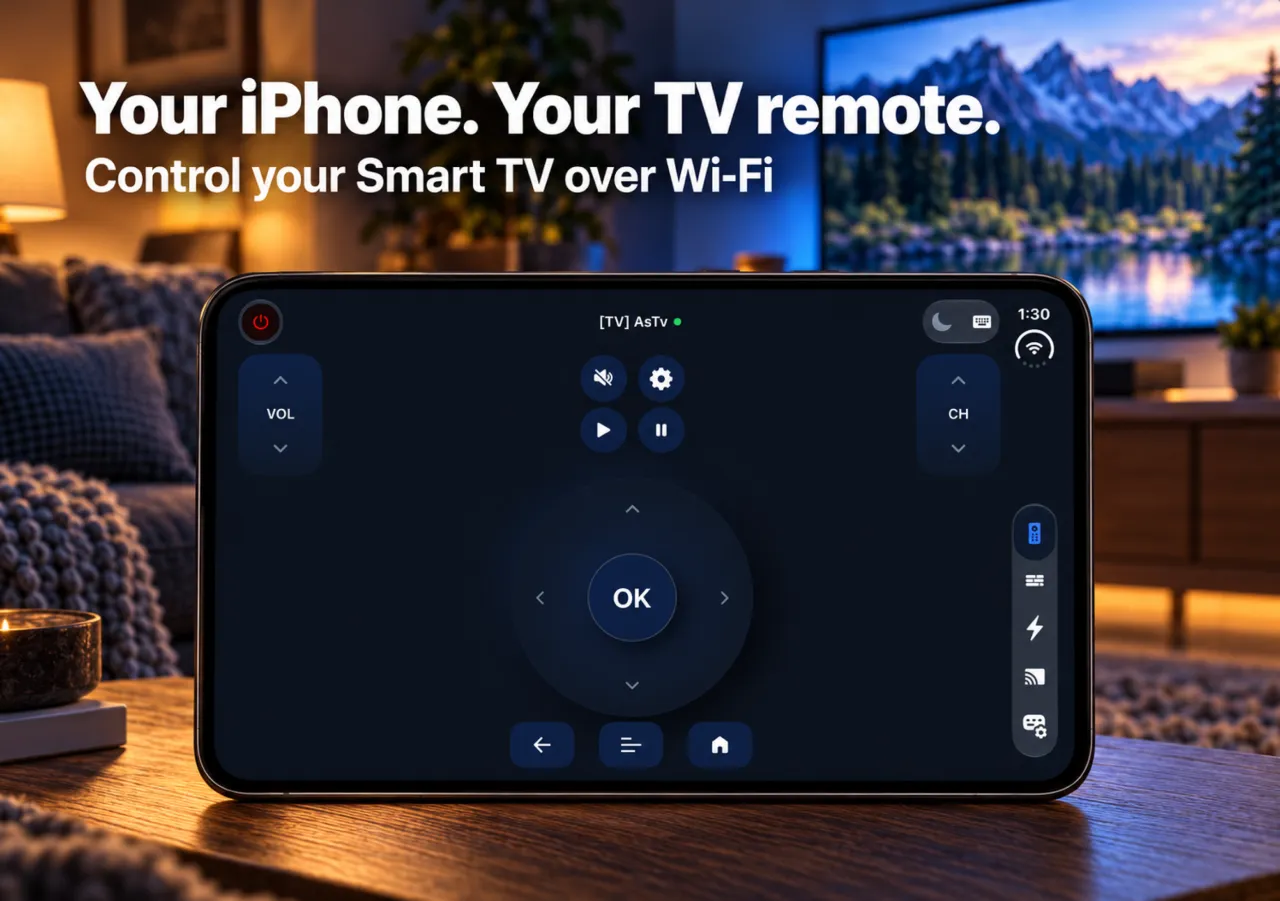
A simulated TV. Use the remote on the right: move around, press OK, change the volume, open an app, switch it off. AS Remote sends the same kind of commands to a real TV over Wi-Fi.

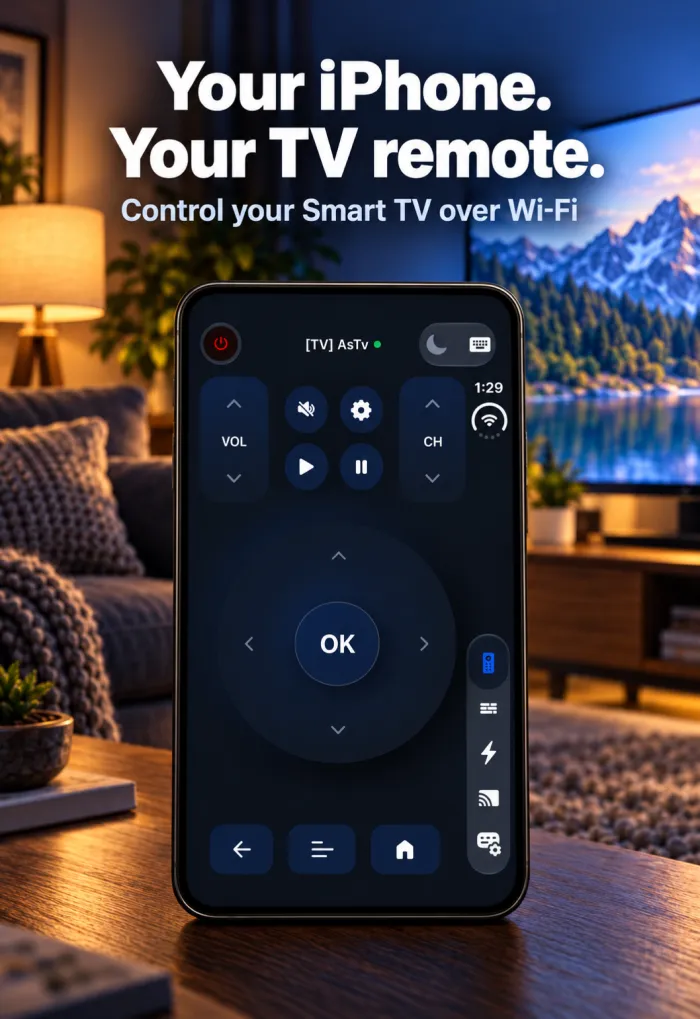
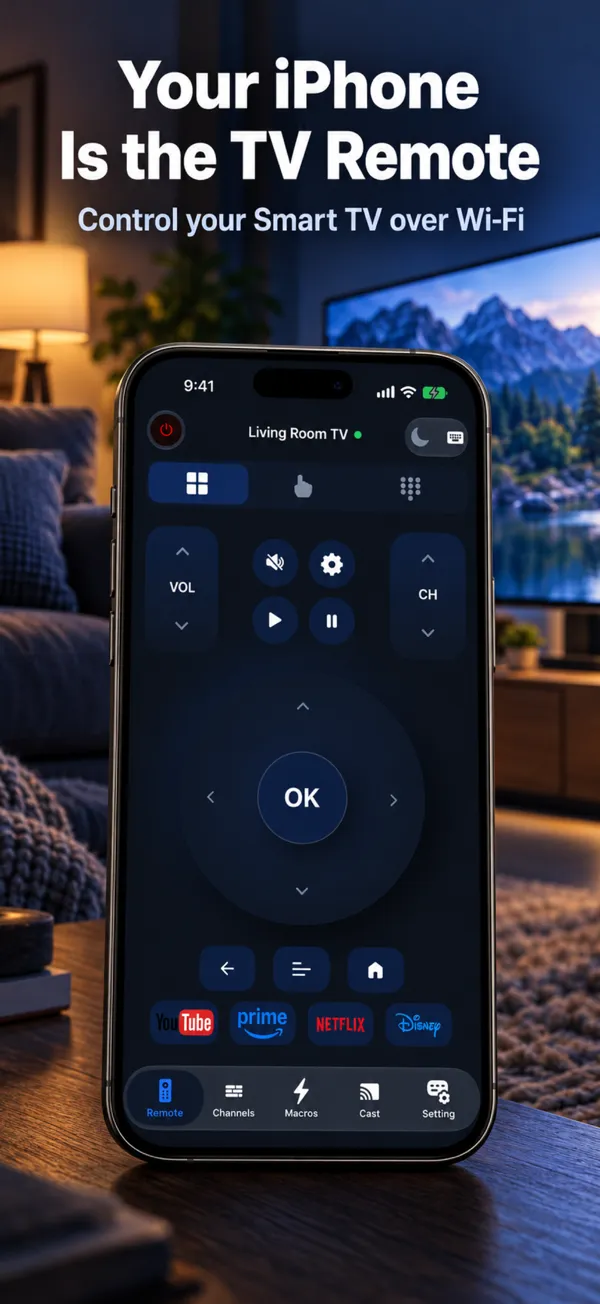
AS Remote App Store screenshot: your iPhone is the TV remote, with power, volume, channel, the D-pad and streaming shortcuts

The remote screen, from the App Store listing.Try the D-pad, OK, volume and the app buttons.

TV brands

Works with the TV you already own.

AS Remote speaks each brand's own network protocol instead of blasting IR. One search on your Wi-Fi finds TVs of every brand.

  • SamsungWebSocket
  • LGWebOS SSAP
  • RokuHTTP ECP
  • Google TVTLS + Protobuf
  • Fire TVTLS + Protobuf
  • HisenseMQTT over TLS
  • TCLRoku ECP

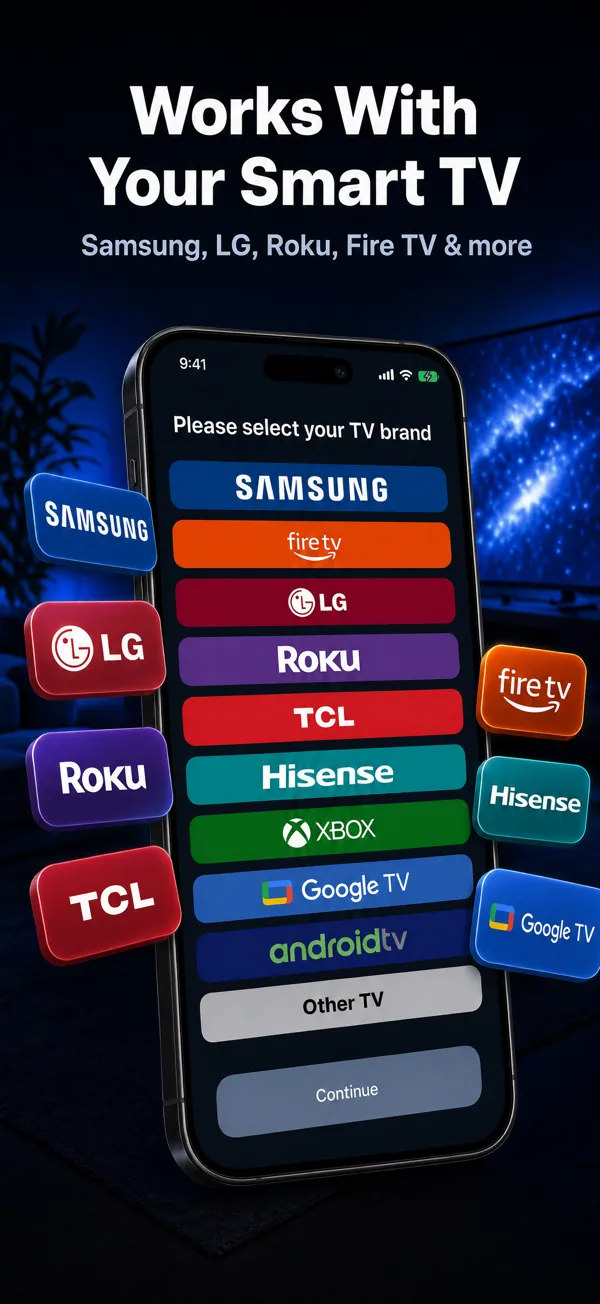
Supported TVs on the App Store listing: Samsung Smart TVs (2016 and newer), LG webOS, Roku and TCL Roku TV, Google TV and Android TV, Amazon Fire TV, and Hisense VIDAA.

AS Remote App Store screenshot: works with your smart TV, with a brand picker for Samsung, Fire TV, LG, Roku, TCL, Hisense, Google TV and Android TV
The remote

Pad, swipe or punch in a number.

Three remote modes, one tap apart. Volume, channel, playback and power stay on screen in each of them.

  1. D-Pad

    Classic directional pad with navigation arrows, OK, Home, Back, and Menu. Familiar and precise.

  2. Touchpad

    Swipe and tap your phone screen to move Samsung's TV pointer. Natural and fast.

  3. Numpad

    Full number pad for direct channel input and PIN entry. Perfect for cable and broadcast.

Type on your phone. When your TV opens its on-screen keyboard, the Send Text box opens on your iPhone. Send & Go types your search and submits it in one tap.

Turn On TV. Wakes your TV over Wi-Fi and reconnects, on TVs that support Wake-on-LAN with the setting turned on.

Beyond the buttons

Your phone, on the big screen.

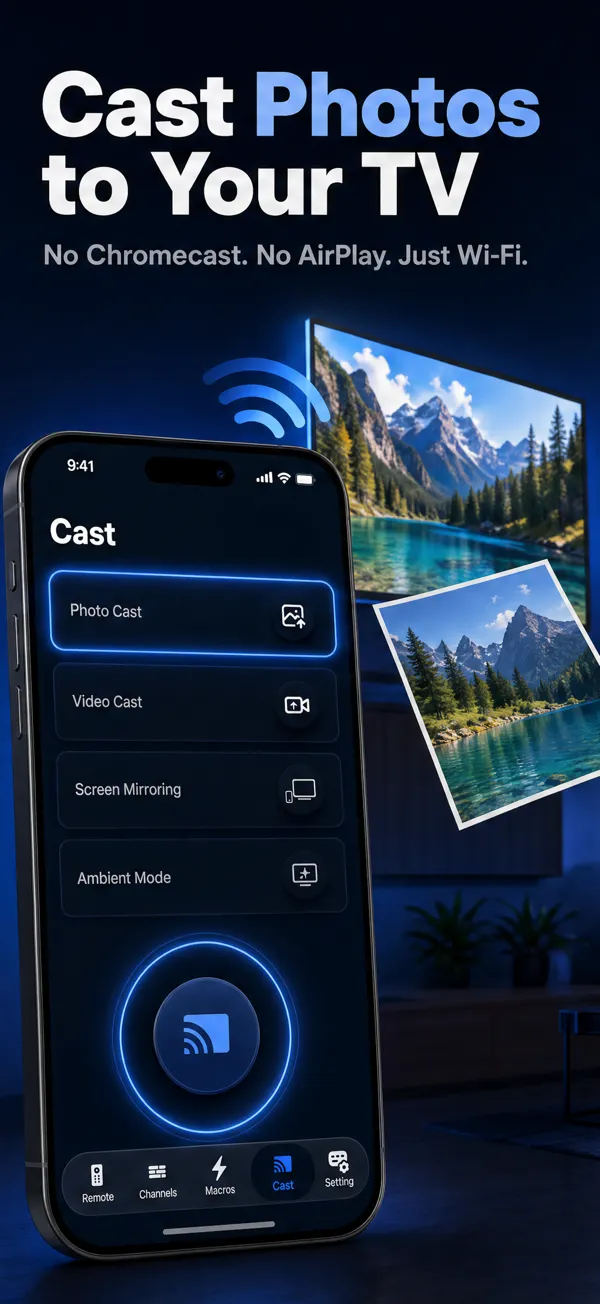
Mirror your screen, cast your photos, jump into an app, and let a macro run the whole movie-night routine. Every screen below is from the App Store listing.

AS Remote App Store screenshot: the Cast tab with Photo Cast, Video Cast, Screen Mirroring and Ambient Mode
Mirroring and casting

No Apple TV, no Chromecast

Mirror your whole iPhone screen to a Samsung TV, or to Google TV and Android TV through Google Cast. Show photos and videos from your iPhone on the TV. On LG and Roku TVs, mirroring may not work on every model.
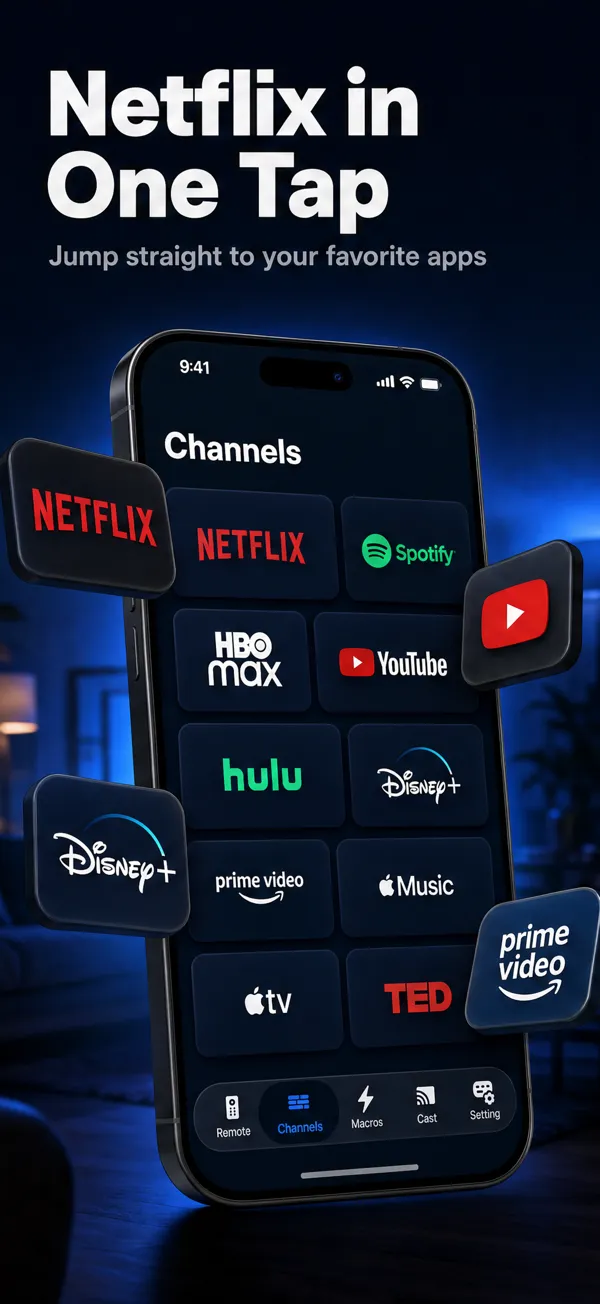
AS Remote App Store screenshot: the Channels tab with Netflix, Spotify, HBO Max, YouTube, Hulu, Disney+ and Prime Video
Channels

Netflix in one tap

Open Netflix, YouTube, Disney+, Prime Video, HBO Max, Apple TV, Spotify, Hulu and more from the Channels tab.

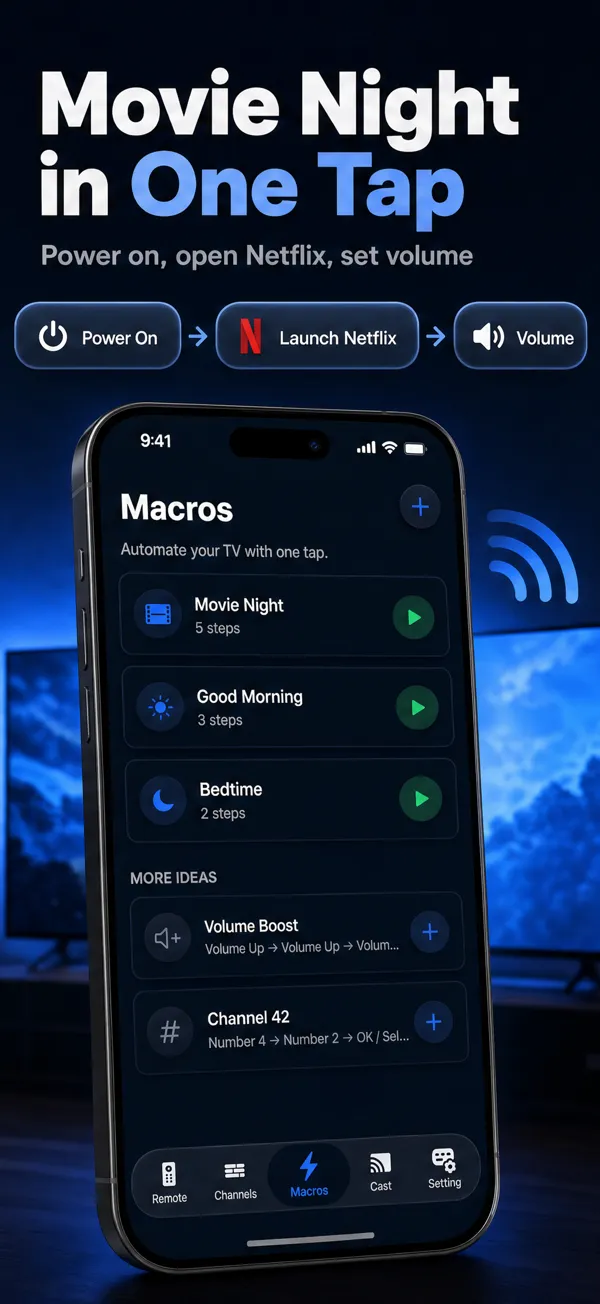
AS Remote App Store screenshot: Macros with Movie Night, Good Morning and Bedtime, plus suggested macros
Macros

Movie night in one tap

Record a sequence of commands and replay it: power on, open Netflix, set the volume. Built-in suggestions get you started.

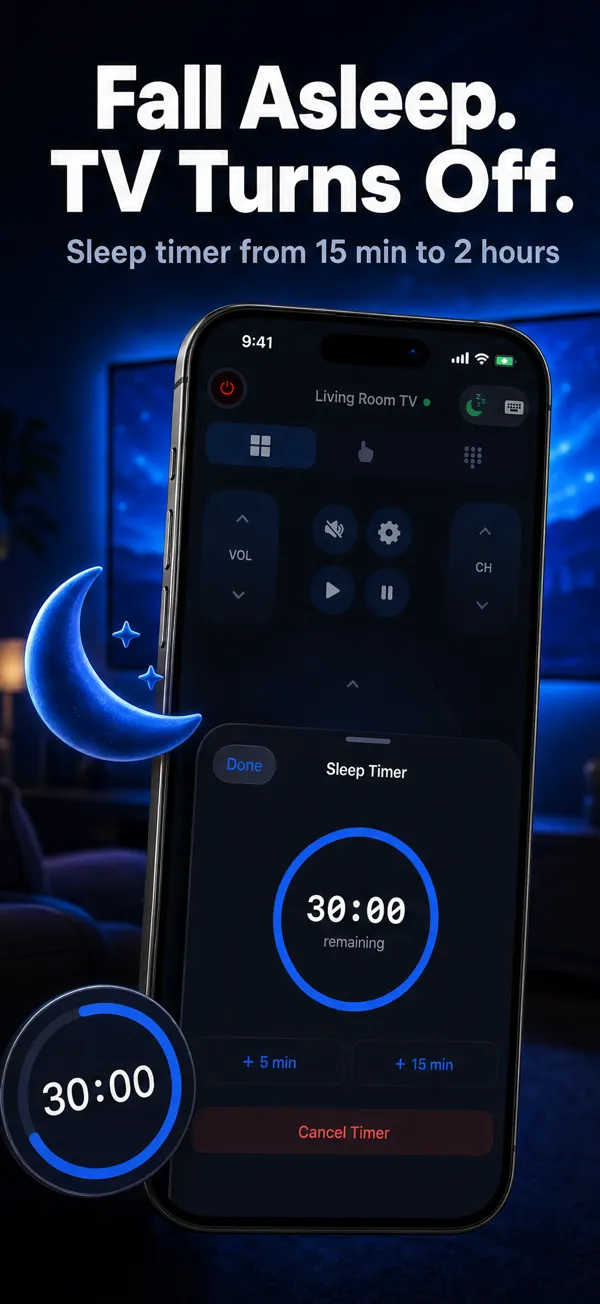
AS Remote App Store screenshot: the sleep timer counting down from 30 minutes
Sleep timer

Fall asleep, the TV turns off

Pick a time from 15 minutes to 2 hours and the countdown shows on the remote screen.

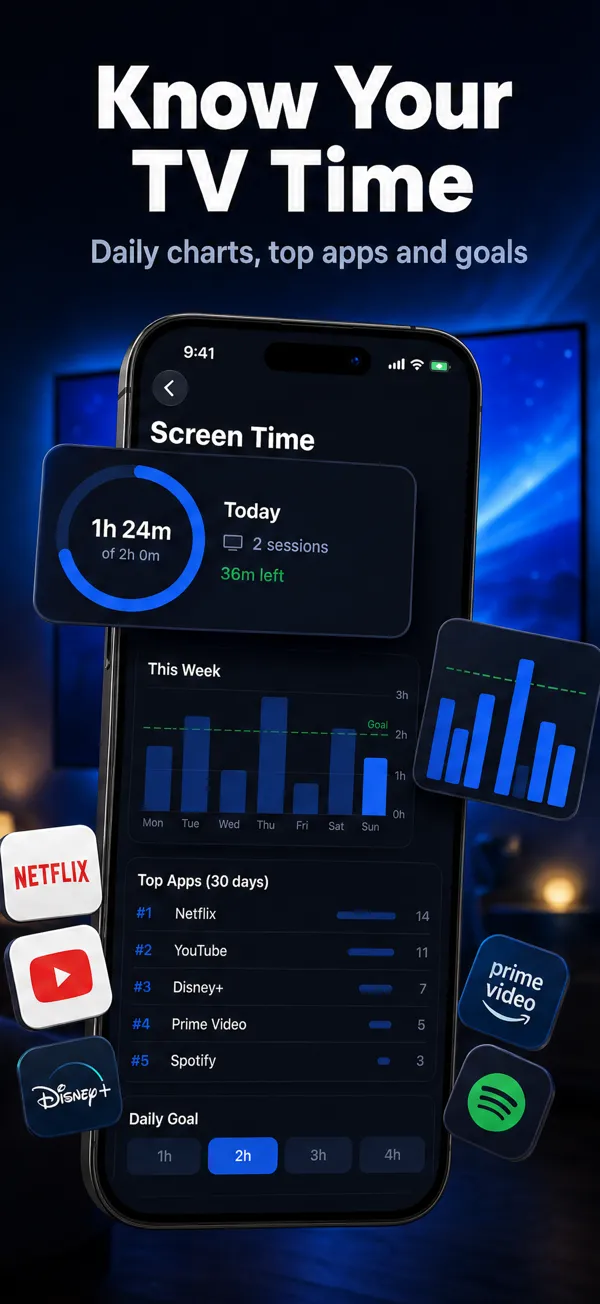
AS Remote App Store screenshot: Screen Time with today's viewing, a weekly chart and the top apps of the last 30 days
Screen time

Know your TV time

Daily and weekly charts, your most used apps over the last 30 days, and a daily goal.

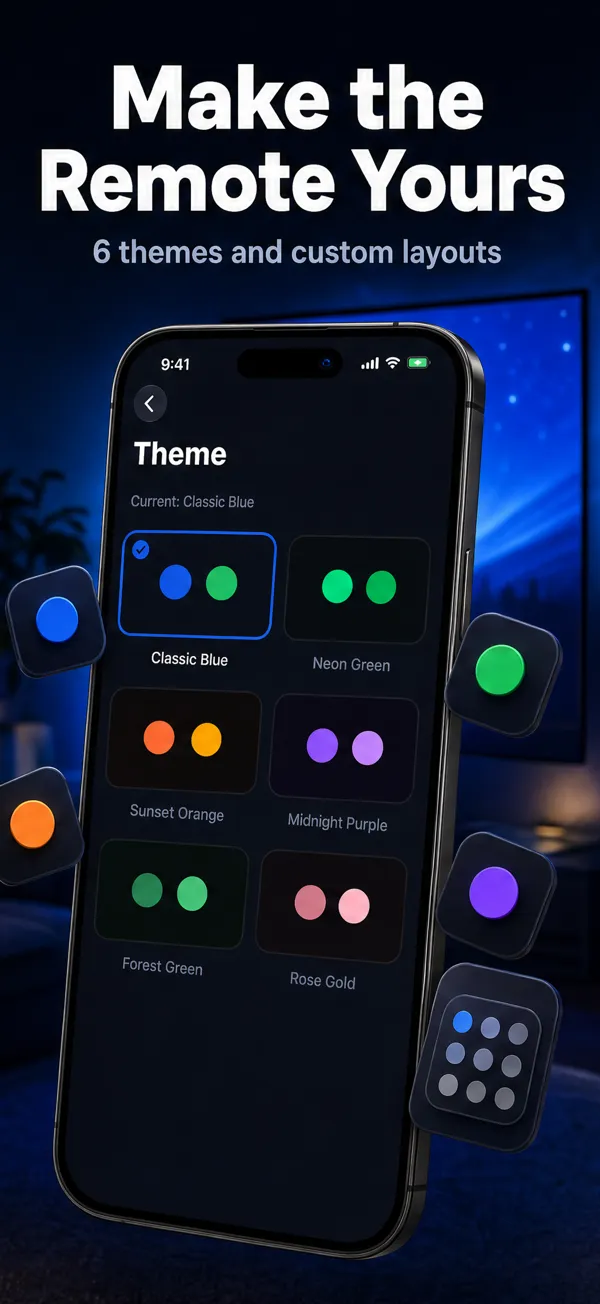
AS Remote App Store screenshot: the Theme picker with Classic Blue, Neon Green, Sunset Orange, Midnight Purple, Forest Green and Rose Gold
Themes and layouts

Make the remote yours

Six themes: Classic Blue, Neon Green, Sunset Orange, Midnight Purple, Forest Green and Rose Gold. Use the Full, Simple, Movie or Gaming layout, or build your own.

iPhone Duo

Closed for the couch. Open for the room.

AS Remote has a layout for both displays of iPhone Duo. Closed, the remote stands in portrait on the outer display. Open, it spreads across the inner display, with volume and channel at the edges and the D-pad in the middle.

AS Remote App Store screenshot for the outer display of iPhone Duo: the remote in portrait with VOL and CH, the D-pad, Back, Menu and Home, and a tab rail
ClosedThe outer display
AS Remote App Store screenshot for the inner display of iPhone Duo: the remote across the wide screen with VOL and CH at the edges, the D-pad in the middle and a tab rail on the right
OpenThe inner display
Free and Pro

Try it on your TV before you pay.

The free download finds your TV and connects, so you can see it work with your set first. This is exactly what each version does, as the App Store listing states it.

Free

Download and connect.

  • Find and connect to your TV
  • Volume and mute
  • Try screen mirroring for 30 seconds

AS Remote Pro

Monthly, yearly or a one-time Lifetime purchase.

  • The full remote, with text input
  • Screen mirroring, photo and video casting
  • Channels and macros
  • Themes and layouts
  • Sleep timer and Turn On TV
  1. Same Wi-Fi. Connect your iPhone and TV to the same network.

  2. Search. Open AS Remote. One search finds TVs of every brand.

  3. Tap your TV. If the app finds only one, it connects right away.

  4. Allow it. Accept the connection on your TV if it asks.

It stays in the room. Commands, photos, videos and the mirrored screen go straight from your iPhone to your TV on your local network. Read the privacy policy.

Pricing

Pro, three ways to pay.

Every plan unlocks the same Pro features. The yearly plan starts with a free trial for eligible Apple IDs. Prices are in US dollars from the App Store.

Monthly

$6.99

per month, billed monthly

  • All remote modes
  • Multi-brand support
  • Macros & automation
  • 6 color themes
  • Screen time tracking
  • Custom remote layouts
  • Sleep timer
  • Unlimited casting
  • Streaming shortcuts
Get Started
Free trial

Yearly

$24.99

per year · ~$2.08/mo

  • All remote modes
  • Multi-brand support
  • Macros & automation
  • 6 color themes
  • Screen time tracking
  • Custom remote layouts
  • Sleep timer
  • Unlimited casting
  • Streaming shortcuts
Get Started
Pay once

Lifetime

$34.99

one-time purchase, forever

  • All remote modes
  • Multi-brand support
  • Macros & automation
  • 6 color themes
  • Screen time tracking
  • Custom remote layouts
  • Sleep timer
  • Unlimited casting
  • Streaming shortcuts
Get Started
FAQ

Frequently asked questions

Something else? Write to support@asapps.studio or open the help center.

Is there a free universal TV remote app for iPhone?

AS Remote is free to download and controls Samsung, LG, Roku, TCL, Google TV, Android TV, Fire TV and Hisense VIDAA TVs over Wi-Fi. Without Pro you can find and connect to your TV and use volume and mute. Pro unlocks the full remote, text input, mirroring, casting and the other features.

Which TV brands does AS Remote support?

Samsung Smart TVs (2016 and newer), LG webOS, Roku and TCL Roku TV, Google TV and Android TV, Amazon Fire TV, and Hisense VIDAA. One search finds TVs of every brand on your Wi-Fi network.

Can I mirror my iPhone screen to my TV without an Apple TV?

Yes, with AS Remote Pro. Mirroring works with Samsung TVs, and with Google TV and Android TV through Google Cast, with no Apple TV or AirPlay needed. On LG and Roku TVs it may not work on every model. Free users can try mirroring for 30 seconds.

Does AS Remote need Bluetooth or IR?

No. AS Remote works entirely over Wi-Fi using each TV brand's native network protocol. Your iPhone and TV just need to be on the same Wi-Fi network. No Bluetooth pairing or IR line-of-sight required.

How much does AS Remote Pro cost?

You can choose a monthly plan at $6.99, a yearly plan at $24.99 or a one-time Lifetime purchase at $34.99 (US App Store prices). The yearly plan starts with a free trial for eligible Apple IDs. Payment is charged to your Apple ID, and subscriptions renew unless you cancel at least 24 hours before the period ends.

Can I turn on my TV with my iPhone?

Yes. Turn On TV, part of Pro, wakes your TV over Wi-Fi and reconnects. Your TV must support Wake-on-LAN with the setting turned on, and AS Remote must have connected to it once before.

Can I control more than one TV?

Yes. One search finds every supported TV on your Wi-Fi, and AS Remote saves the TVs you connect to so you can switch between them. It reconnects to your last TV automatically.

Is my data safe with AS Remote?

Yes. Your TV commands, photos, videos and mirrored screen go directly from your iPhone to your TV on your local network, and TV credentials and settings stay on your device. We only collect anonymous usage analytics and a record of App Store purchases, never linked to your name or email and never used for ads. Details are in our Privacy Policy.

One app for every TV in the house.

Free on the App Store for iPhone and iPhone Duo. Connect to your TV and try it before you choose Pro.

Download on the App Store