
AS Apps Studio Thirteen native apps for iPhone, iPad and Mac.

A 2FA vault, a photo cleaner, a TV remote, a rock scanner and nine more, each built natively for Apple devices. Ten are free on the App Store.

Hands on

Try them right here.

Six small working demos, built for this page. They run in your browser and are simplified versions of what each app does. Nothing you tap or type leaves this page.

9:41Demo

2FA Codes

    iPhone Duo

    Fold it. Unfold it.

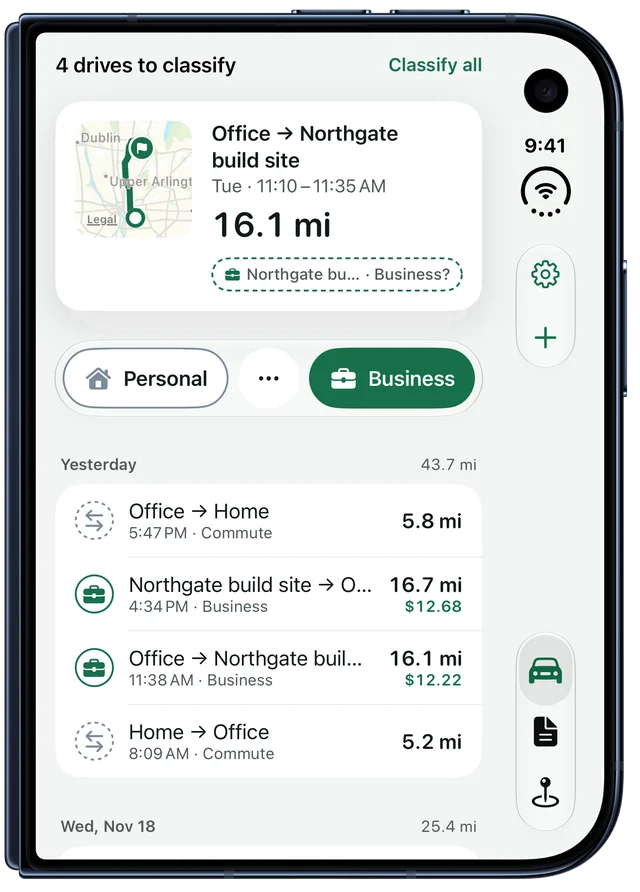
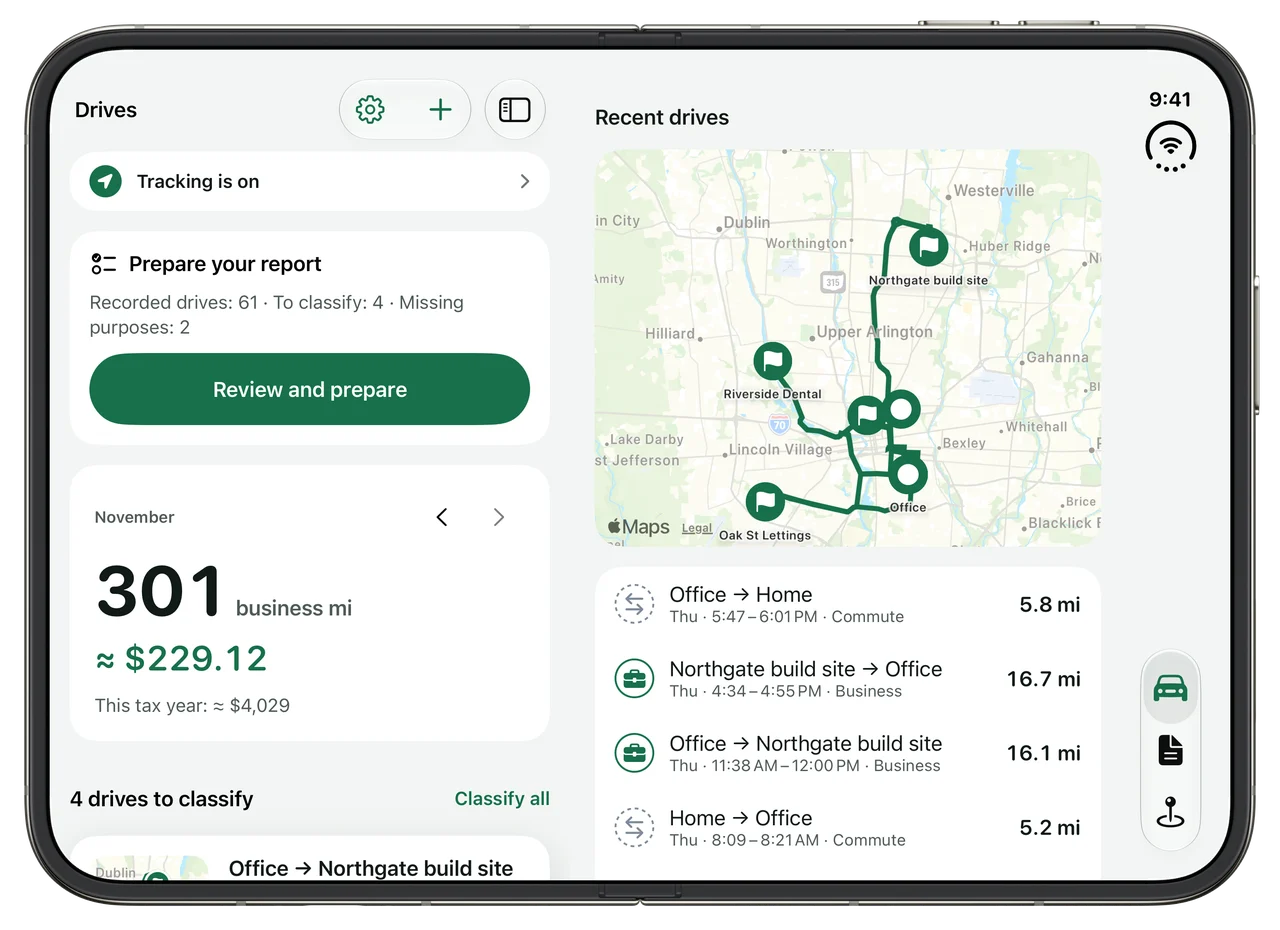
    Auth Kit, AS Remote, Hilal and AS Miles each have a layout for both displays of iPhone Duo: the outer display when it is closed, and the larger inner display when it is open.
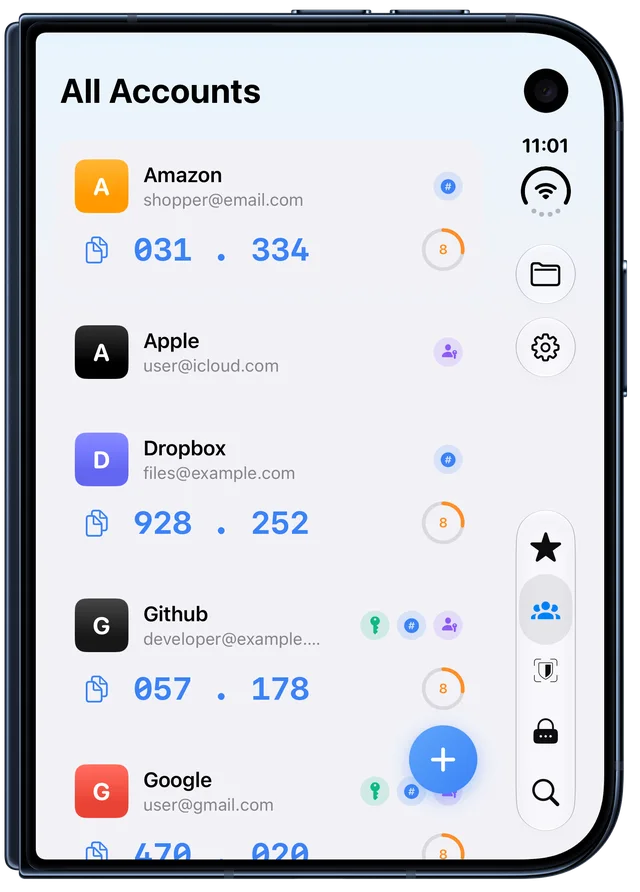
    Auth Kit on the outer display of a closed iPhone Duo: All Accounts with Amazon, Apple, Dropbox, GitHub and Google, their 2FA codes, and a tab rail on the right
    Auth Kit, closed: All Accounts in one column on the outer display, each 2FA code under its account, with the tabs in a rail on the right.
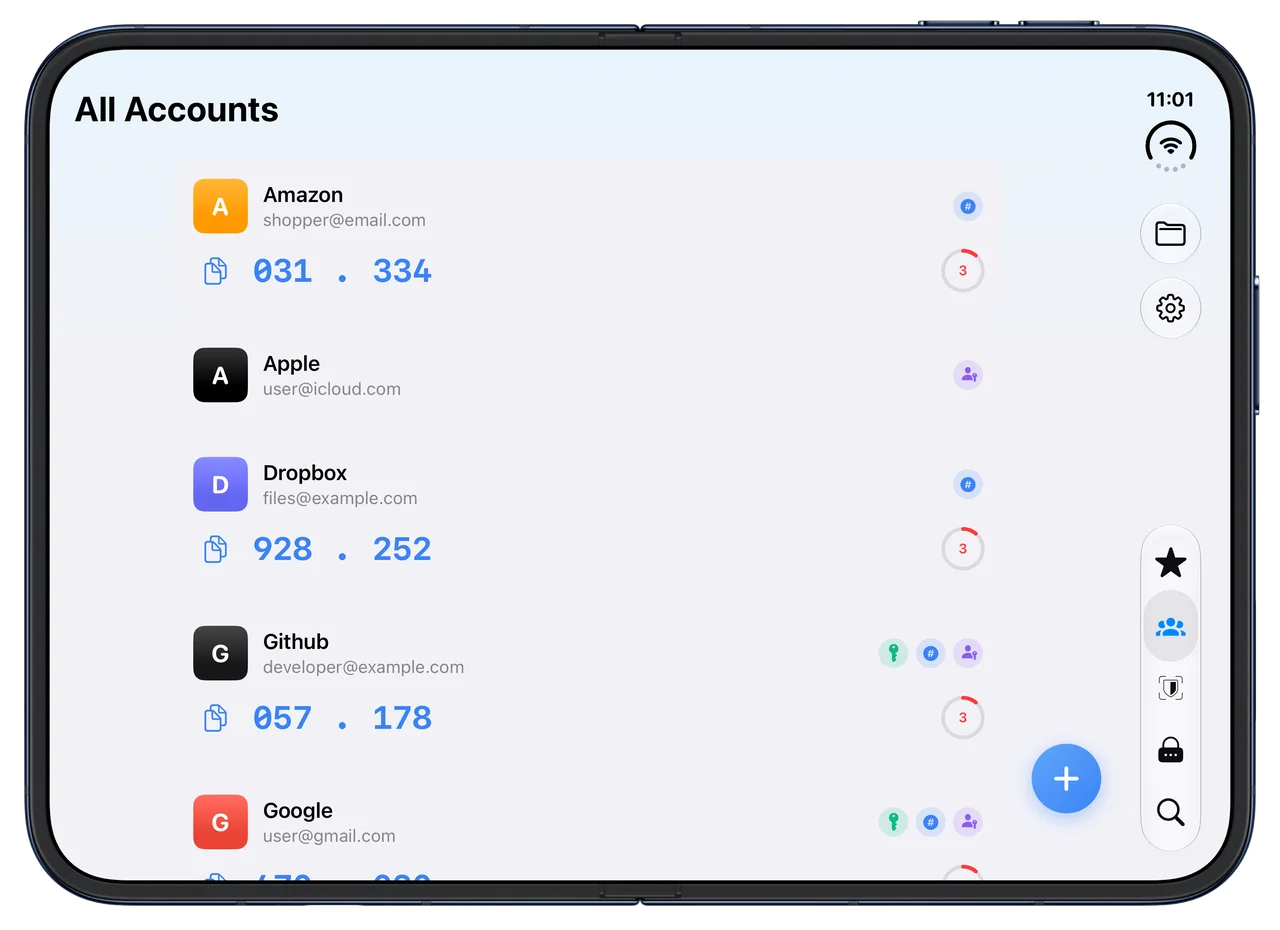
    Auth Kit on the inner display of an open iPhone Duo: the same All Accounts list centred on the wide screen, with the tab rail at the right edge
    Auth Kit, open: the same list centred on the wide inner display, with the tab rail at the right edge.
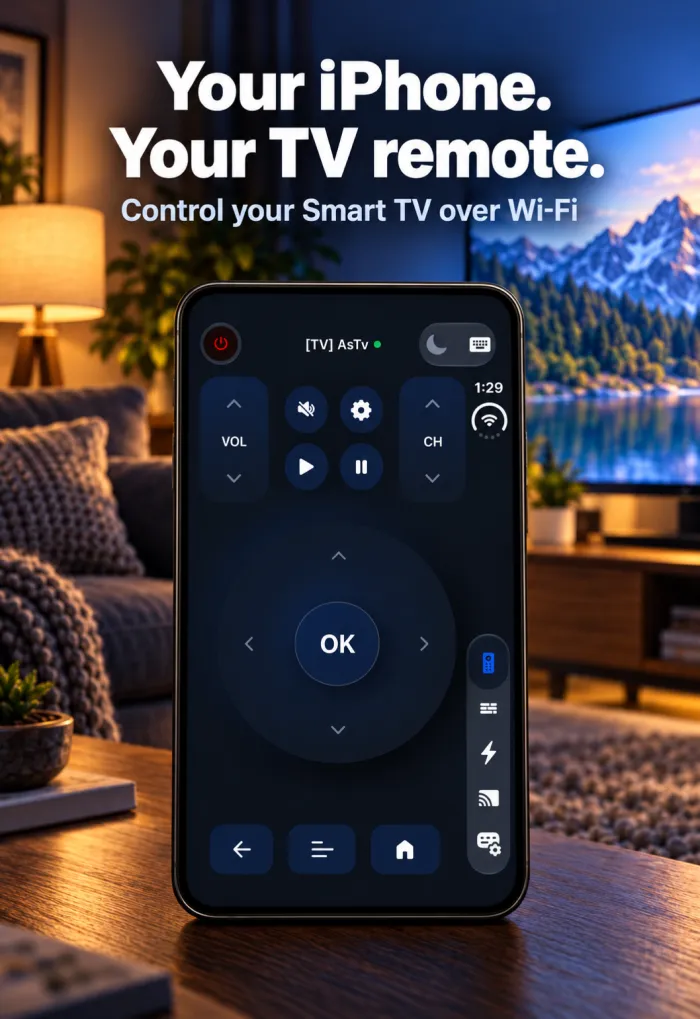
    AS Remote App Store screenshot for the outer display of iPhone Duo: the remote in portrait with VOL and CH, the D-pad, Back, Menu and Home, and a tab rail
    AS Remote, closed: the remote in portrait on the outer display, with VOL and CH, the D-pad and the tabs in a side rail. App Store screenshot.
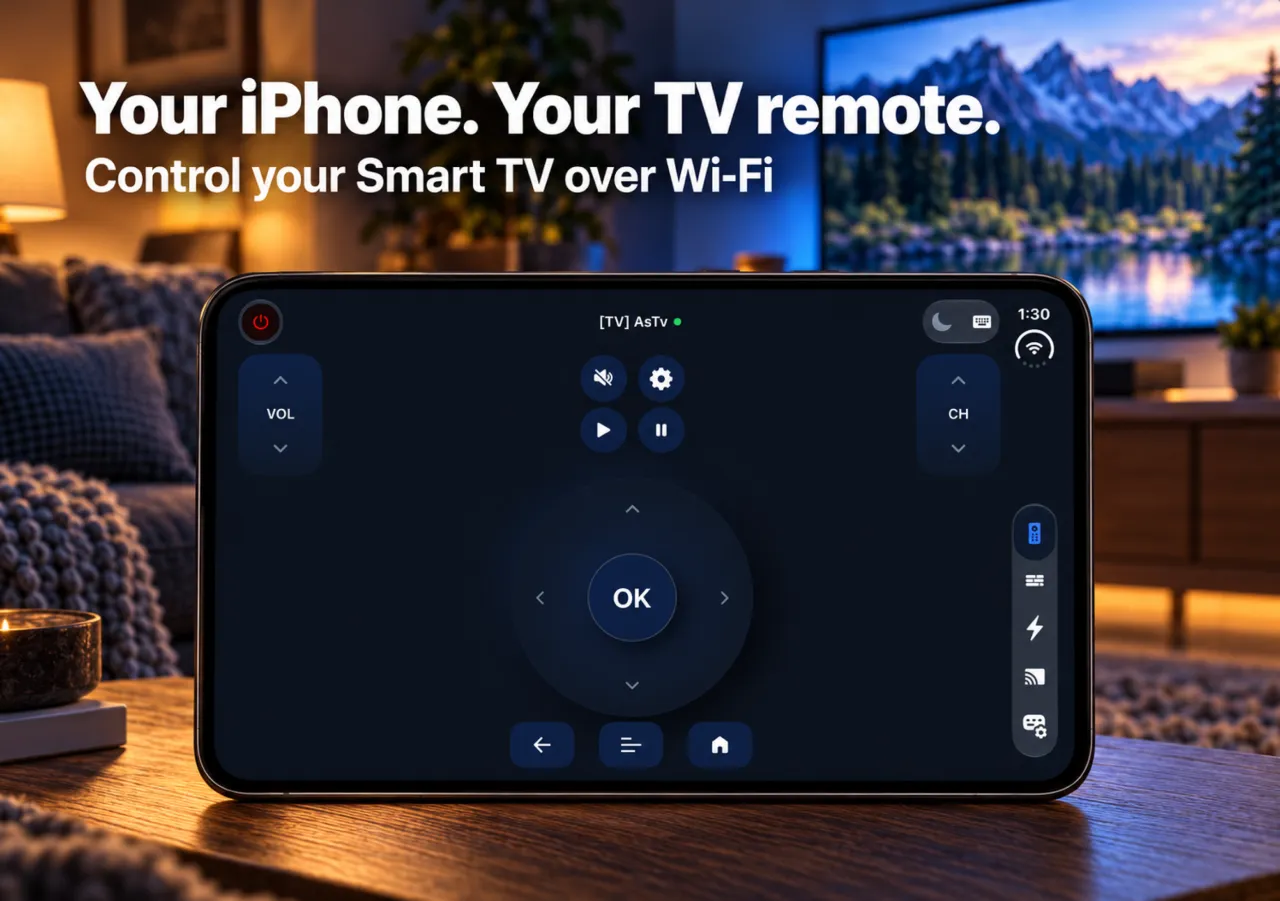
    AS Remote App Store screenshot for the inner display of iPhone Duo: the remote across the wide screen with VOL and CH at the edges, the D-pad in the middle and a tab rail on the right
    AS Remote, open: the remote spreads across the inner display, with VOL and CH at the edges, the D-pad in the middle and the tab rail on the right. App Store screenshot.
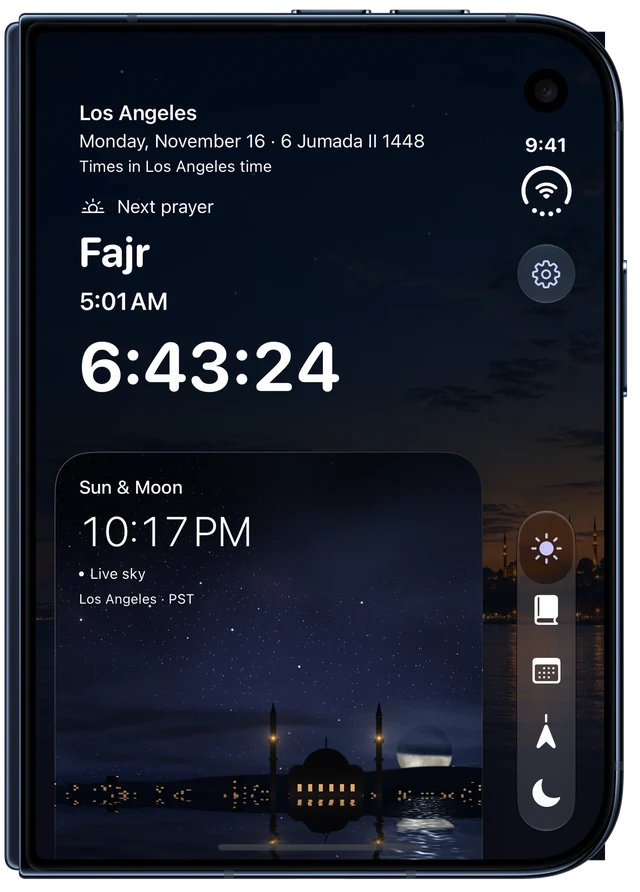
    Hilal on the outer display of a closed iPhone Duo: Today for Los Angeles with Fajr as the next prayer and its countdown, the Sun & Moon card with a night sky over a mosque, and a tab rail on the right
    Hilal, closed: Today on the outer display, with the next prayer and its countdown above the living sky, and the tabs in a rail on the right.
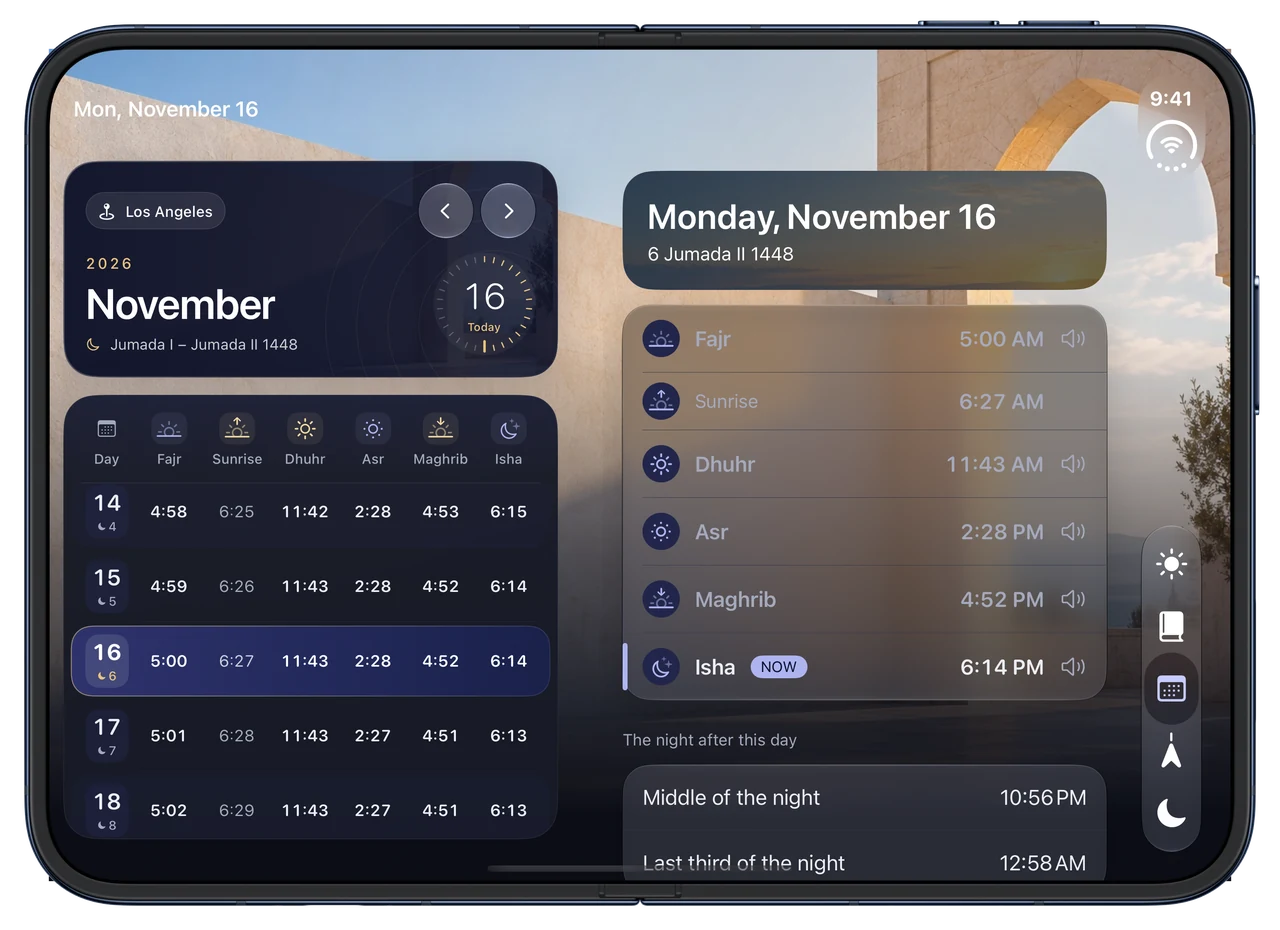
    Hilal on the inner display of an open iPhone Duo: the timetable for November on the left with the 16th highlighted, the day's six times from Fajr to Isha on the right, and the tab rail at the right edge
    Hilal, open: the month's timetable on the left and the day's prayer times on the right, side by side on the inner display.
    AS Miles on the outer display of a closed iPhone Duo: four drives to classify, a drive from Office to Northgate build site with Personal and Business buttons, yesterday's drives below, and a tab rail on the right
    AS Miles, closed: the drives to classify on the outer display, with Personal and Business buttons under the top drive and the tabs in a rail on the right.
    AS Miles on the inner display of an open iPhone Duo: tracking status, the Prepare your report card and November's business miles on the left, a map of recent drives and their list on the right
    AS Miles, open: the month's business miles on the left and a map of recent drives with their list on the right, side by side on the inner display.
    Our apps

    Thirteen apps. One studio.

    AS Apps Studio builds native apps for iPhone, iPad and Mac. Ten of them are free downloads on the App Store, with optional in-app purchases for extra features: a 2FA and password vault, a duplicate photo cleaner, a Wi-Fi TV remote, a cron builder, a rock identifier, a receipt scanner, a family organizer, a point of sale, a set of party games and a mindful drinking tracker. Hilal, for prayer times and the Quran, and AS Miles, an automatic mileage log, are coming soon.
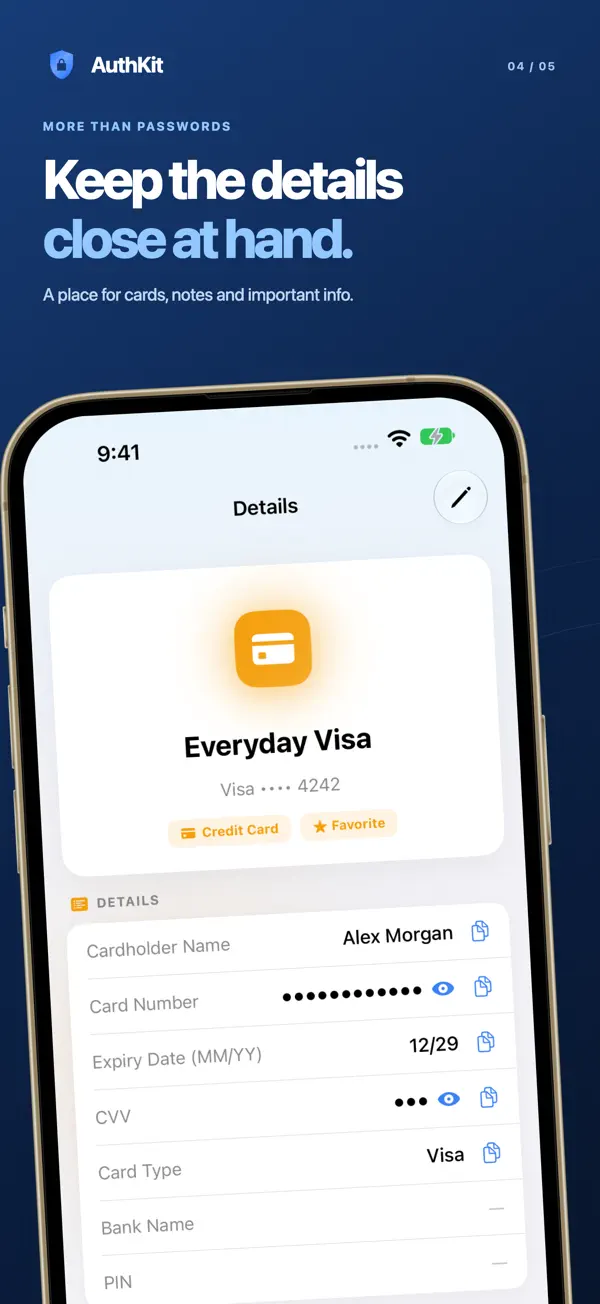
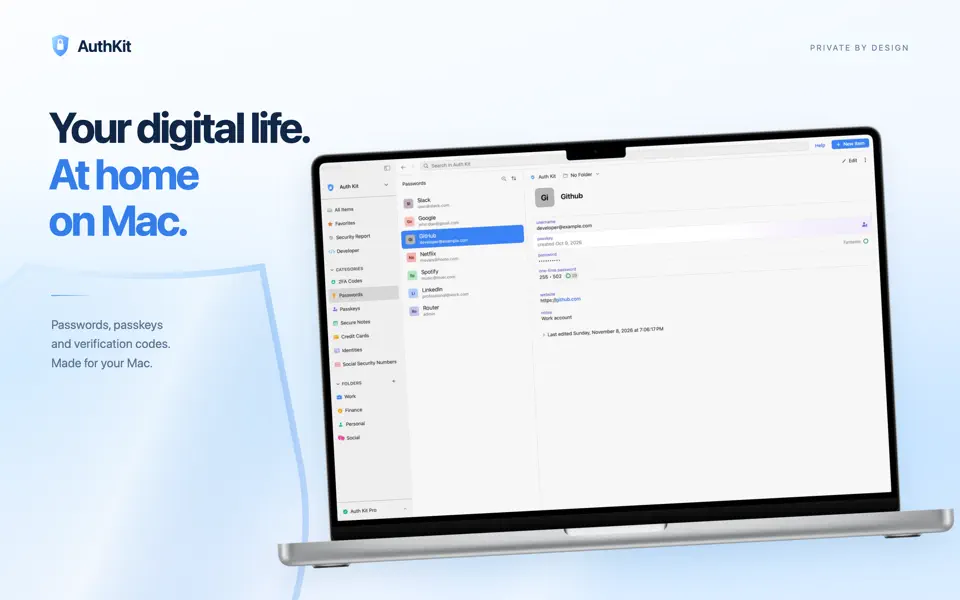
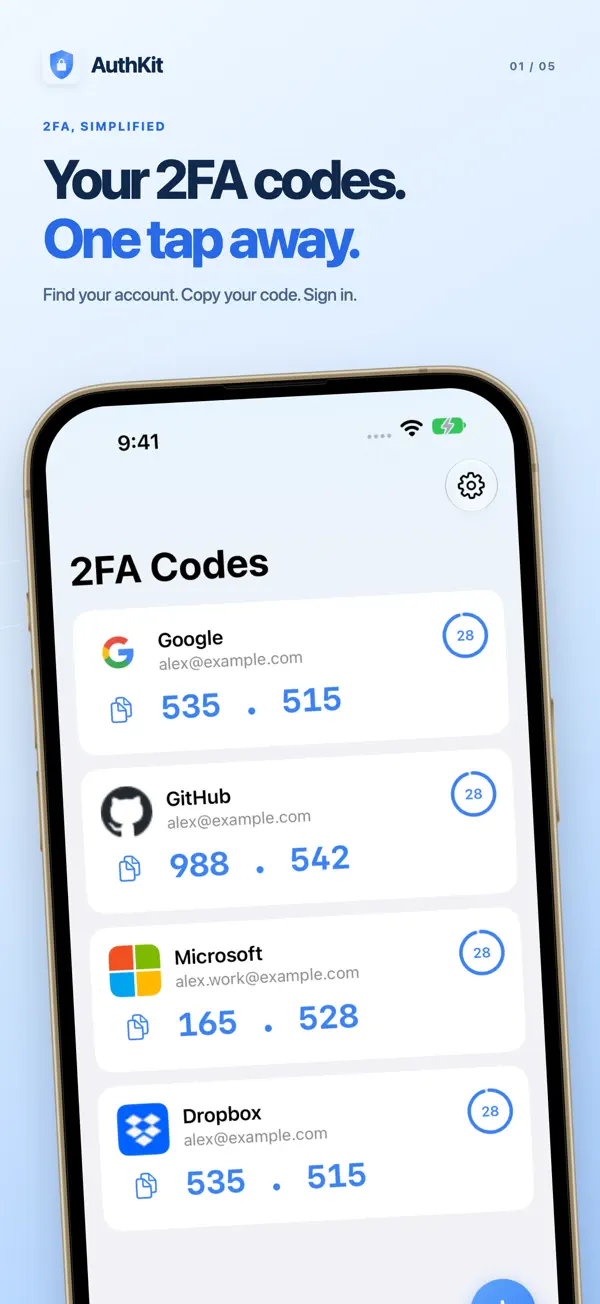
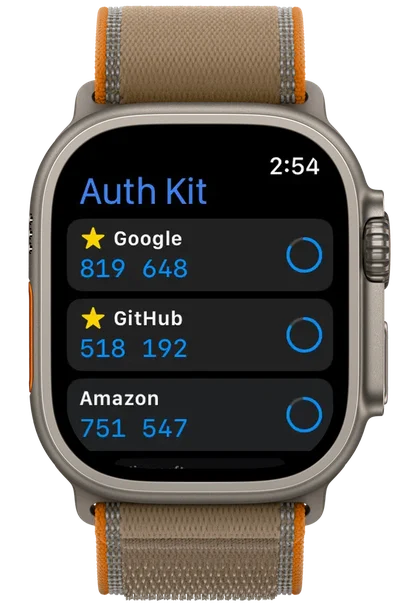
    Auth Kit Mac App Store screenshot: your digital life, at home on Mac, with the password list and a GitHub login on a MacBook Auth Kit App Store screenshot: 2FA codes for Google, GitHub, Microsoft and Dropbox, one tap away Auth Kit on Apple Watch Ultra: the code list with 2FA codes for Google and GitHub, marked as favorites, and Amazon, each with its countdown ring

    Auth Kit

    2FA and password vault · iPhone, iPhone Duo, iPad, Mac, Apple Watch

    2FA codes, passwords, passkeys and 22 item types such as cards and passports, protected by Apple Keychain, with your 2FA codes on Apple Watch too. No account required.

    App Store
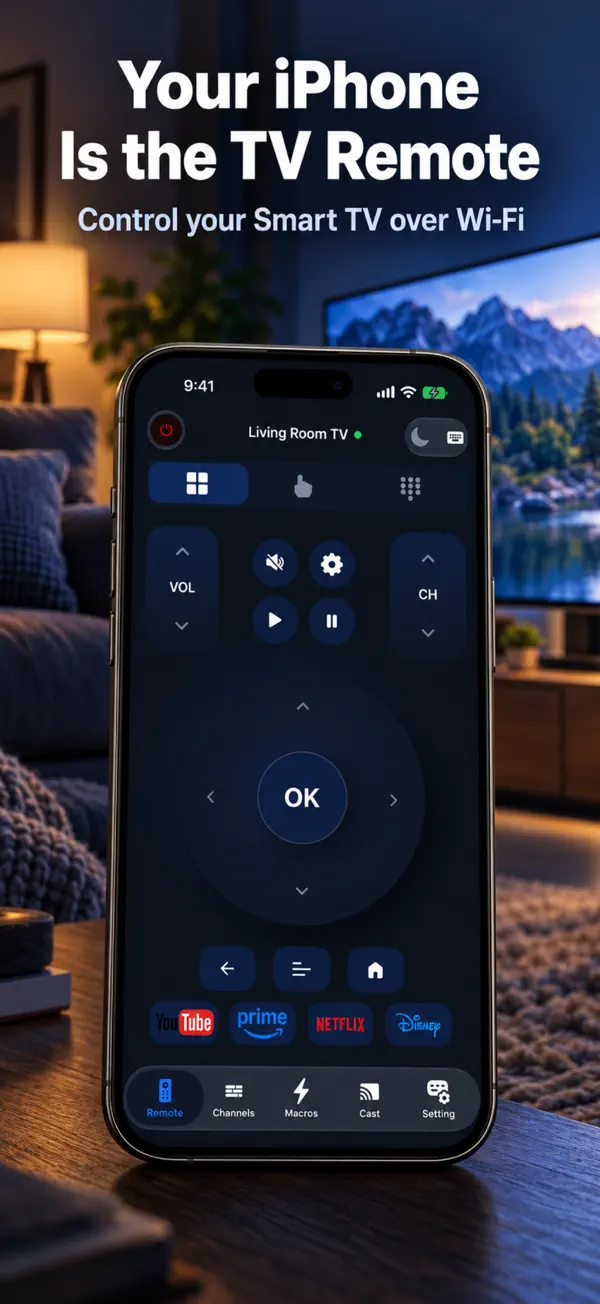
    AS Remote App Store screenshot: your iPhone is the TV remote, with the D-pad, volume and streaming shortcuts

    AS Remote

    Universal TV remote · iPhone, iPhone Duo

    A Wi-Fi remote for Samsung, LG, Roku, TCL, Google TV, Android TV, Fire TV and Hisense VIDAA TVs, with screen mirroring and photo casting.

    App Store
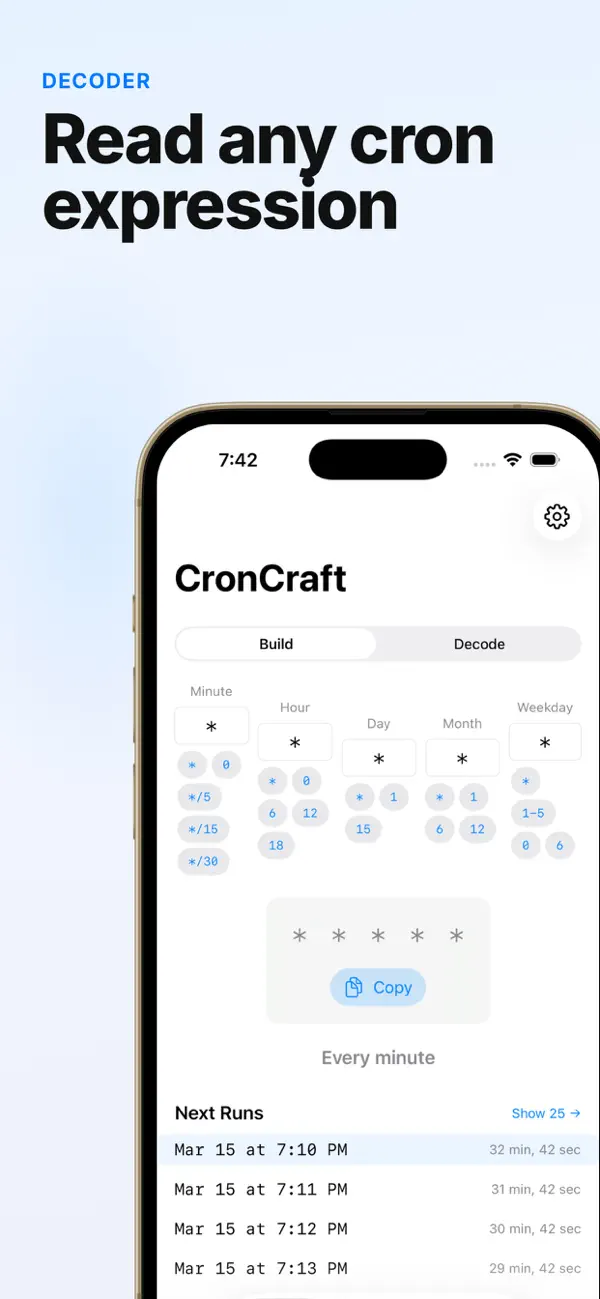
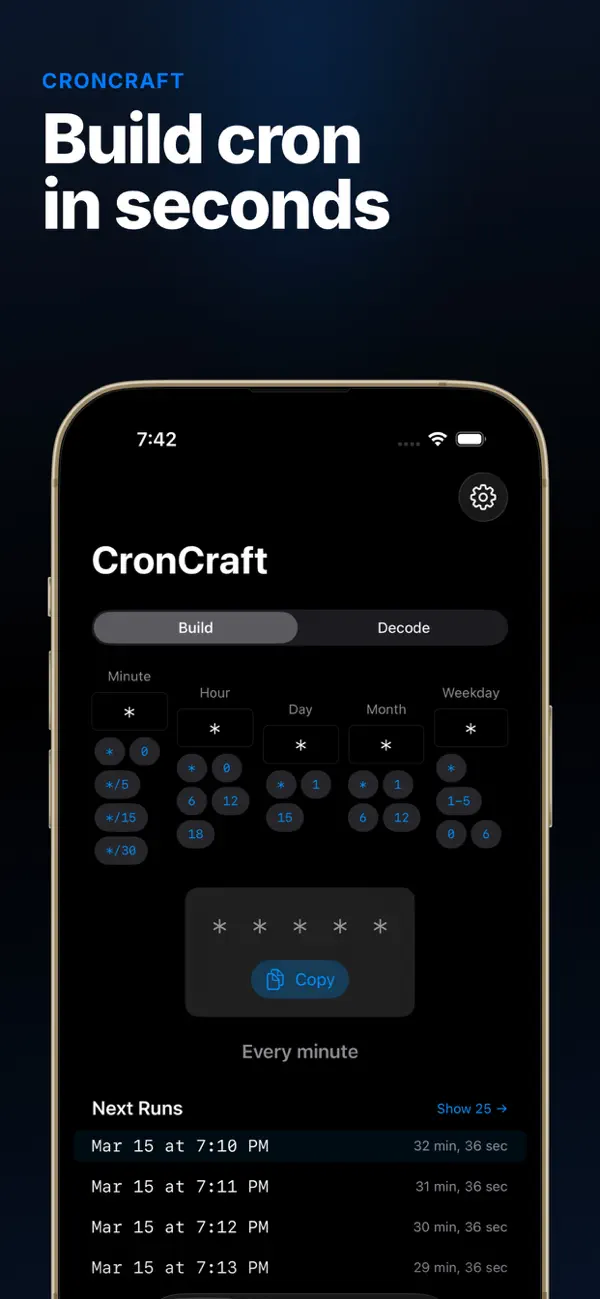
    CronCraft App Store screenshot: build cron in seconds with the visual builder and next-run list

    CronCraft

    Cron builder for developers

    Build and decode cron expressions visually, read them in plain English and preview the next runs. Works offline.

    App Store
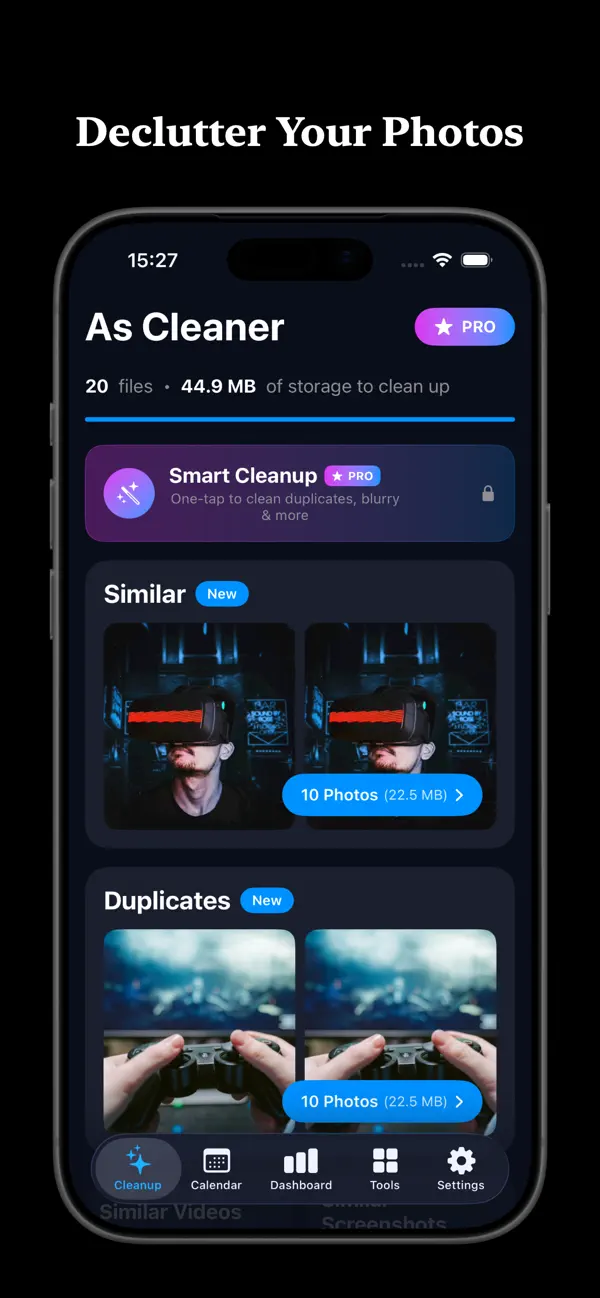
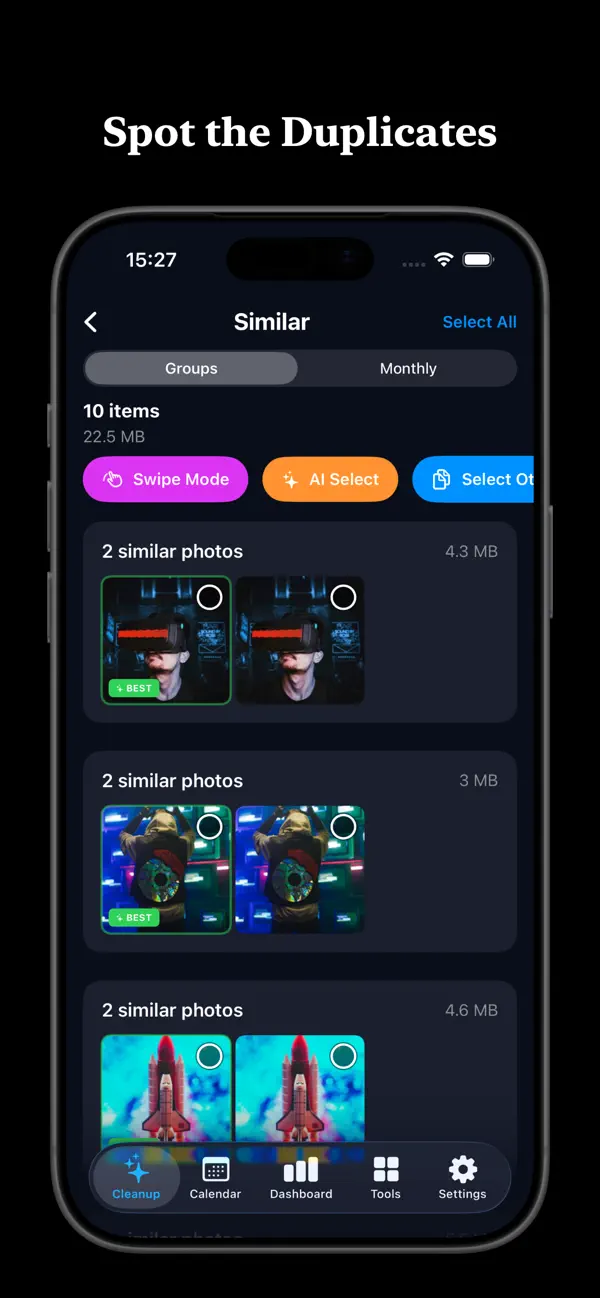
    AS Cleaner App Store screenshot: declutter your photos, with Smart Cleanup and groups of similar and duplicate photos AS Cleaner App Store screenshot: groups of similar photos ready to review

    AS Cleaner

    Photo cleaner

    Finds exact duplicates, similar shots, blurry photos and screenshots, compresses photos and converts Live Photos. Scanning runs on the device.

    App Store
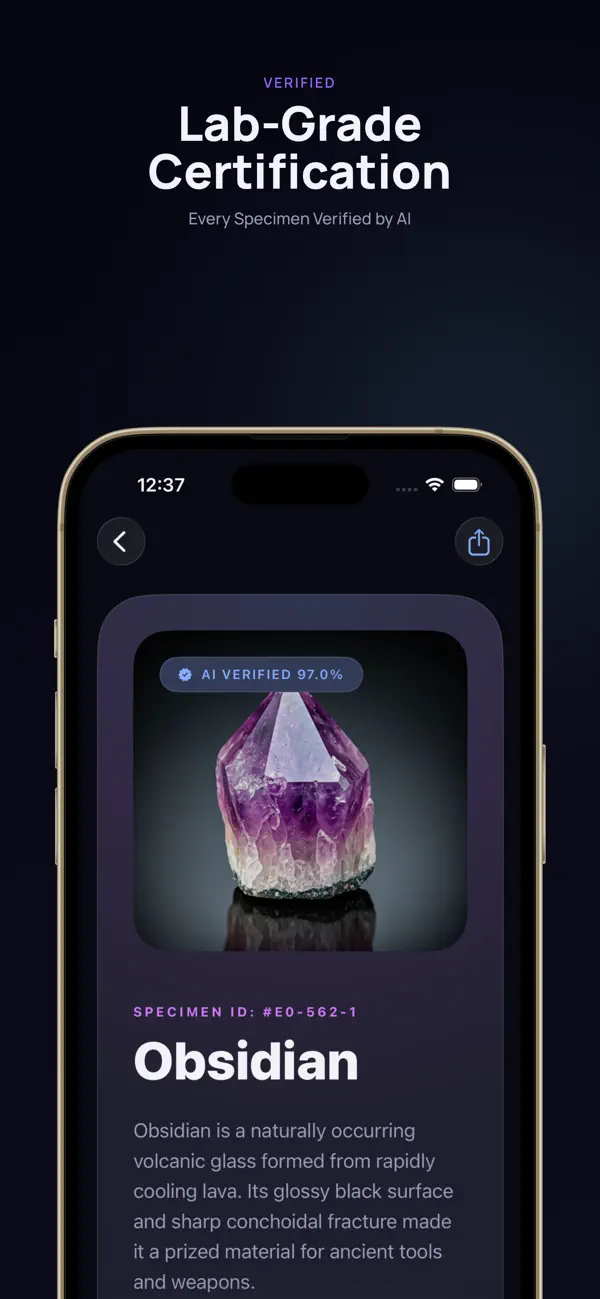
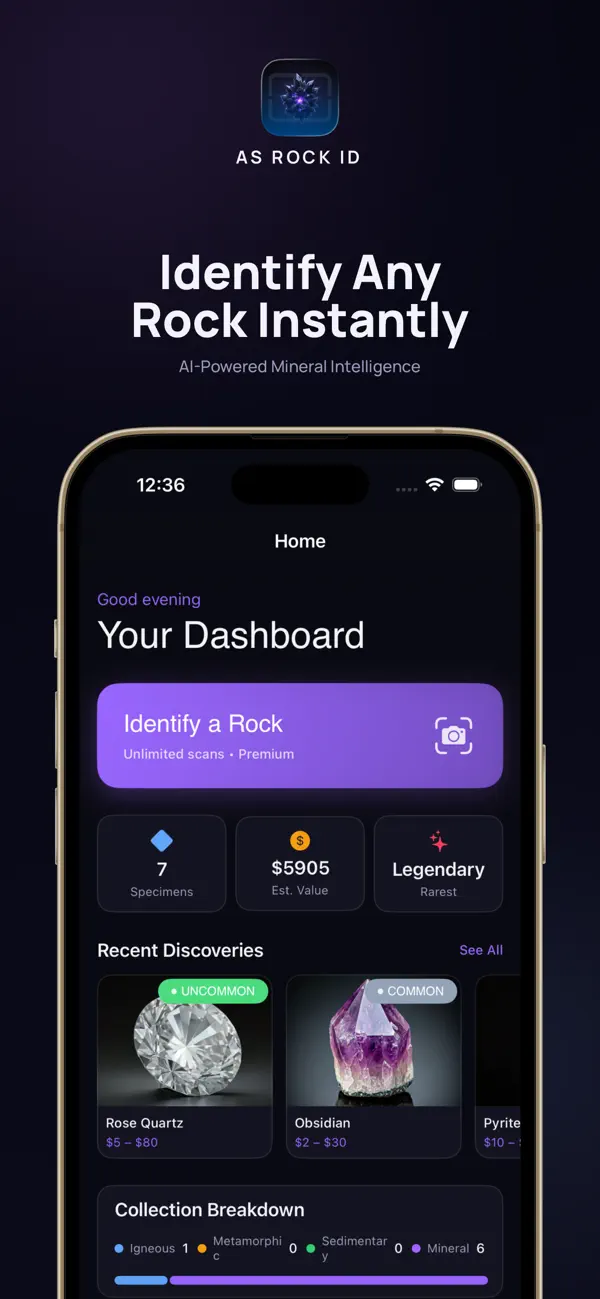
    AS Rock ID App Store screenshot: identify any rock instantly, the home dashboard with recent discoveries

    AS Rock ID

    Rock and mineral identifier

    Identifies rocks, minerals and gemstones from a photo using Gemini AI, with composition, hardness and a personal collection.
    App Store
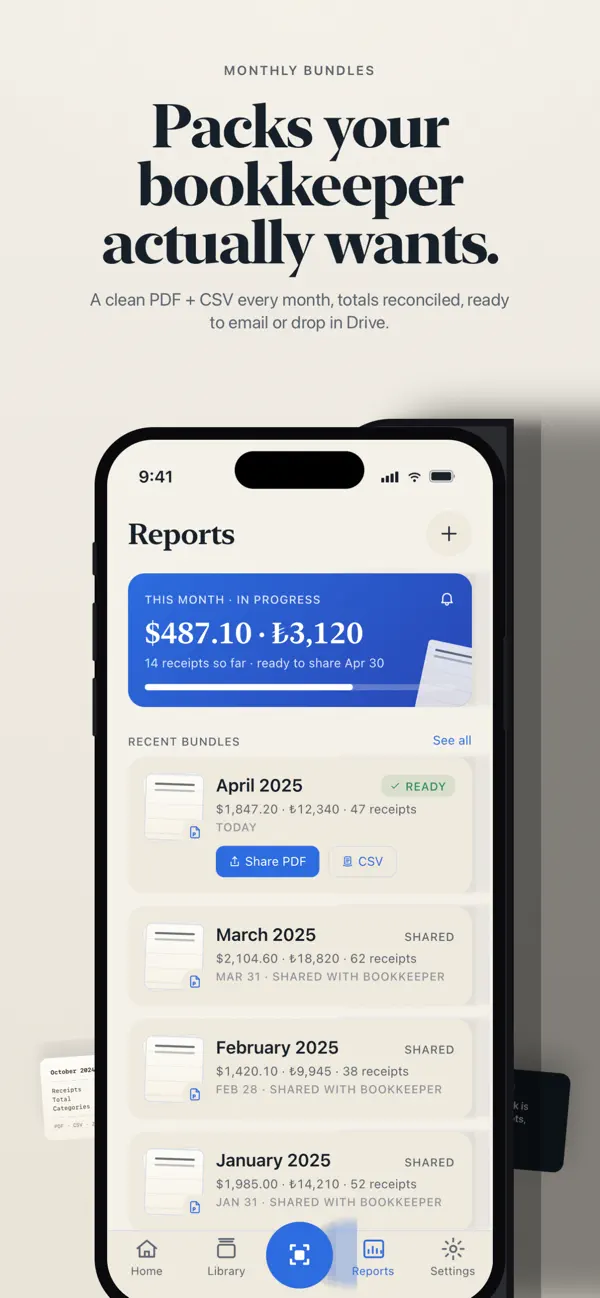
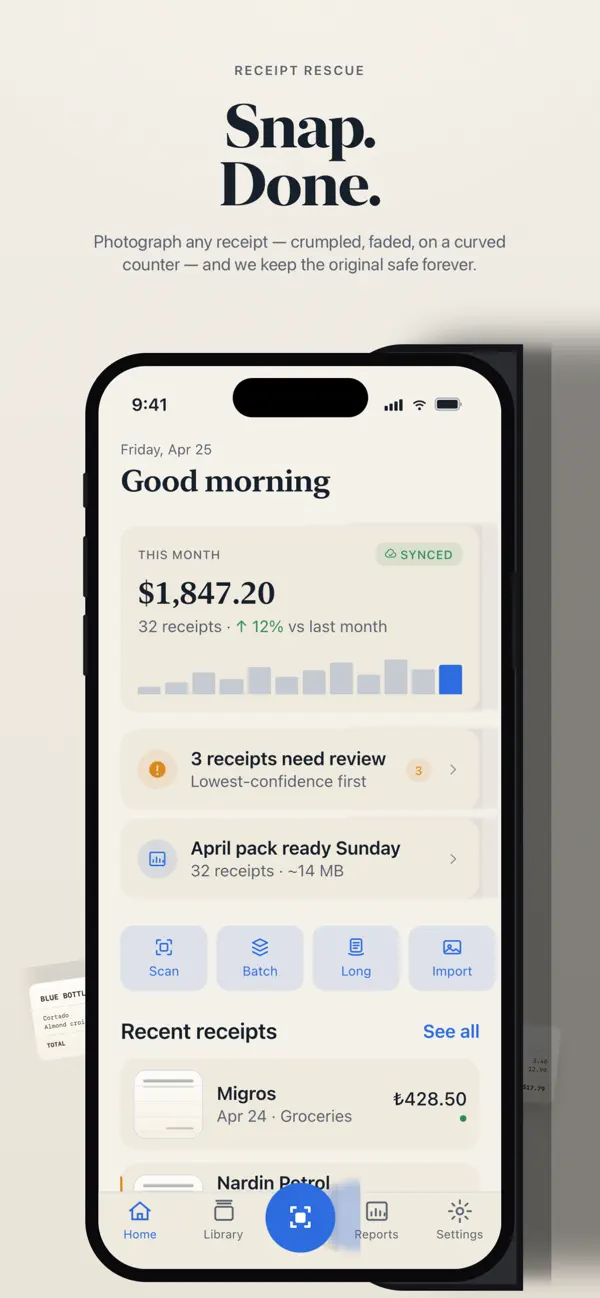
    Receipt Rescue App Store screenshot: snap, done, with this month’s receipts and totals

    Receipt Rescue

    Receipt scanner

    Reads merchant, total, tax and date from a receipt, keeps the original currency and exports a month of receipts as one PDF.
    App Store
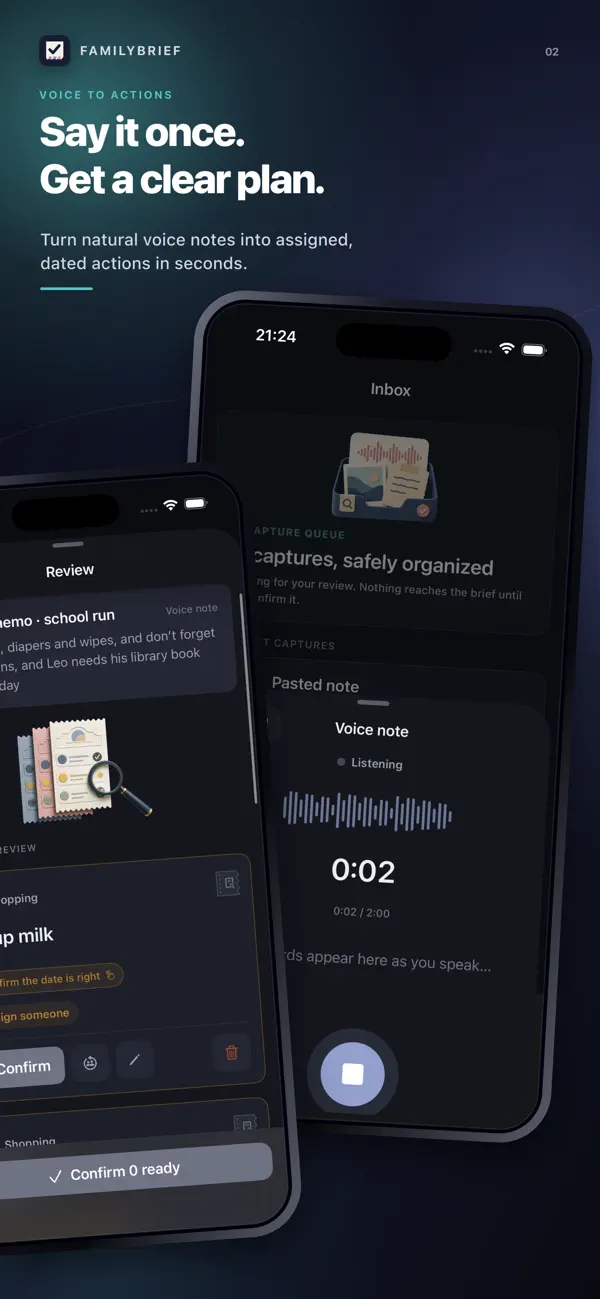
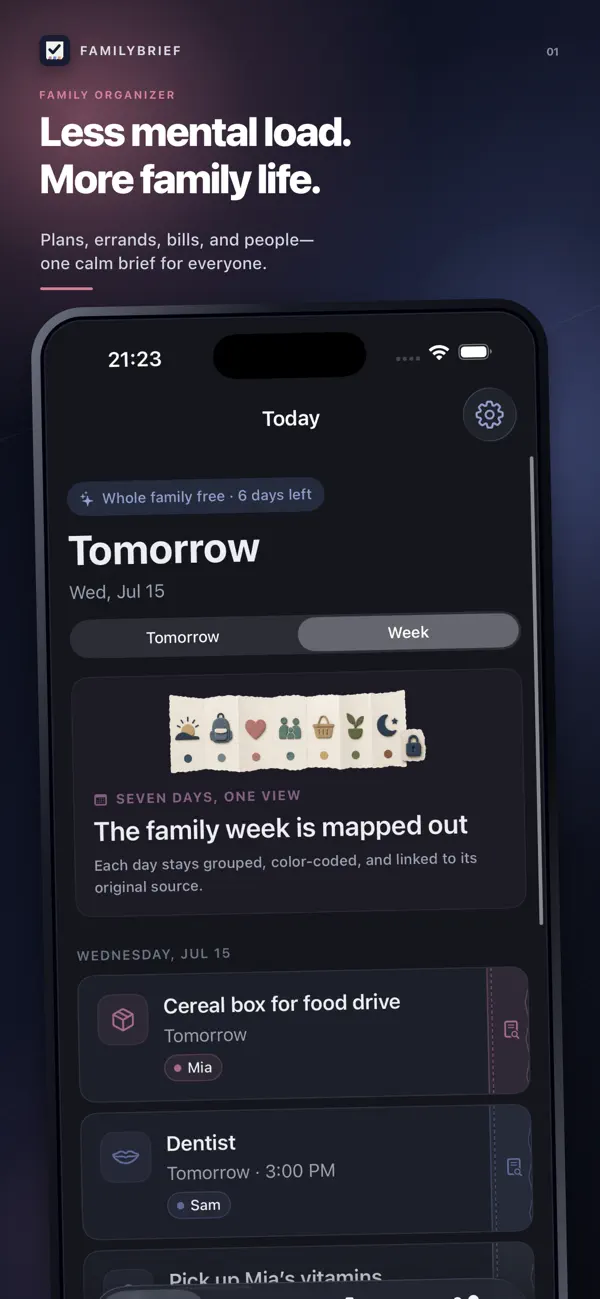
    FamilyBrief App Store screenshot: less mental load, more family life, with tomorrow’s plan for the family

    FamilyBrief

    Family organizer

    Turns voice memos, screenshots, photos and text into tasks, appointments and shopping items with on-device AI, then gives each person an evening brief.
    App Store
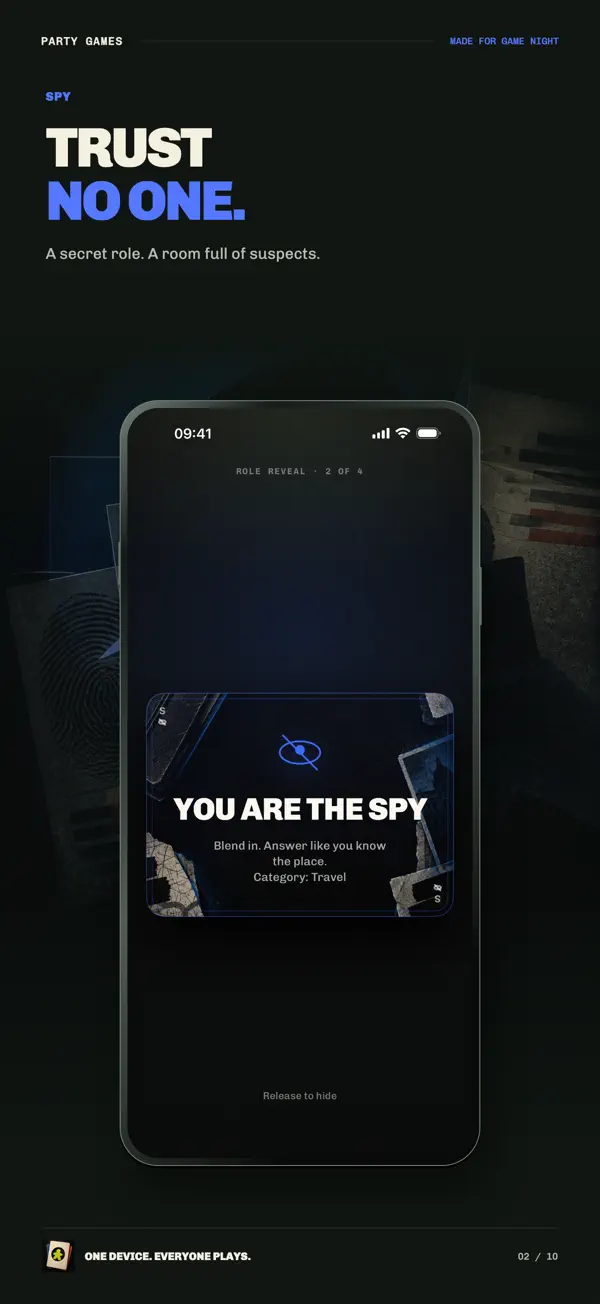
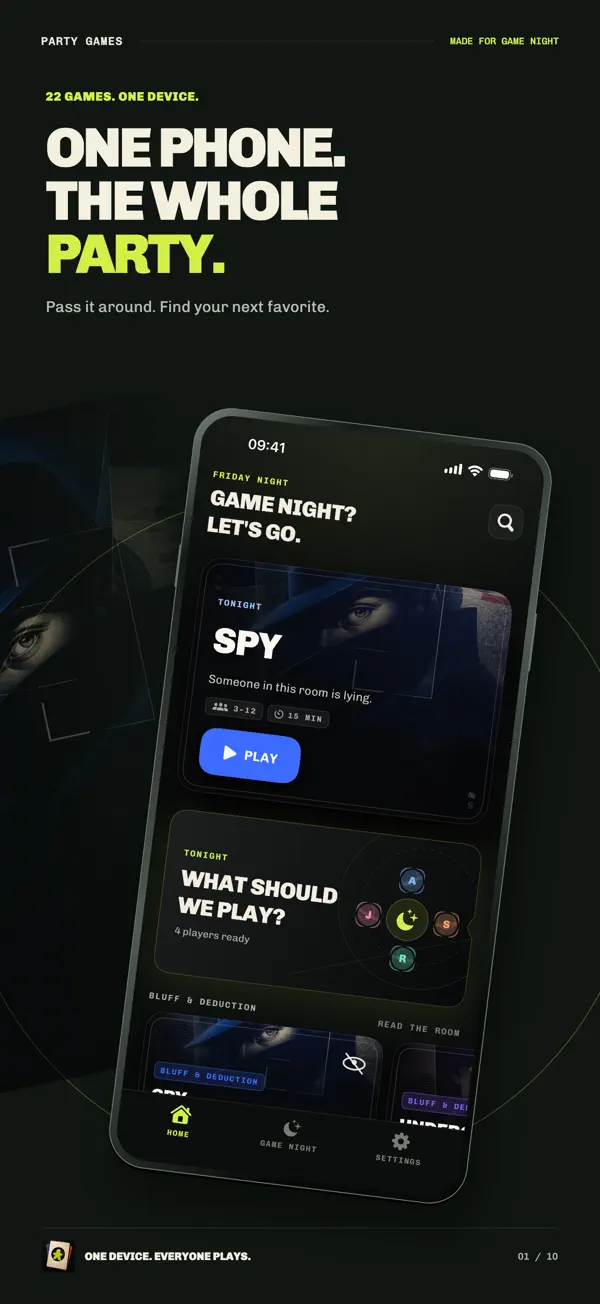
    Party Games App Store screenshot: one phone, the whole party, with Spy as tonight’s game

    Party Games

    Pass-and-play party games

    22 offline games on one phone passed around the room, including Mafia, Spy, Truth or Dare and Headbands, in 15 languages.
    App Store
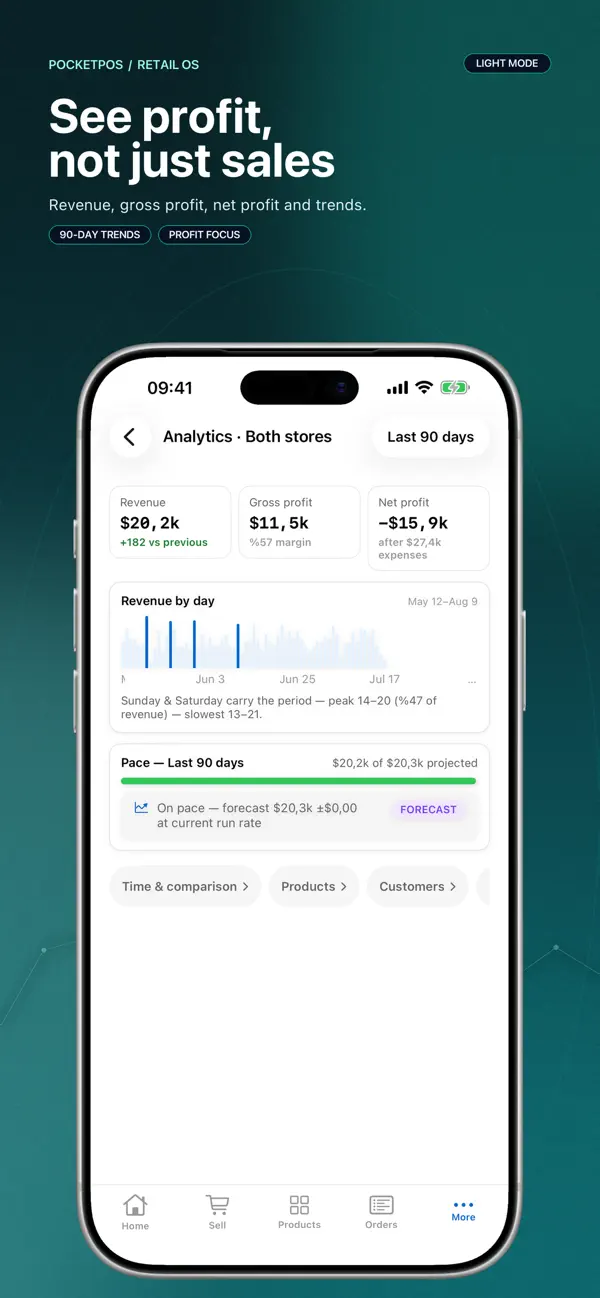
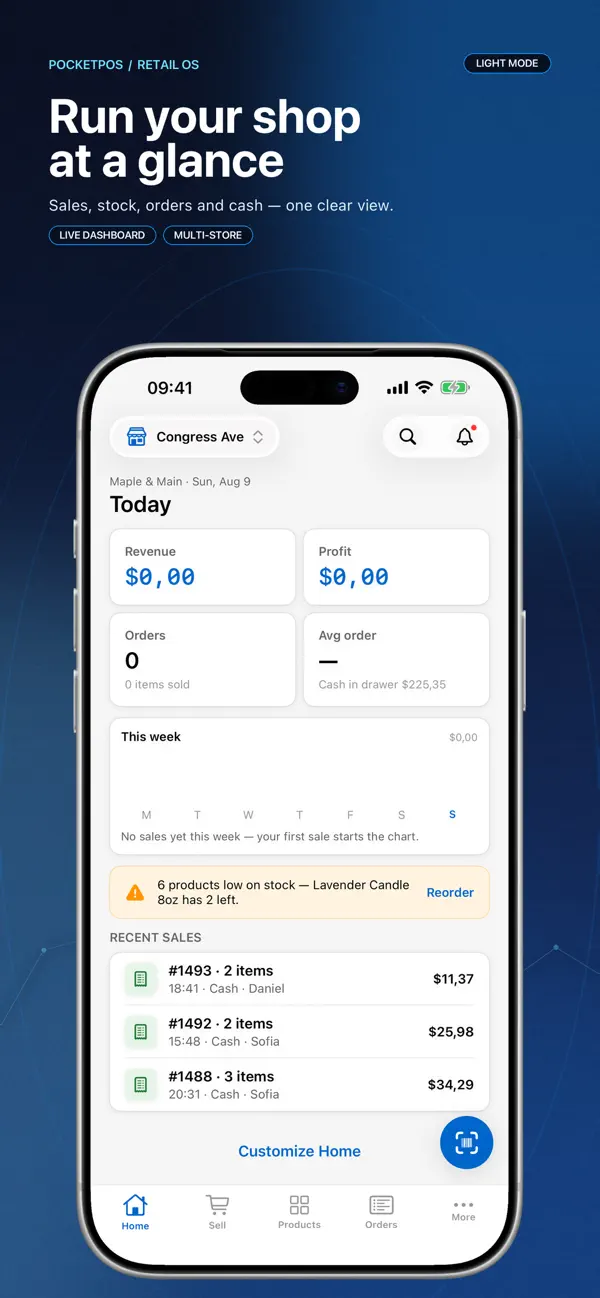
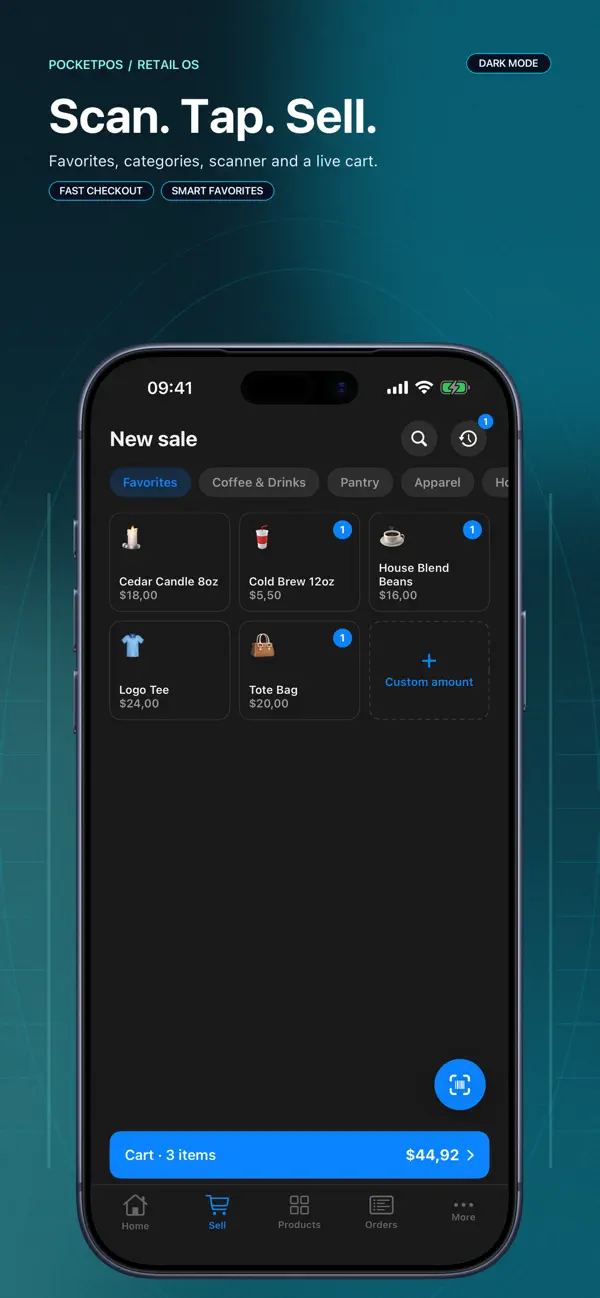
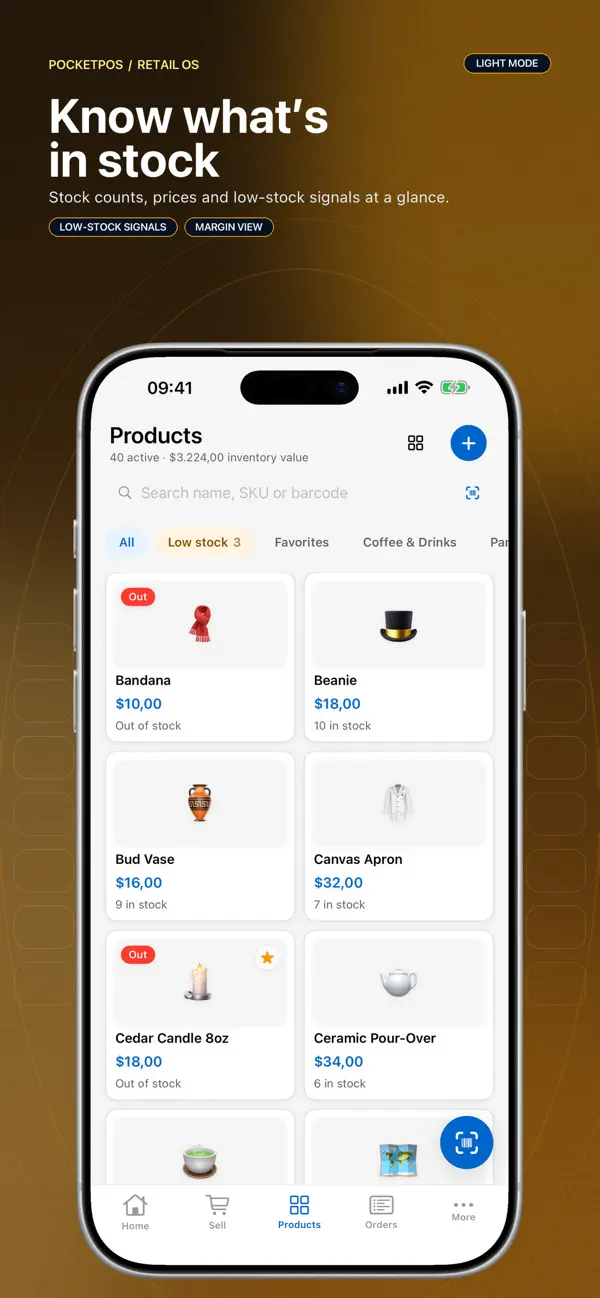
    PocketPOS App Store screenshot: scan, tap, sell, a new sale with favorites, categories, the barcode scanner and a live cart PocketPOS App Store screenshot: know what is in stock, the product catalog with prices, stock counts and low-stock badges PocketPOS App Store screenshot: see profit, not just sales, with revenue, gross profit and net profit by day

    PocketPOS

    Offline point of sale

    A full register on iPhone and iPad: scan barcodes or tap favorites, keep a catalog with SKUs, variants and stock, take cash, card or split payments, share receipts and see revenue and profit. Works with no internet.

    App Store
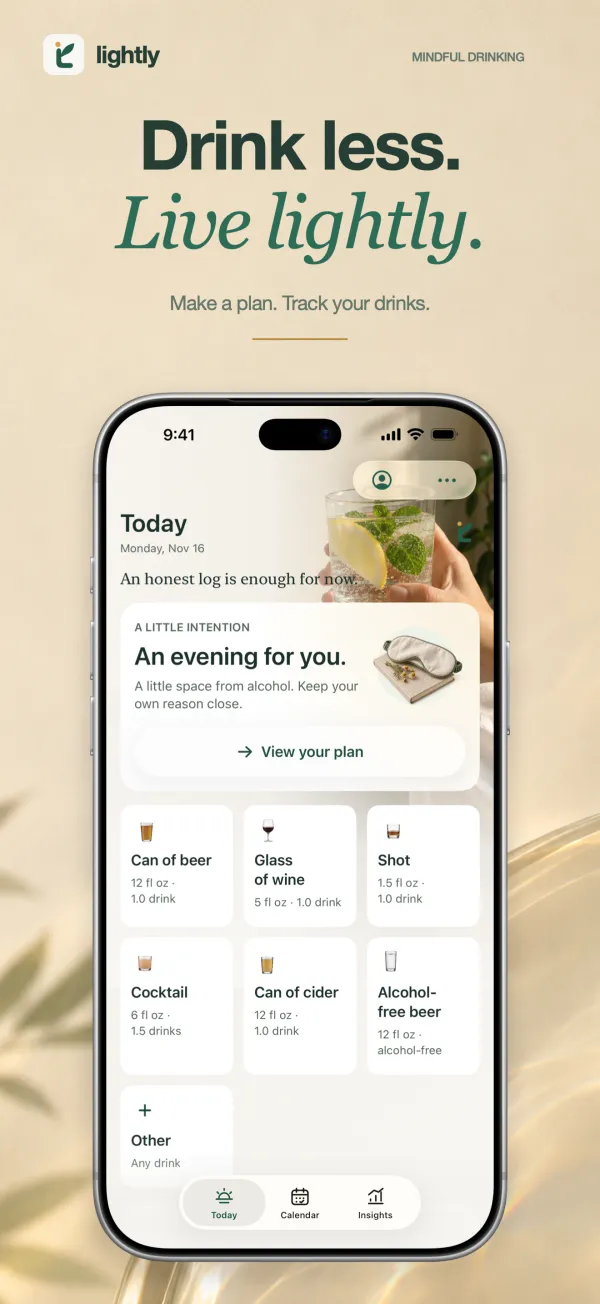
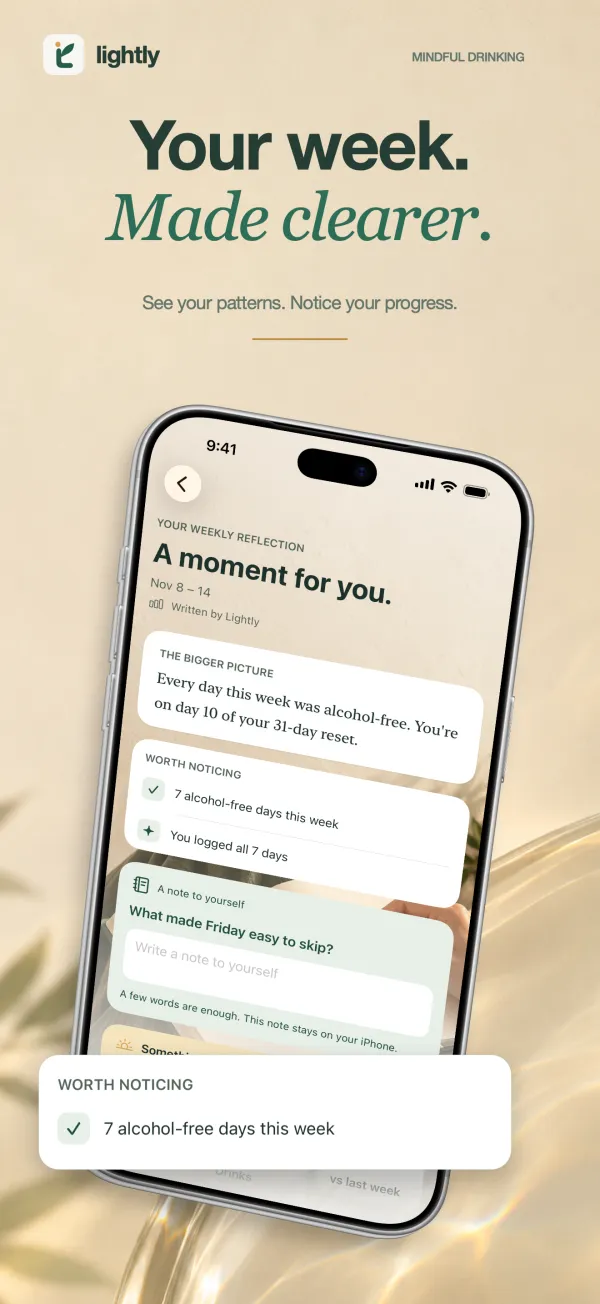
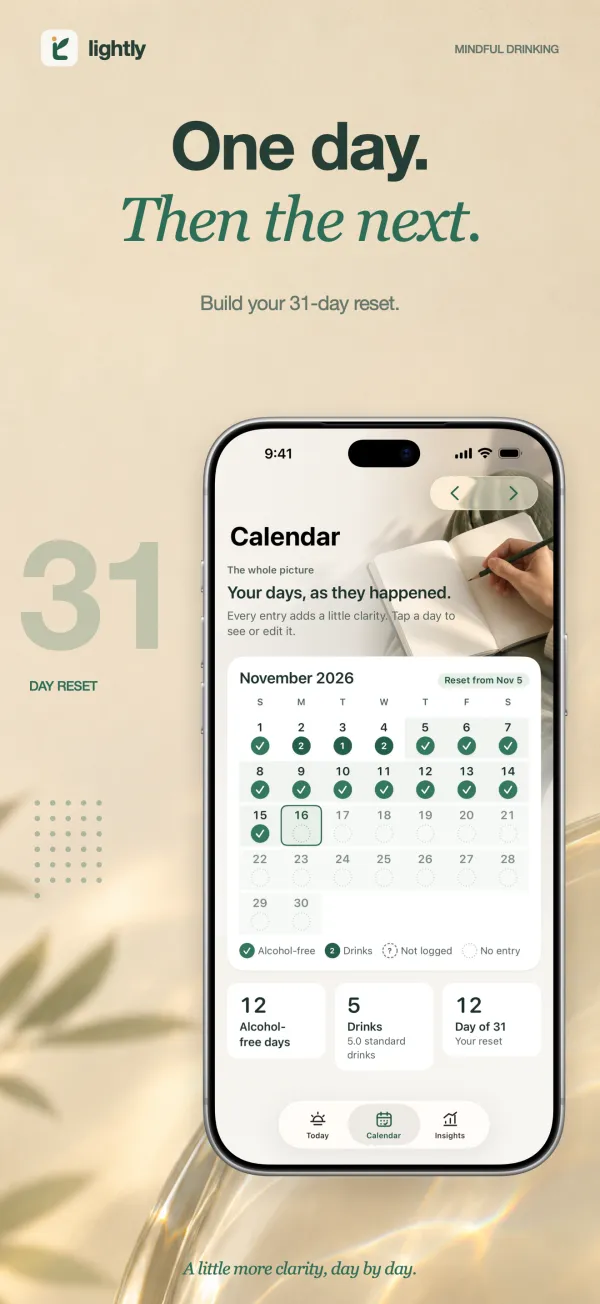
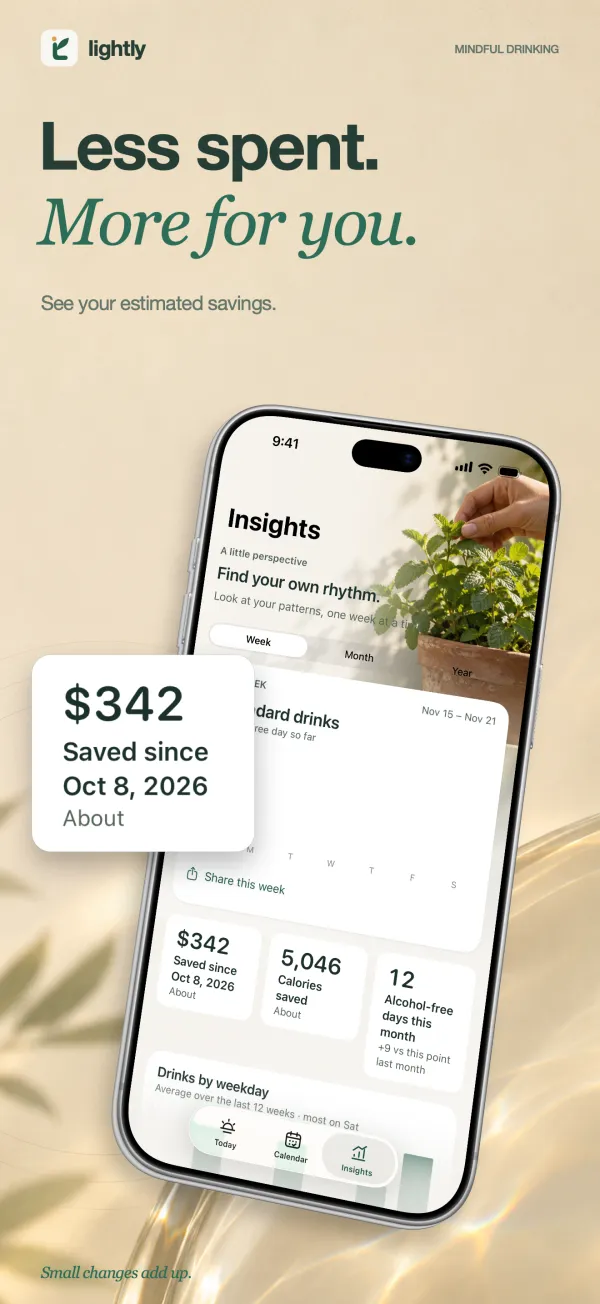
    Lightly App Store screenshot: drink less, live lightly, with the Today screen and its one-tap drink buttons Lightly App Store screenshot: your week, made clearer, with the weekly reflection Lightly App Store screenshot: one day, then the next, with the calendar of a 31-day reset

    Lightly

    Mindful drinking

    Drink less, your way. Make a plan, log a drink in one tap and see your week more clearly, with a weekly reflection, a 31-day reset and estimated savings. No account, and your drink log stays on your iPhone.

    App Store
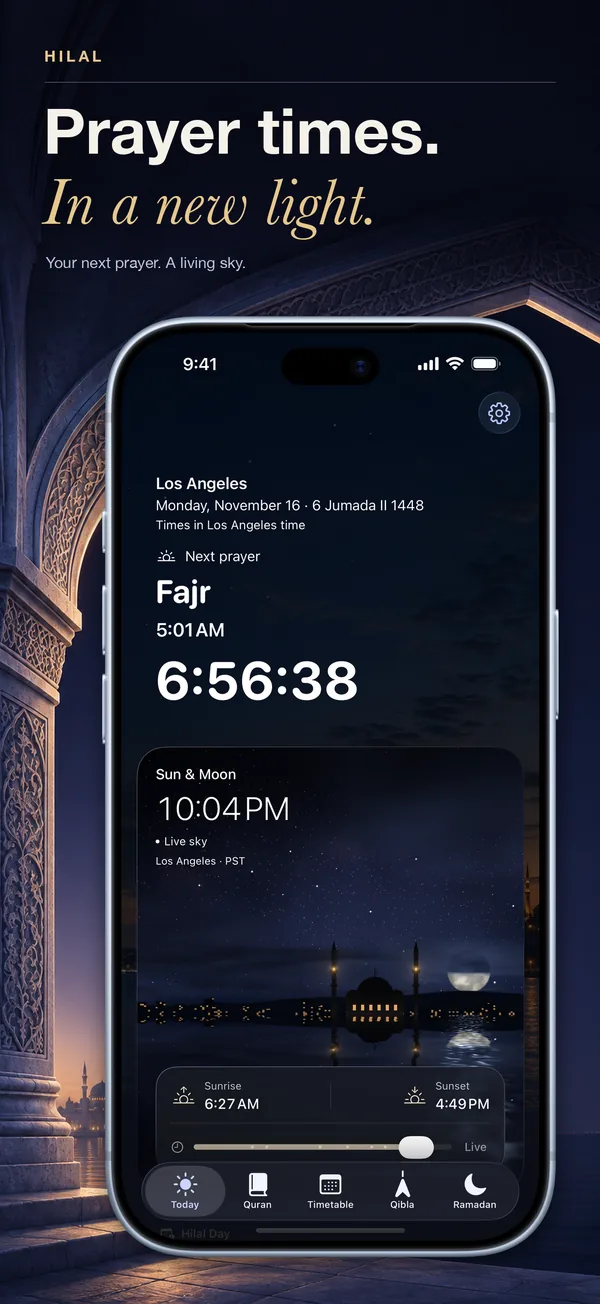
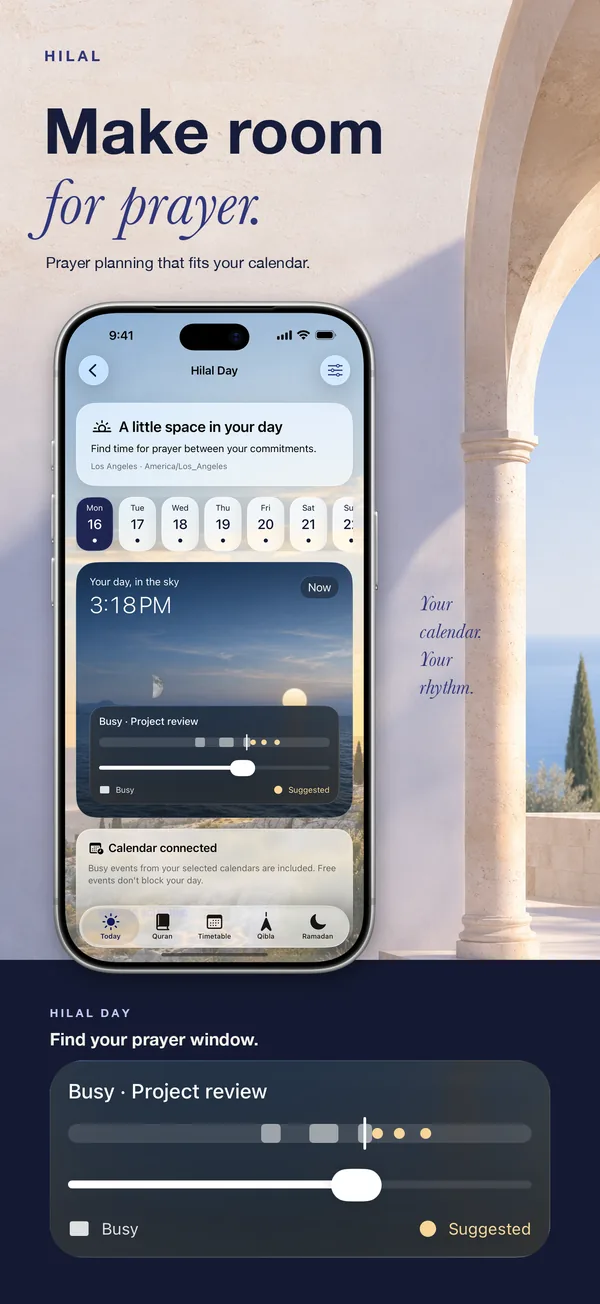
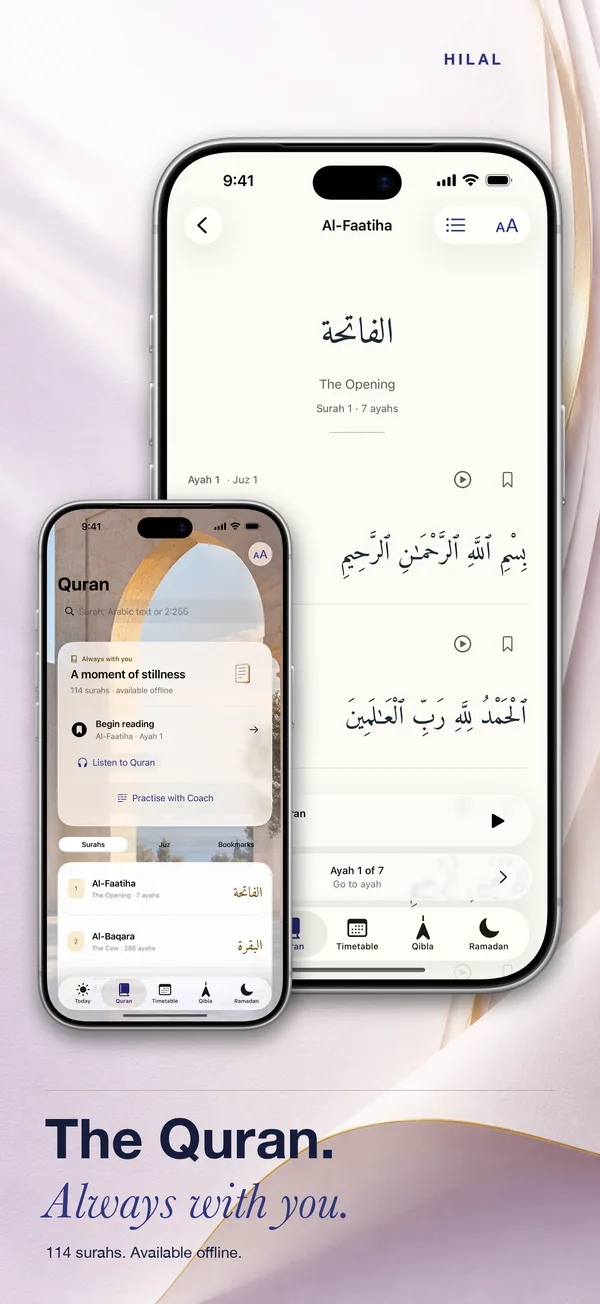
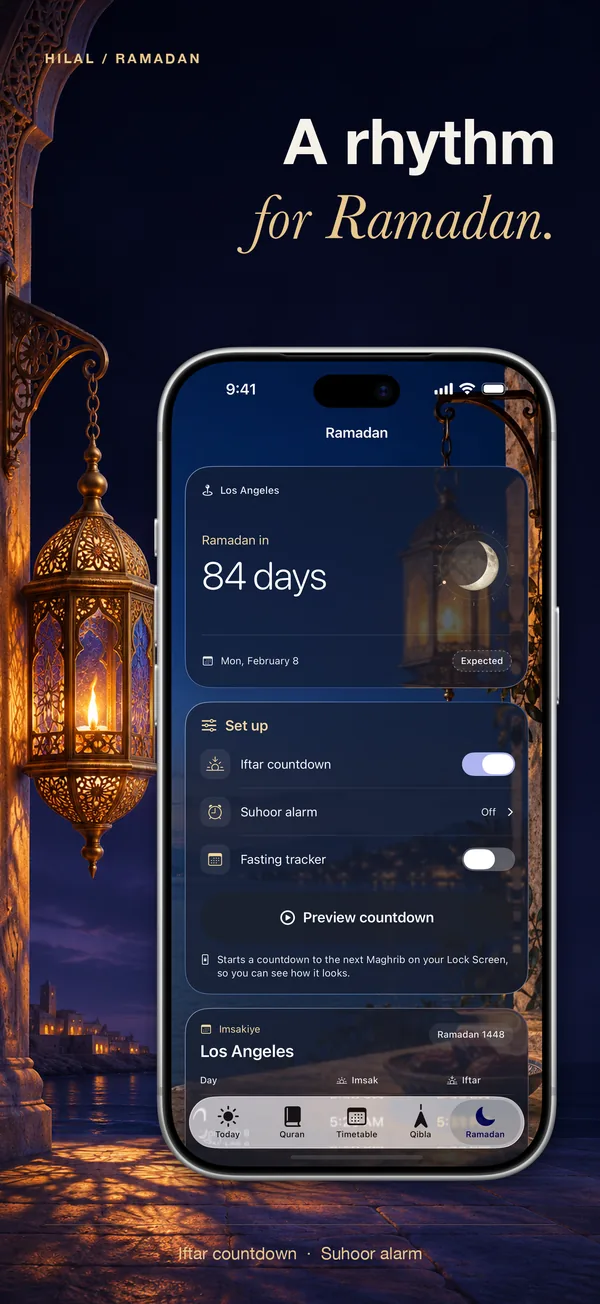
    Hilal App Store screenshot: prayer times in a new light, with the Today screen, the next prayer and a living sky Hilal App Store screenshot: make room for prayer, with the Hilal Day planning window Hilal App Store screenshot: the Quran, always with you, with the reader and the list of surahs

    Hilal

    Prayer times and Quran

    Your day, in a new light. Prayer times under a living sky, a day planned around prayer, the Quran with four reciters, a Qibla compass and Ramadan tools, in five languages. No account and no ads.
    Coming soon to the App Store
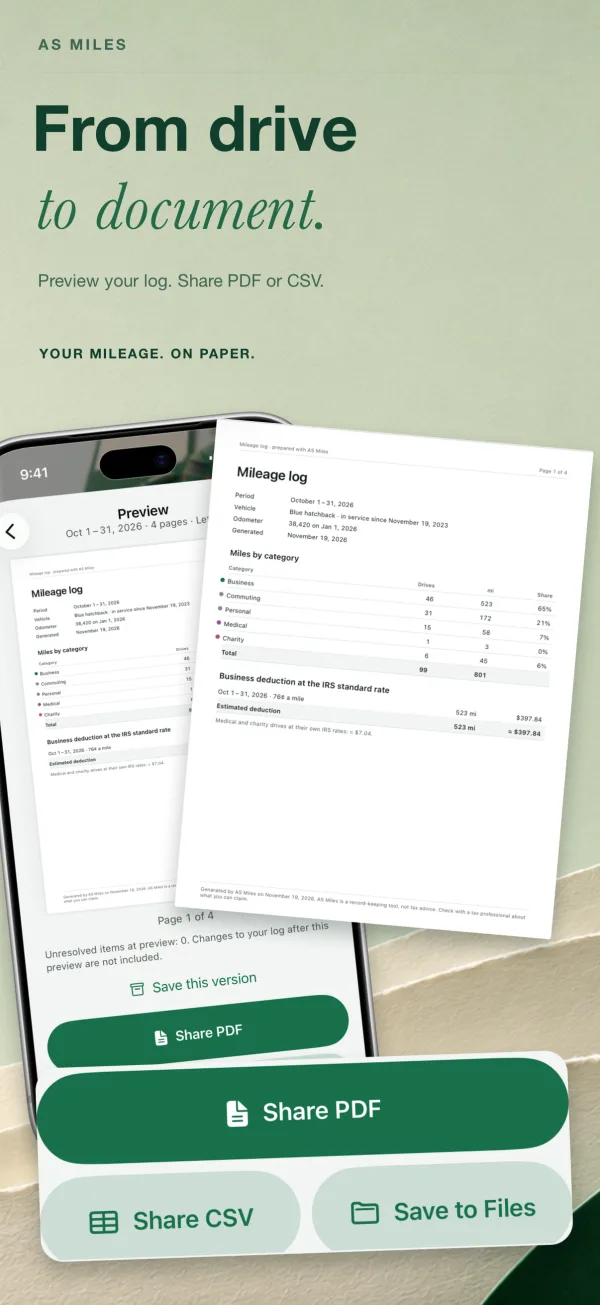
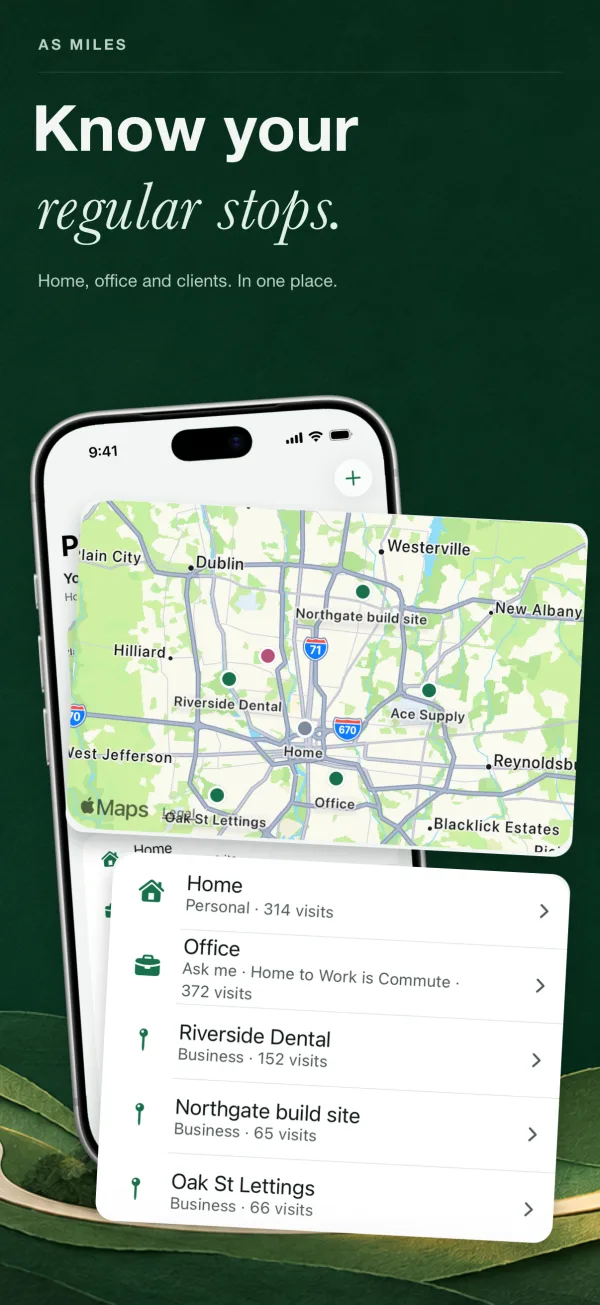
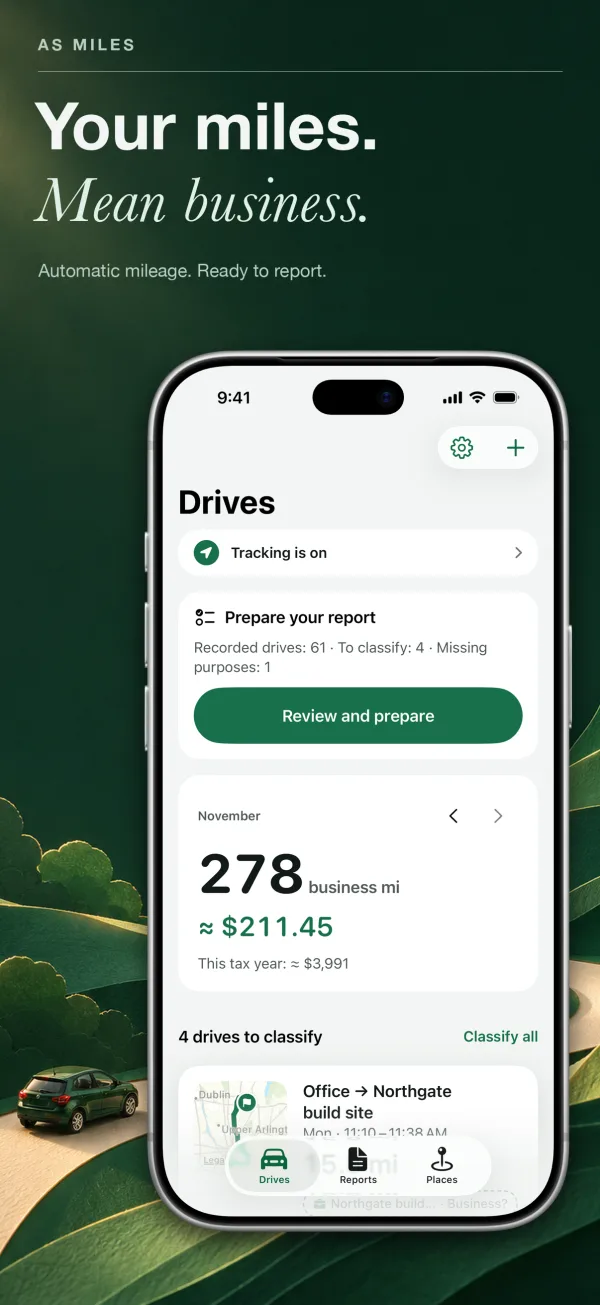
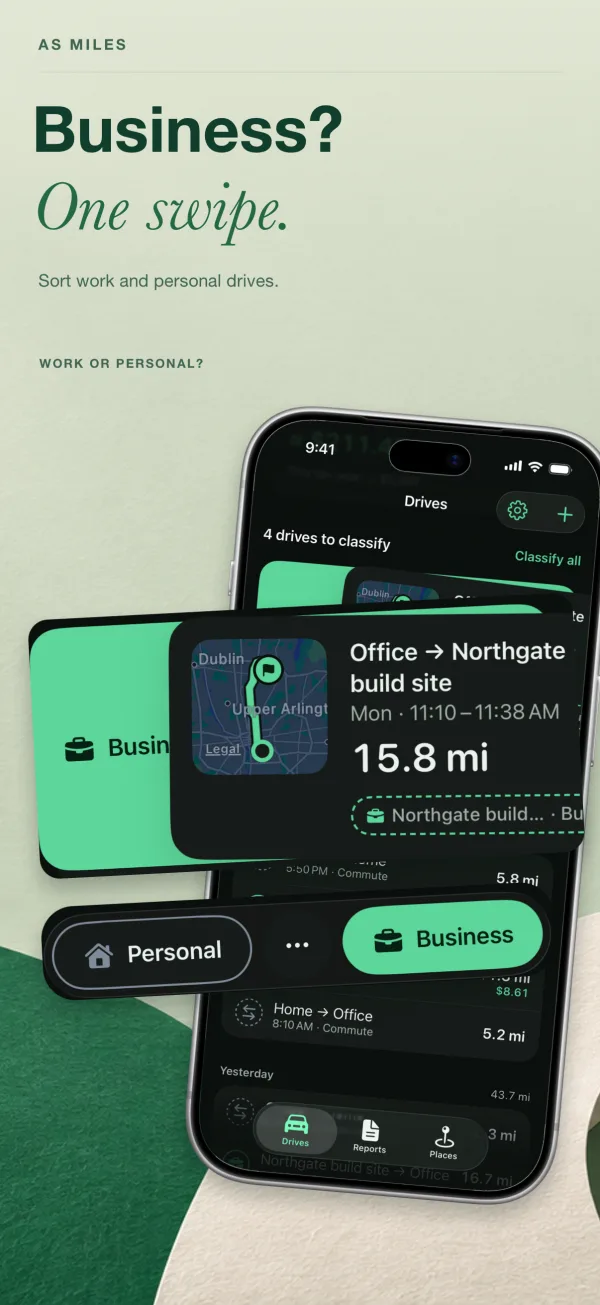
    AS Miles App Store screenshot: your miles mean business, with the Drives screen, the month's business miles and the drives to classify AS Miles App Store screenshot: business, one swipe, with a drive card swiped toward Business AS Miles App Store screenshot: from drive to document, with the report preview and the Share PDF and Share CSV buttons

    AS Miles

    Automatic mileage log

    Your miles. Mean business. AS Miles notices your drives and keeps your mileage log for taxes: one swipe sorts a drive into business or personal, and the report is ready as a PDF or a CSV. No account and no ads, and your drives are stored on your iPhone.

    Coming soon to the App Store
    ASvpn app icon

    ASvpn

    VPN app

    The studio’s VPN app has its own website, with downloads, features and support at asvpn.app.

    Straight from the App Store

    Every screen on this page is an official App Store screenshot of the app it belongs to. Hilal’s and AS Miles’ are the ones made for their coming listings.

    The studio

    Built by the people who answer your email.

    Amir writes the Swift and Sara shapes the product and the design. The people who build the apps are the ones who read every message sent to support and reply to it.

    Amir Daliri

    Amir Daliri

    iOS Engineer & Founder

    Portfolio
    Sara Tabrizi

    Sara Tabrizi

    Design & Product

    Portfolio

    How we build

    1. Privacy first

      Data stays on your device wherever the app allows it. Each app has its own privacy policy that says what it collects and why.

    2. Native, not wrapped

      Swift and SwiftUI on Apple platforms, so the apps stay small, fast and at home on iPhone, iPad and Mac.

    3. Designed with care

      Careful typography, real dark mode and motion that helps you understand the screen instead of decorating it.

    Work with us

    Your idea, built by the same hands.

    The people who design and ship our own apps also take on a small number of client projects. You work with them directly, from the first sketch to the day it goes live.

    What do you need?

    Anything else?

    1. 01

      Talk

      Tell us what you want to build. We reply with questions, then a plan and a quote.

    2. 02

      Design

      You see the screens before anything is built, and we change them until they are right.

    3. 03

      Build

      We develop it and share working versions as we go, not just at the end.

    4. 04

      Launch

      We deploy the site or ship the app to the App Store, and stay around for fixes.

    Recent client project

    Website · Italy

    MediaPress

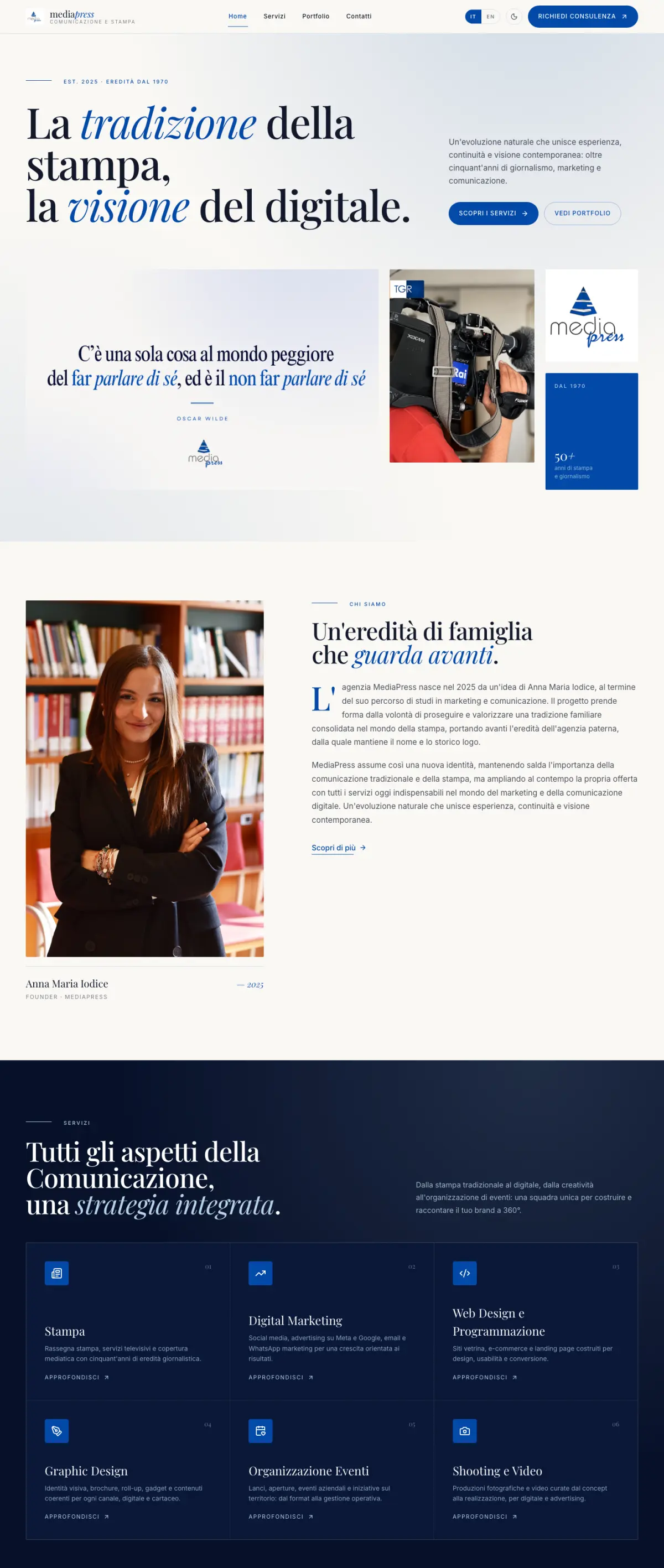
    A press and communications agency in Campania. We designed, built and deployed the whole site, in Italian and English, with an admin panel the team uses to edit its content.

    • Design
    • Development
    • Admin panel
    • Deployment
    Visit mediapresslab.com
    The MediaPress homepage: the headline La tradizione della stampa, la visione del digitale, the founder's story and the six services
    MediaPress homepage on a phone
    Contact

    Have an idea we should build?

    We read everything sent to the studio. For help with one of the apps, write to support.

    hello@asapps.studio