Snap, batch, or import
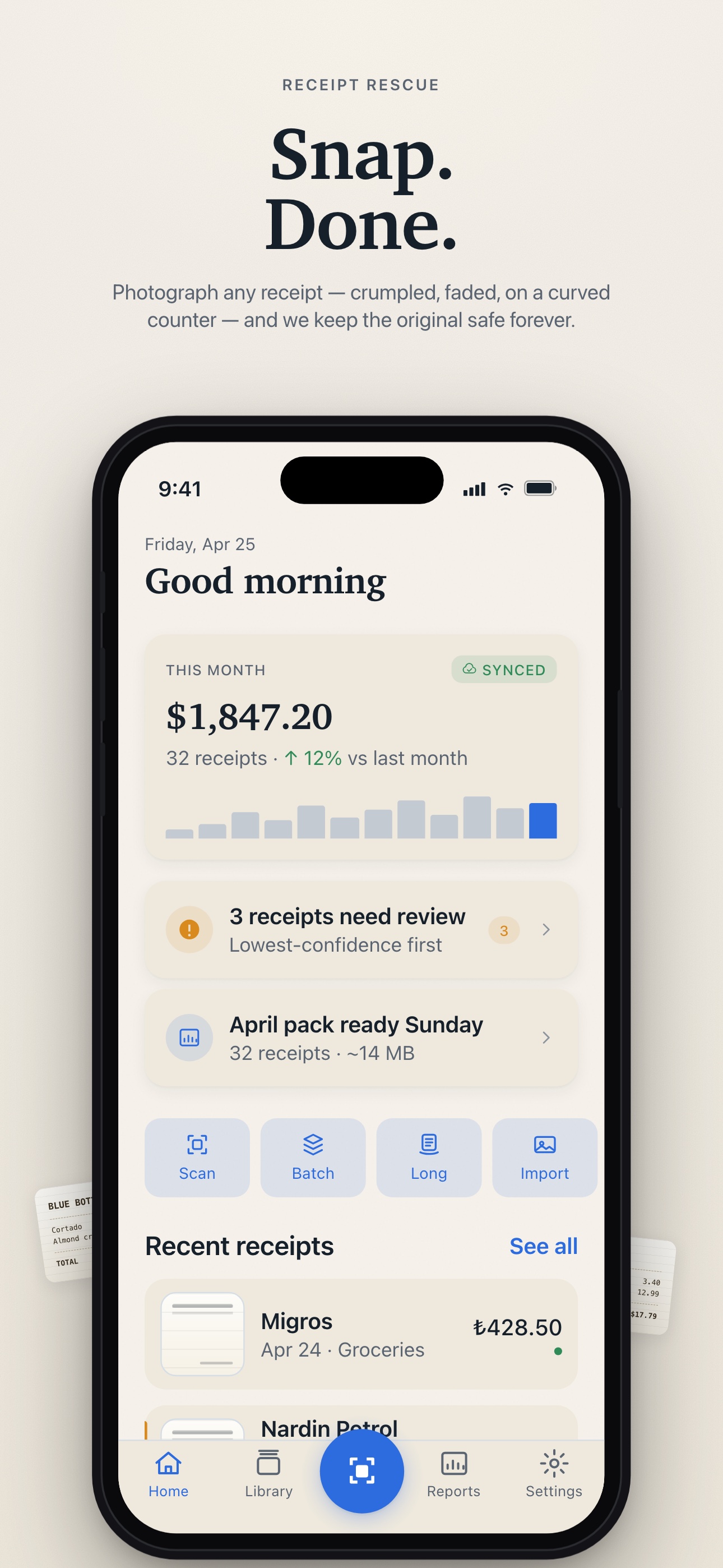
Auto-edge detect, deskew, denoise, brighten. Capture one receipt, scan a stack, stitch long receipts, or import from Photos and Files.
 Receipt Rescue
Receipts, finally tidy
Receipt Rescue snaps, deskews, and reads every receipt, then quietly turns your iPhone and iPad library into clean monthly packs for taxes, reimbursements, or your bookkeeper.
Built For Messy Real Life
Receipt Rescue keeps capture fast, review honest, and export calm. No heavy accounting suite. Just the receipt workflow you actually need.
Auto-edge detect, deskew, denoise, brighten. Capture one receipt, scan a stack, stitch long receipts, or import from Photos and Files.
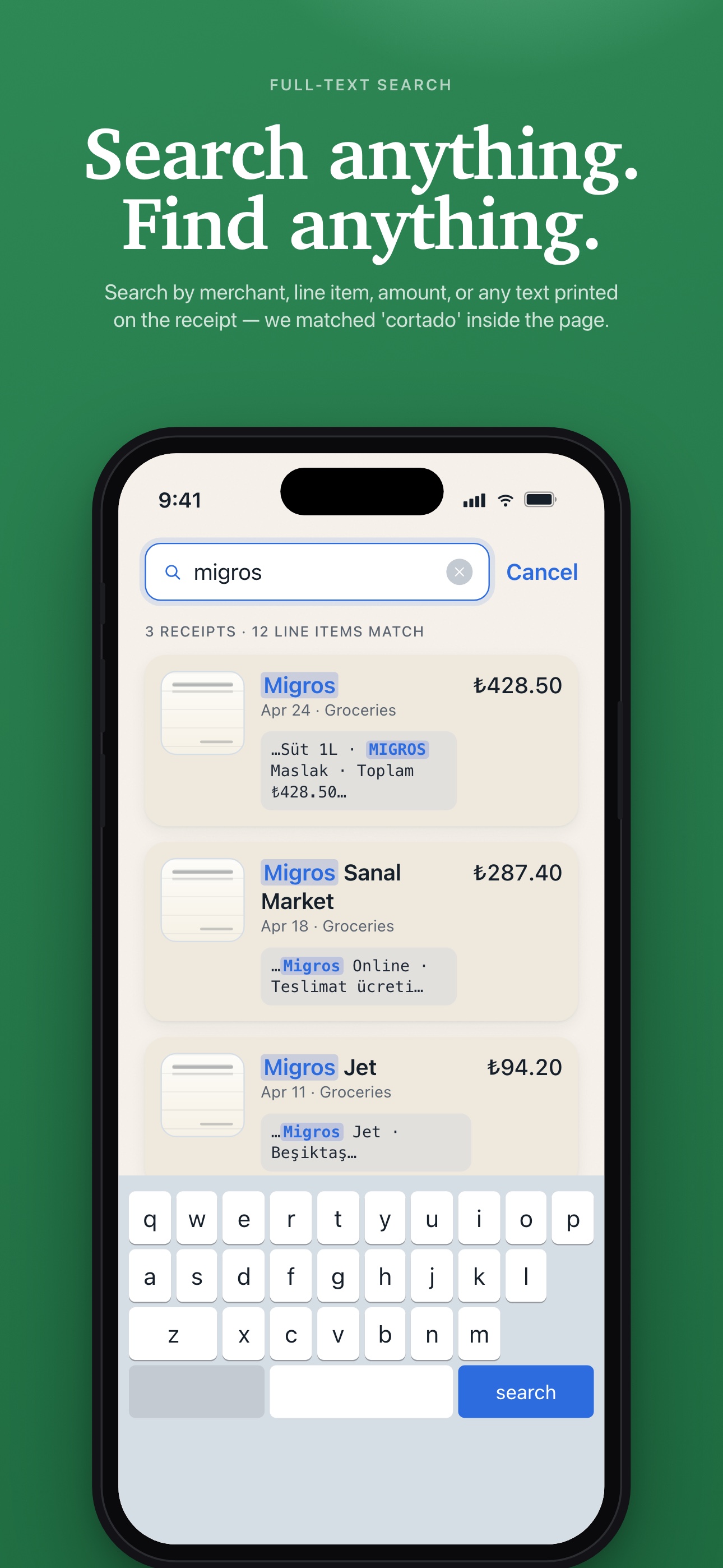
Apple Vision reads text locally, while optional Gemini parsing structures totals, tax, dates, and merchants so everything is searchable.
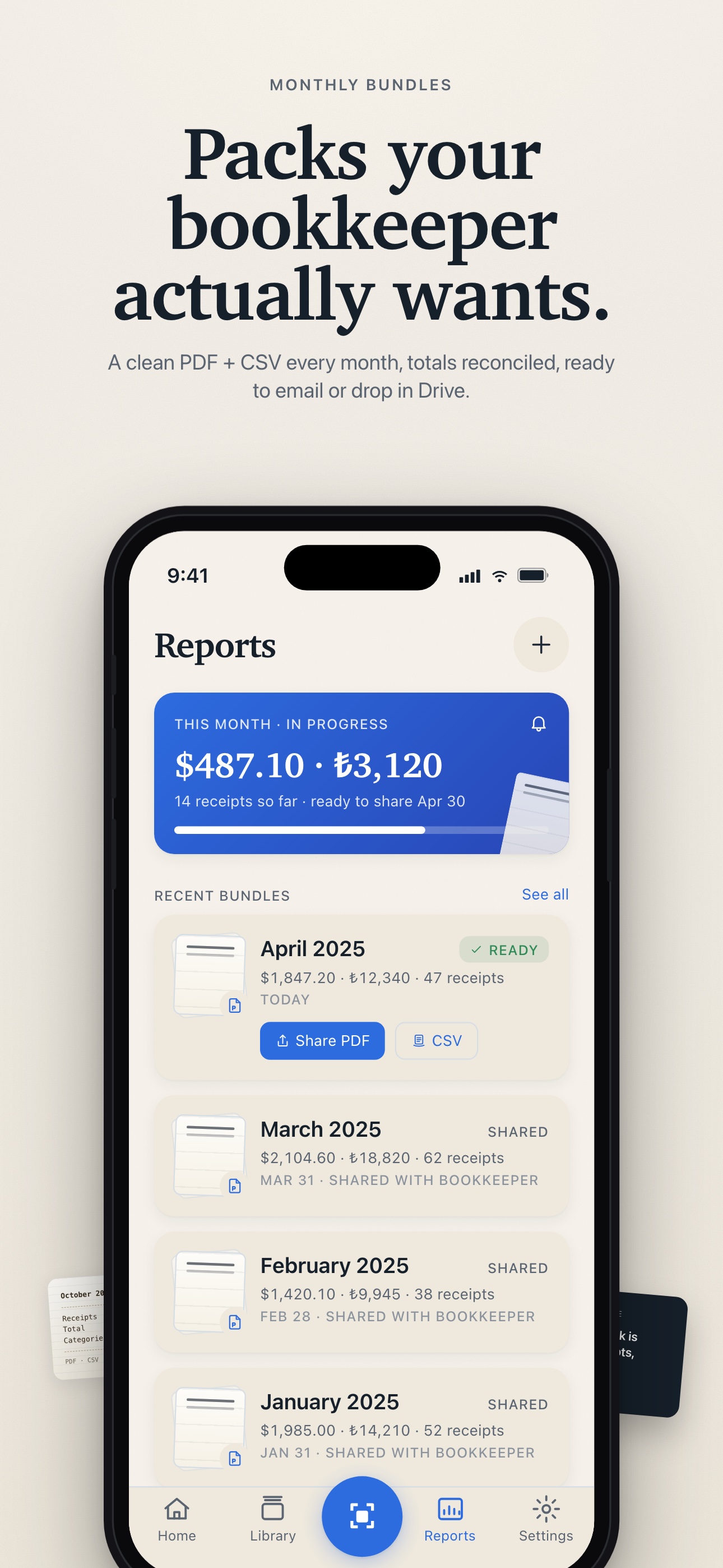
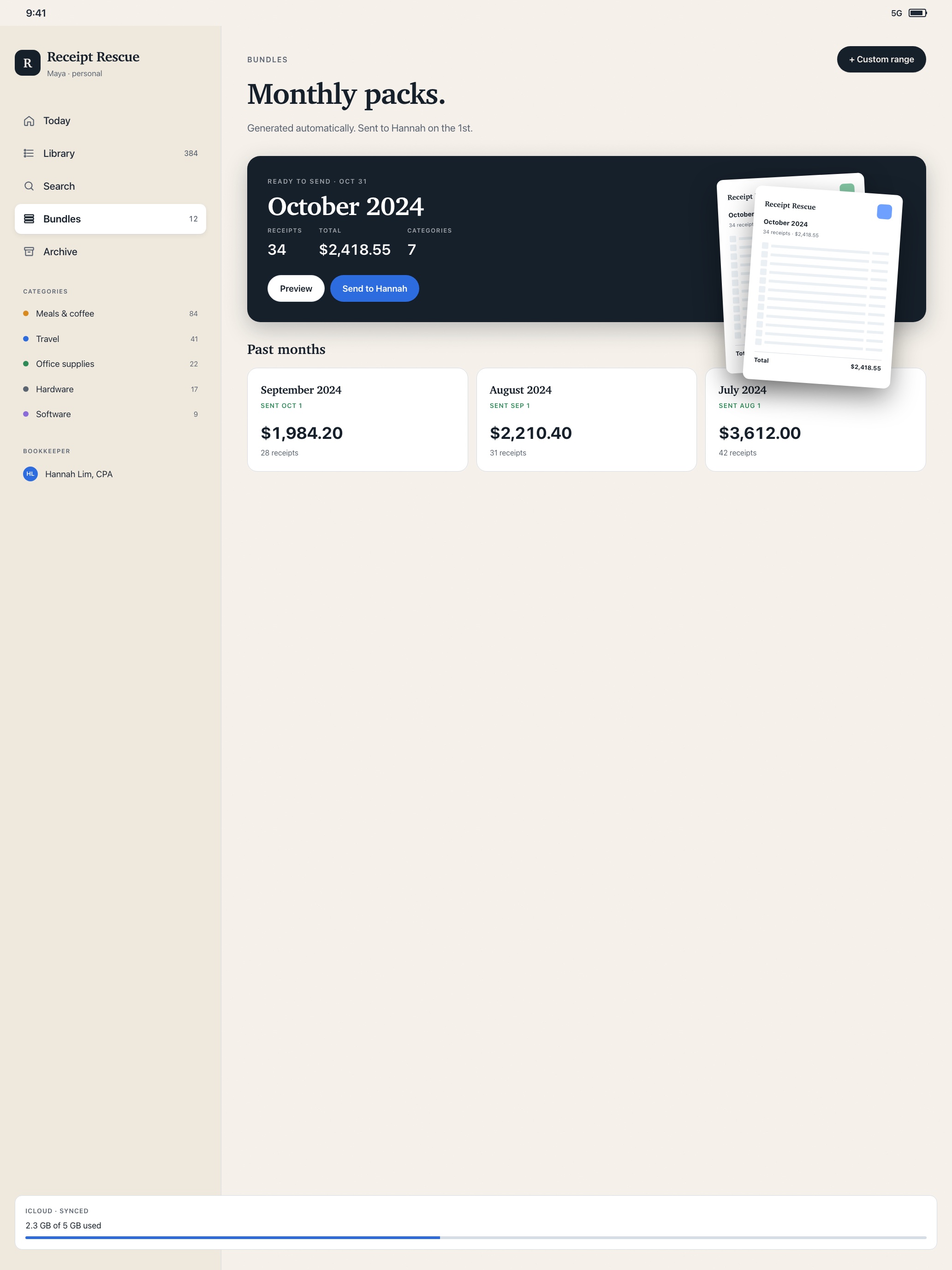
Create monthly or custom PDF bundles, share them, and keep original receipt images preserved alongside every export.
Capture
Receipt Rescue opens to the workflow: edge detection, single and batch capture, long-receipt stitching, and imports from your existing library.
Library
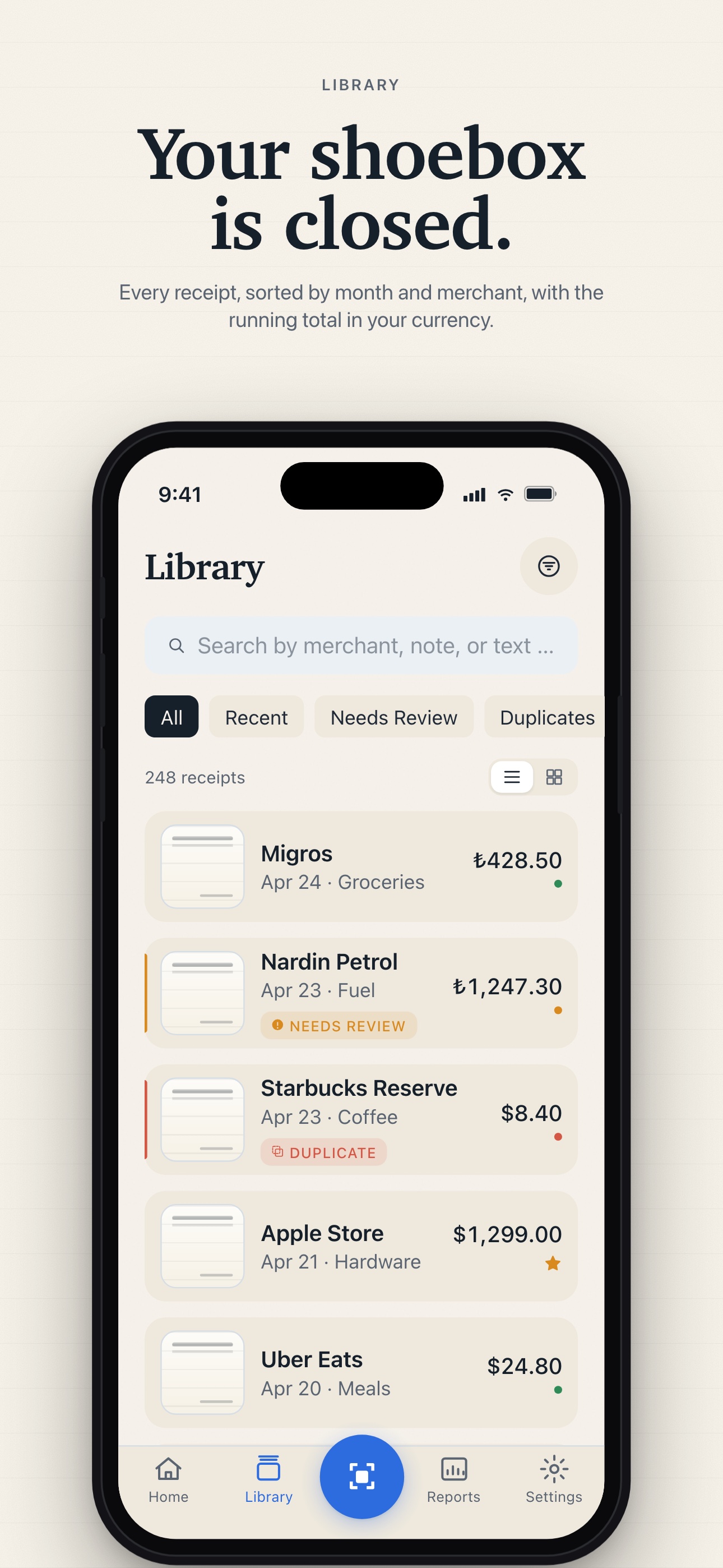
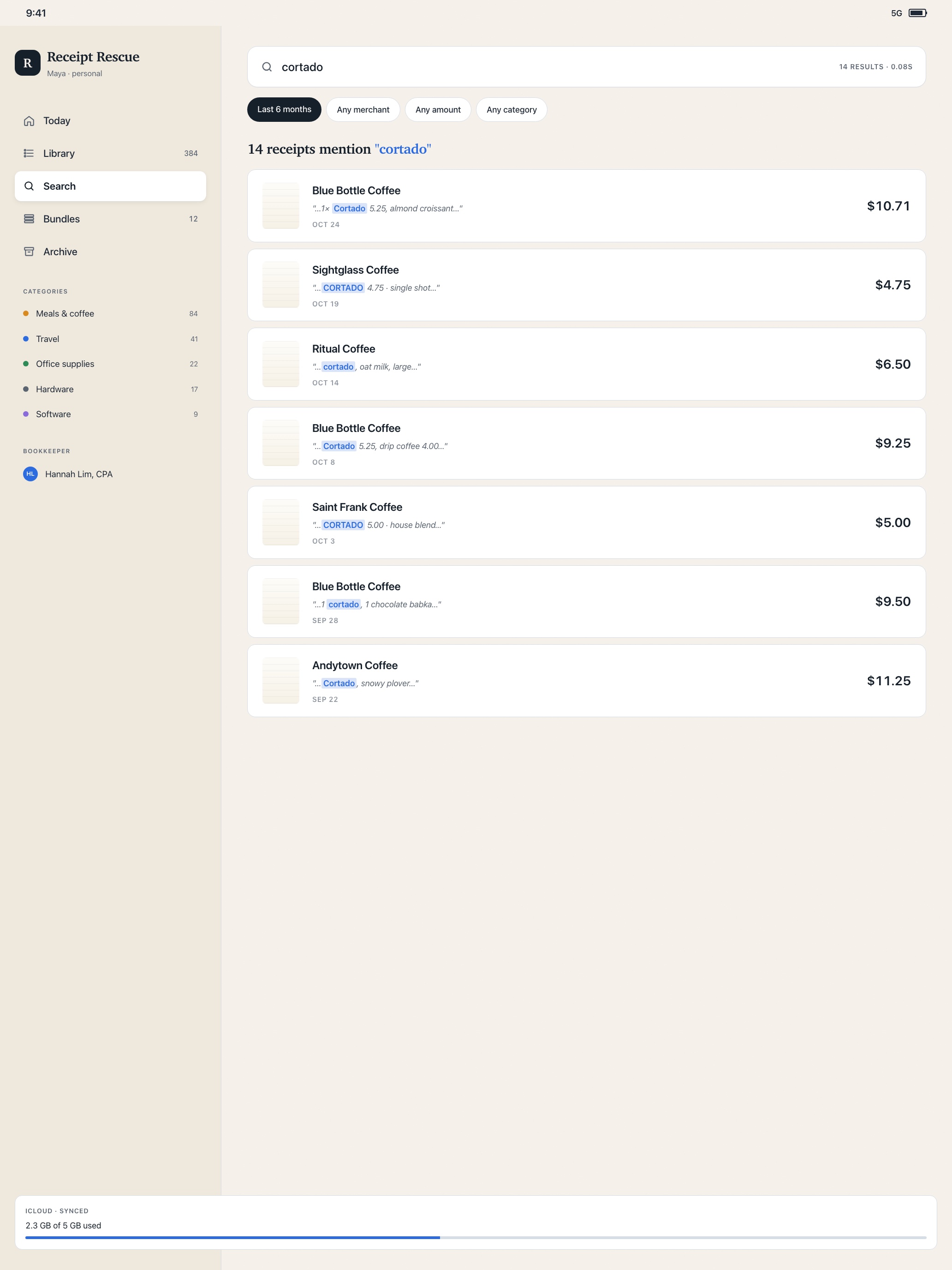
Search merchant names, amounts, notes, tags, and OCR text. Sort by month, currency, category, status, or archive what you no longer need in your active list.
Native iPad Support
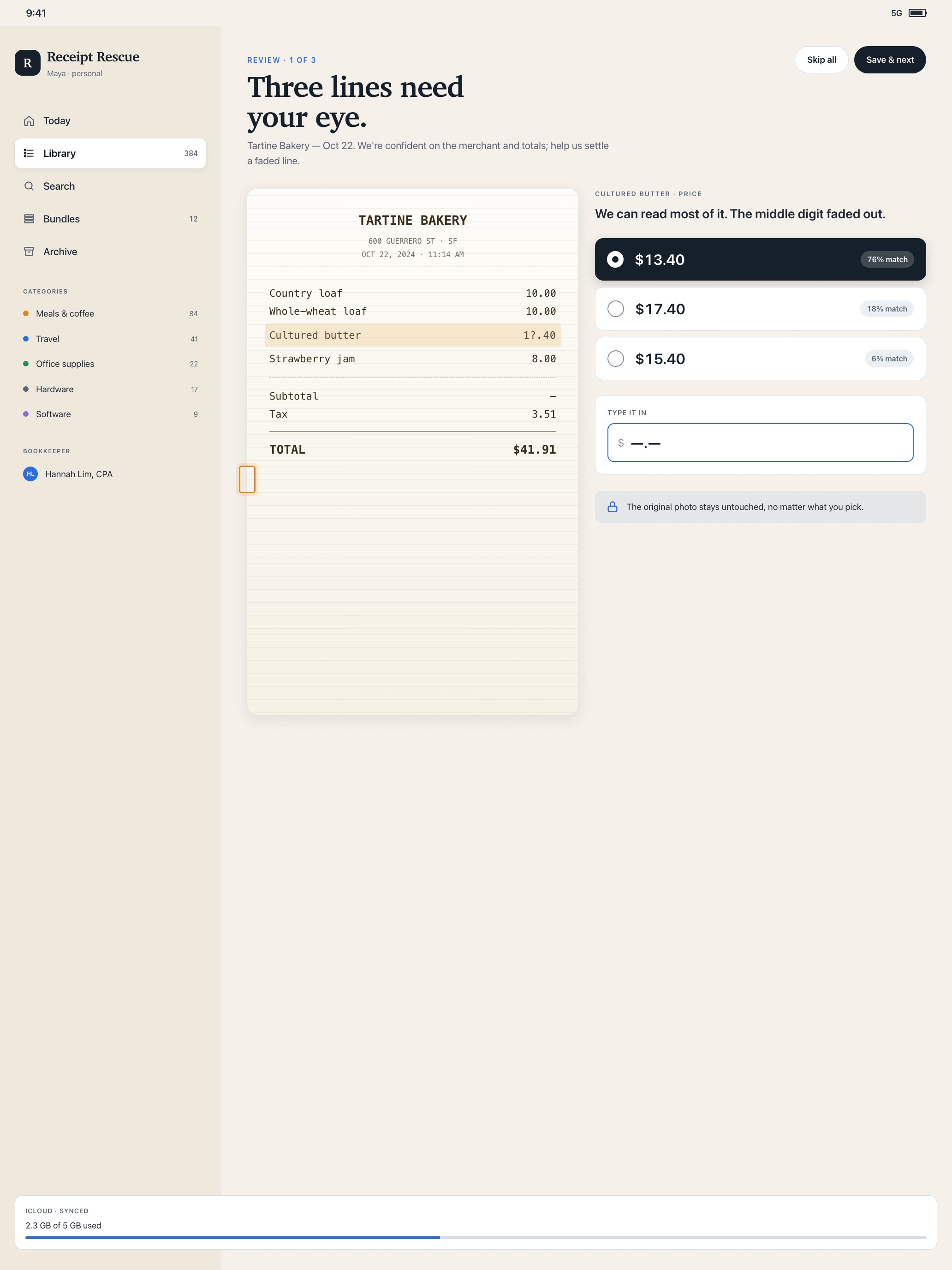
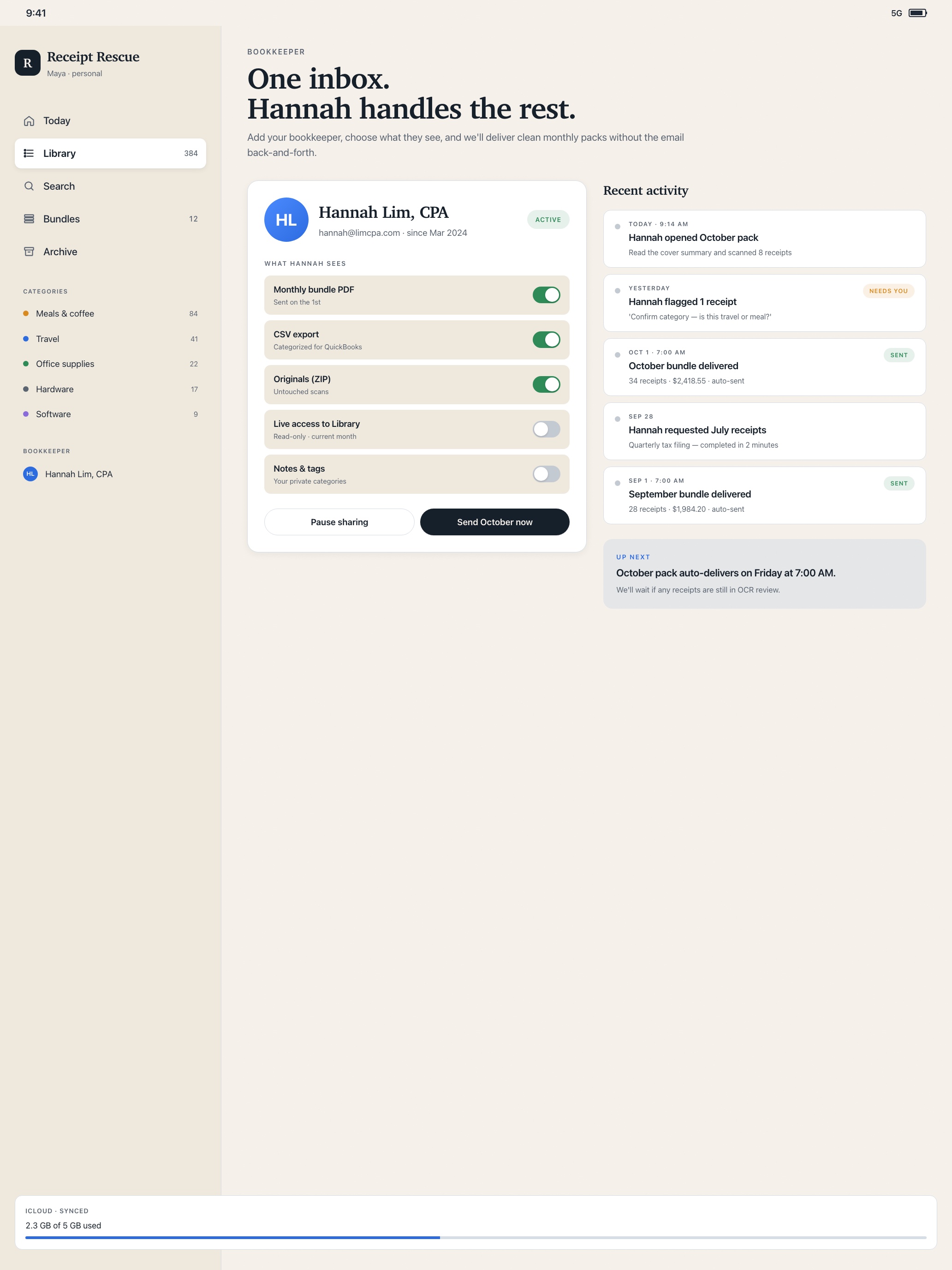
Receipt Rescue is not just stretched up from iPhone. On iPad, the sidebar, receipt detail, OCR review, reports, search, and bookkeeper workspace have room to breathe.
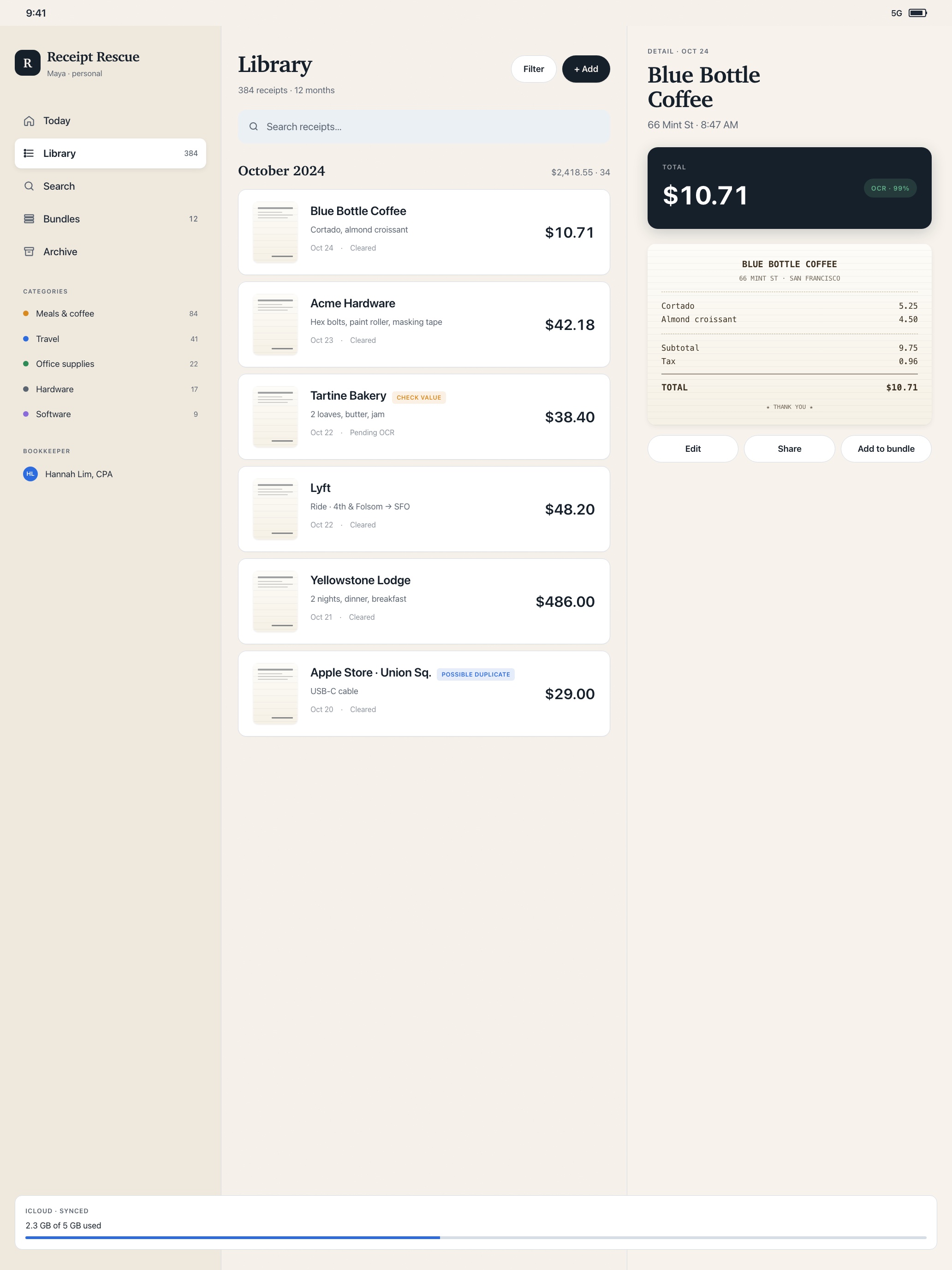
Use the iPad layout to compare receipt details, fix low-confidence OCR fields, build monthly bundles, and prepare bookkeeper hand-offs with less jumping between screens.
Privacy
Receipt content is stored on your device and, when enabled, your private iCloud database. Optional cloud parsing sends only the active receipt image and recognized text to Gemini for field extraction. You can turn that off and keep parsing on-device.
Pricing
Pro unlocks unlimited receipt workflows, bundles, multi-currency organization, and priority support.
For trying the workflow and keeping a light receipt habit.
Includes a 14-day free trial through the App Store.
All Pro features with month-to-month flexibility.
FAQ
Capture, local OCR, review, library browsing, and exports work offline. Gemini cloud parsing and iCloud sync wait until you have a network connection.
Yes. Turn off cloud parsing in Settings. Apple Vision OCR plus local parsing will handle receipts without sending images to Gemini.
Yes. Receipt Rescue includes iPad support with native wider layouts for the library, OCR review, reports, search, and bookkeeper workflows.
Yes. Receipt Rescue supports PDF bundle export and a full JSON data export so you are not locked in.
Subscriptions are processed by Apple through the App Store. RevenueCat validates entitlement status, but does not receive your receipt content.
Receipt Rescue: AI Tracker
Download for iPhone and iPad.