AS Cleaner app icon
AS CleanerDuplicate photo cleaner

Clean Duplicate Photos, Free Up iPhone Space.

AS Cleaner is a free iPhone app that finds duplicate, similar and blurry photos so you can delete them in a few taps and get your storage back. Photo scanning runs on your device, so no photo is uploaded. It can also merge duplicate contacts and clear old Gmail.

  • iPhone
  • iPad
  • iOS 17.0 or later
  • Works offline
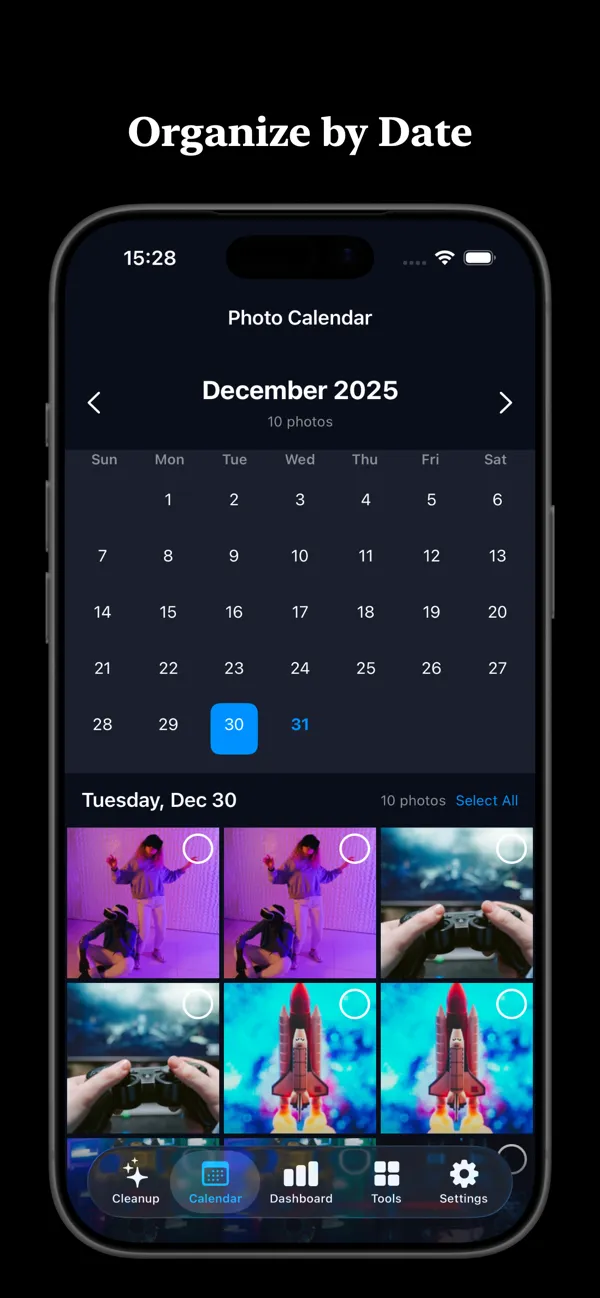
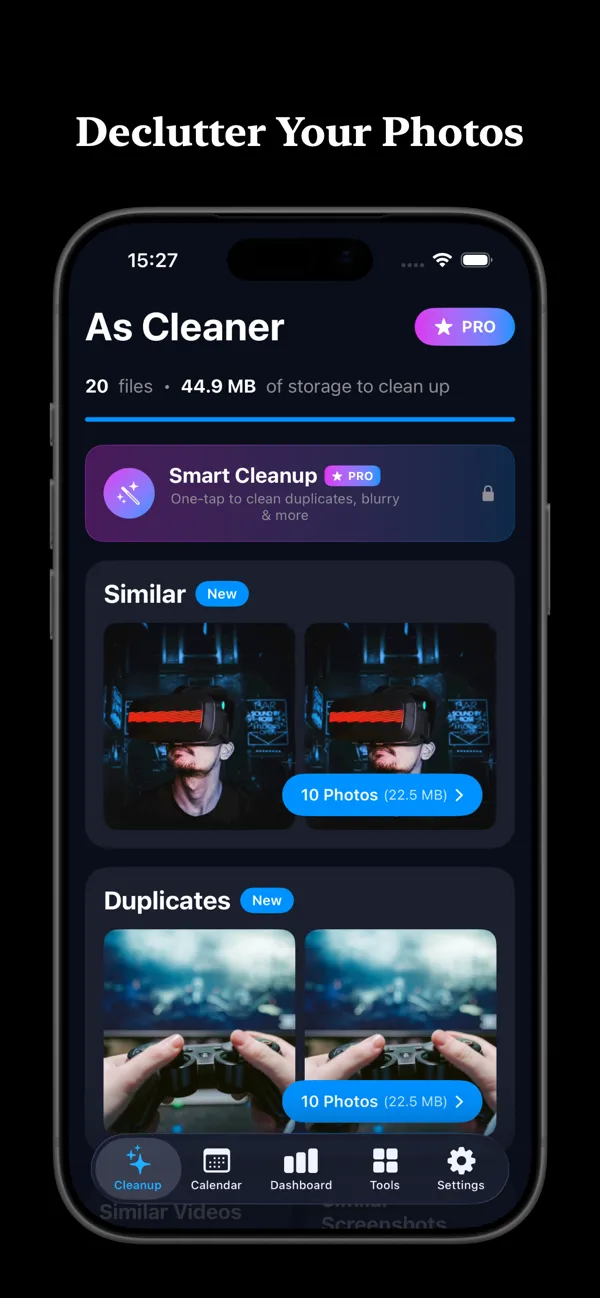
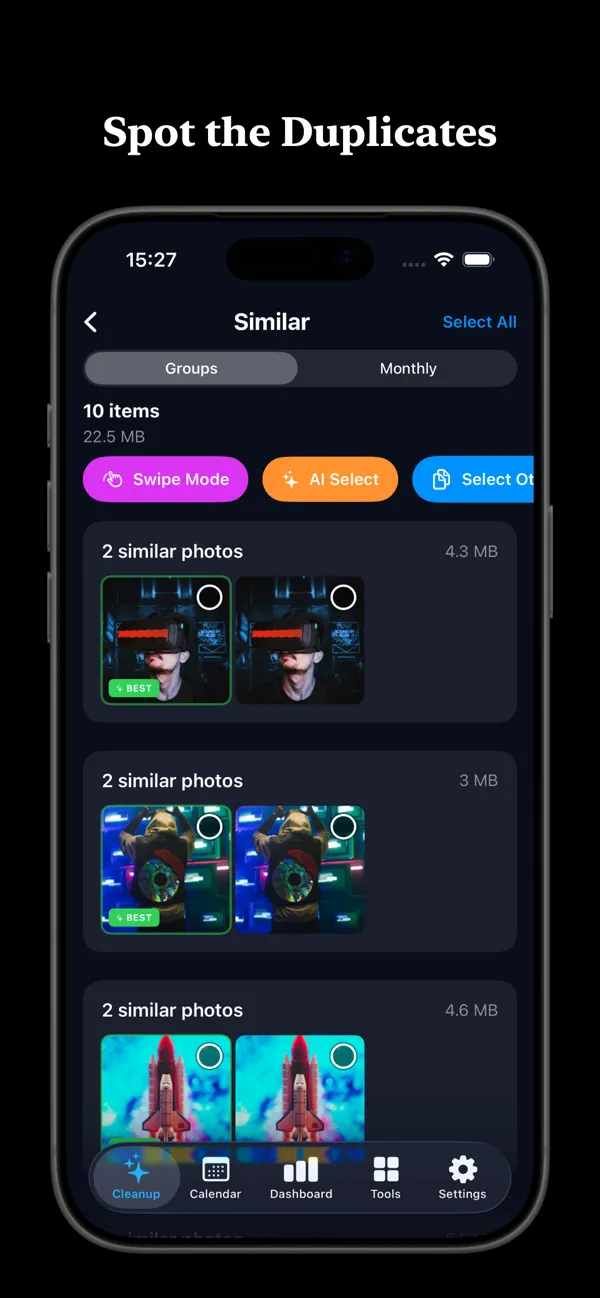
AS Cleaner App Store screenshot: Photo Calendar, organize by date AS Cleaner App Store screenshot: groups of similar photos, spot the duplicates AS Cleaner App Store screenshot: the cleanup home with Smart Cleanup, Similar and Duplicates groups
What it finds

The photos you forgot you took.

Three shots of the same sunset, a blurry one, a folder of old screenshots. AS Cleaner groups them so you decide in seconds what stays. Every screen here is from the App Store listing.

Duplicates and similar photos

Exact copies are found instantly. Near-identical shots are grouped and AS Cleaner suggests the best one to keep.

  • Exact duplicate photos
  • Similar photos, best one kept
  • Blurry and low-quality shots
  • Screenshots you no longer need
AS Cleaner App Store screenshot: Similar, with groups of 2 similar photos and Swipe Mode, AI Select and Select All buttons

One tap: Smart Cleanup

Smart Cleanup finds duplicates, blurry photos and similar images in one pass. You review the result and delete in seconds.

  • Duplicates, blurry and similar in one tap
  • You review before anything is deleted
AS Cleaner App Store screenshot: declutter your photos, with Smart Cleanup and the Similar and Duplicates groups

Browse by month

Go through your library one month at a time on a calendar and clear out old photos faster.

AS Cleaner App Store screenshot: Photo Calendar for December 2025 with the photos of one day below

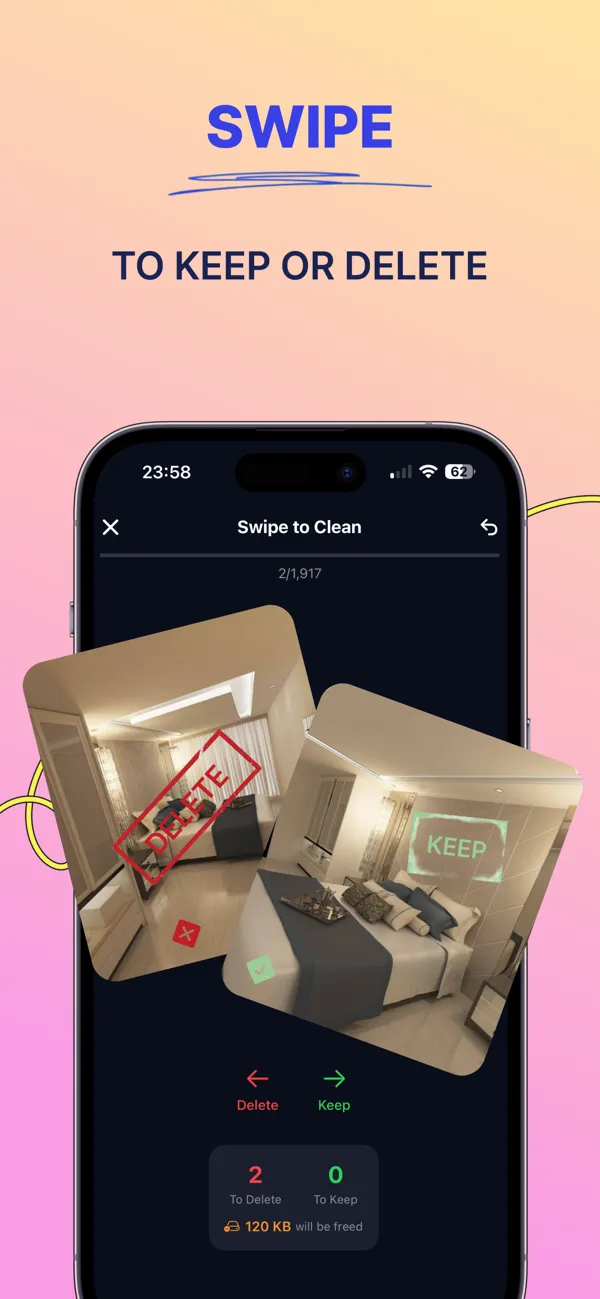
Swipe to keep or delete

Go through photos one at a time: swipe one way to keep, the other way to delete.

AS Cleaner App Store screenshot: Swipe to Clean, with Delete and Keep counters

See what takes the space

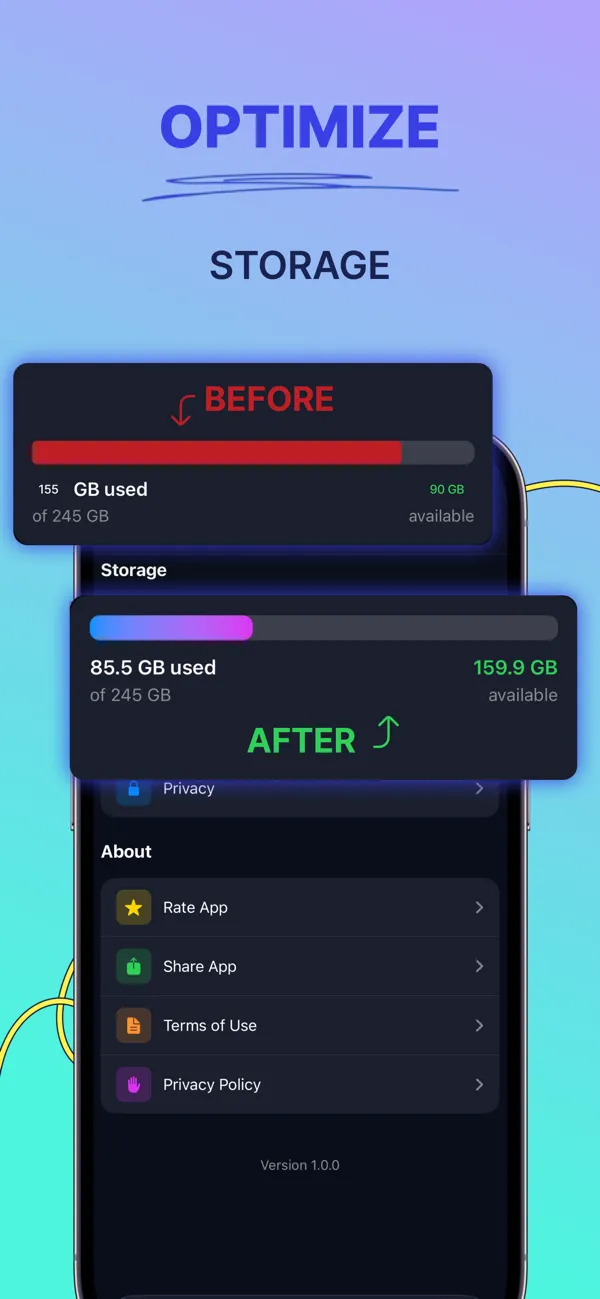
The storage dashboard shows how much space is used and how much is free, so you can see the difference after a cleanup.

AS Cleaner App Store screenshot: optimize storage, with the storage bar before and after a cleanup
Safety

Delete with a safety net.

Cleaning up should not feel risky. AS Cleaner shows you what it found, you choose, and iOS keeps a copy for a month.

30 days

Recently Deleted

Deleted photos go to your iPhone's Recently Deleted album, where they stay for 30 days. You can recover them from there anytime within that window.

You pick

Review first

Similar photos are grouped with the best one picked to keep, and Smart Cleanup selects the rest. You review the selection, then delete.

Offline

On your iPhone

Photo cleanup works without an internet connection, because the photos are analyzed on the device.

Tools

Smaller files, tidier phone.

Beyond deleting, AS Cleaner shrinks what you keep and tidies the rest of your iPhone.

Compress

Photo compressor

Reduce photo and video file sizes, often with little visible difference. Free up space while keeping your memories.

Convert

Live Photo converter

Convert Live Photos to save storage space.

Contacts

Duplicate contacts

Find and merge duplicate contacts instantly. Keep your address book clean and perfectly organized.

Smart Rules

Protect what matters

Create custom rules to protect important photos from accidental deletion during cleanup.

Email cleaner

Clear old Gmail

Connect Gmail to find newsletters, promotions, and old emails. Delete thousands of emails with one tap.

Secret Space

Private vault

Private photo vault to keep your sensitive photos and videos secure with Face ID or passcode protection.

Your photos stay on your iPhone.

All processing happens locally on your iPhone. We never upload, store, or have access to your personal data. Your photos, contacts, and emails stay on your device.

Read the privacy policy

  • ScanningOn the device, nothing uploaded
  • InternetNot needed for photo cleanup
  • CloudNo cloud storage required
  • AdsNone
iPad

Also on iPad.

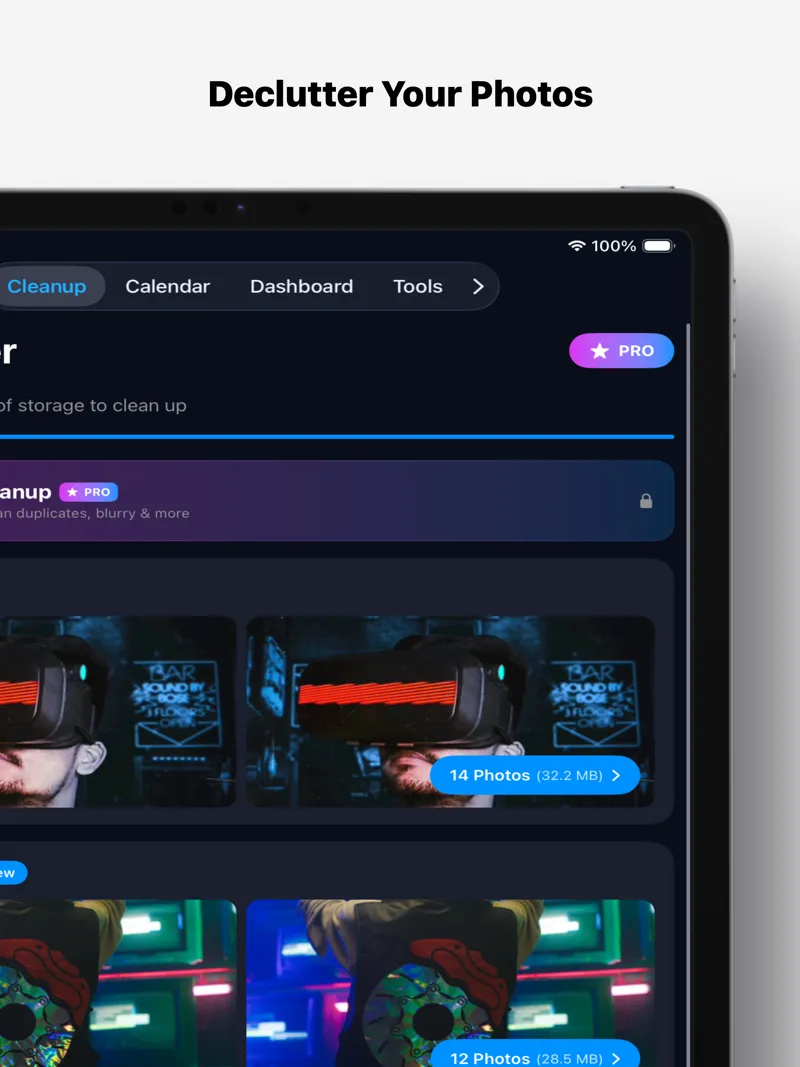
The same cleanup on the larger screen, with the Cleanup, Calendar, Dashboard and Tools tabs along the top.

AS Cleaner iPad App Store screenshot: declutter your photos, with Smart Cleanup and groups of similar photos
Cleanup on iPad
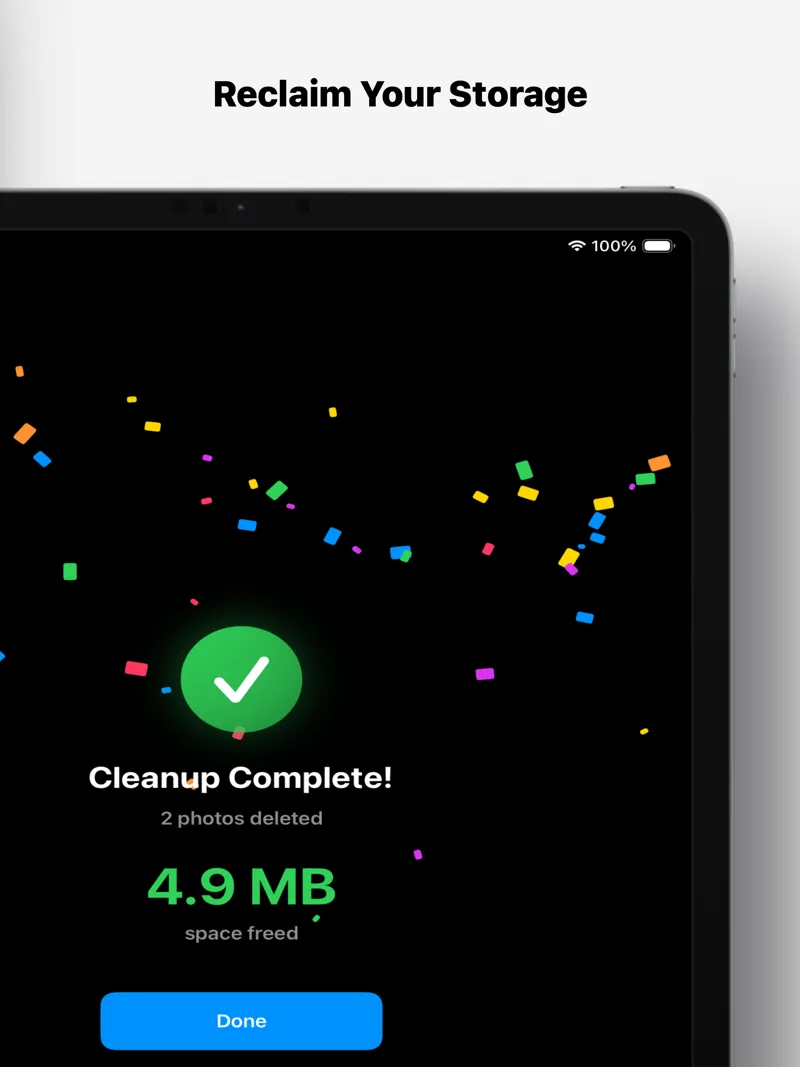
AS Cleaner iPad App Store screenshot: Cleanup Complete, 2 photos deleted, 4.9 MB space freed
After a cleanup
Pricing

Scan free. Clean faster with Pro.

The free version scans unlimited photos and lets you delete by hand. Pro is the same app with the limits lifted. Prices are in US dollars from the App Store.

Free

Scan unlimited photos, manual cleanup.

Pro

Smart Cleanup, unlimited deletions, advanced duplicate detection, compress and convert tools.

Weekly

$2.99

per week, billed weekly

  • All cleanup tools
  • Unlimited scans
  • Email cleaner
  • Secret Space vault
Get Started
3-day free trial

Yearly

$29.99

per year · 3-day free trial

  • All cleanup tools
  • Unlimited scans
  • Email cleaner
  • Secret Space vault
Start Free Trial

Monthly

$7.99

per month, billed monthly

  • All cleanup tools
  • Unlimited scans
  • Email cleaner
  • Secret Space vault
Get Started
FAQ

Frequently asked questions

Something else? Write to support@asapps.studio.

Compare iPhone photo cleaners

Is there a free app that removes duplicate photos on iPhone?

Yes. AS Cleaner is free to download. The free version scans unlimited photos and lets you review and delete duplicates by hand. Pro adds Smart Cleanup, unlimited deletions, advanced duplicate detection and the compress and convert tools.

How much does AS Cleaner Pro cost?

Pro is $2.99 per week, $7.99 per month or $29.99 per year. The yearly plan starts with a 3-day free trial. Payment goes through your Apple ID and you can cancel in your App Store account settings.

Does AS Cleaner upload my photos?

No. AS Cleaner analyzes photos locally on your iPhone to find duplicates and similar images. Nothing is uploaded or sent to a server, and photo cleanup works without an internet connection.

What kinds of photos can AS Cleaner find?

It finds exact duplicates, similar photos (and suggests the best one to keep), blurry and low-quality shots, and screenshots you no longer need. You can also browse your library by month and compress photos and videos to save space.

Can I undo a deletion?

Yes. Deleted photos go to your iPhone's Recently Deleted album, where they stay for 30 days. You can recover them from there anytime within that window.

How does the email cleaner work?

You connect your Gmail account, and AS Cleaner finds newsletters, promotions and old emails so you can clear them in bulk. Email analysis happens on your device and your Google credentials are never stored.

What is Secret Space?

Secret Space is a private vault inside AS Cleaner, protected by Face ID or your passcode. Move sensitive photos and videos there to keep them out of your main library.

Which iPhones does AS Cleaner work on?

AS Cleaner needs iOS 17.0 or later and also runs on iPad. Download it from the App Store.
Get your iPhone storage back.

Free on the App Store for iPhone and iPad. Scan your library and see what it finds before you choose Pro.

Download on the App Store