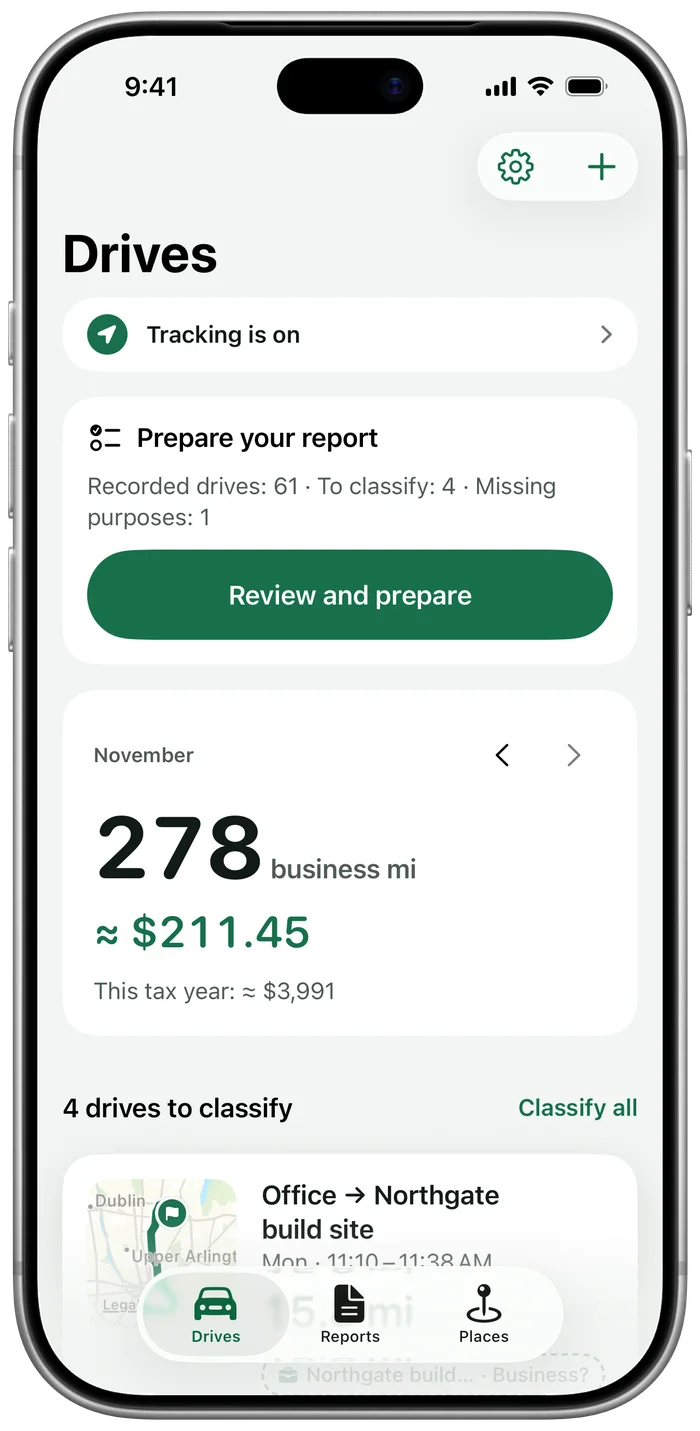

Mileage log for iPhone

Every mile. Working for you.

Track your drives. Organize your miles.
Bring it all together in a clear report.

Coming soon to the App Store See how it works
  • No account
  • No ads
  • No tracking

How it works

Track. Classify. Report.

A mileage log that fills itself in.

AS Miles notices your drives and keeps your mileage log for taxes. Drive as usual. When you park, tap Business or Personal on the notification. When tax time comes, your report is ready.

  1. Track

    Drive as usual.

    AS Miles notices drives on its own from your iPhone's motion and location. GPS runs only while you drive, to save battery.

  2. Classify

    Business or personal?

    When you park, a notification asks. Tap Business or Personal on the Lock Screen, or swipe the drive in the app.

  3. Report

    Ready for tax time.

    Each business drive is valued at the IRS rate for its date. Share the log as a PDF or a CSV when you need it.

The Tracking status screen: Tracking is working, with Location Always, Precise Location, Motion and Fitness, Background App Refresh and Notifications all ticked.
An AS Miles notification on the iPhone Home Screen: 15.8 mi drive, Office to Northgate build site, Business or personal? with Business, Personal and More buttons.

1 Track

It notices the drive. You just park.

Automatic mileage, with nothing to start or stop.

  • Notices drives on its own from your iPhone's motion and location. GPS runs only while you drive.
  • After each drive, a notification with Business and Personal buttons, right on the Lock Screen.
  • Tracking status shows that detection is working, what to fix if it isn't, and drives your iPhone may have noticed without a location.
  • Or start a drive yourself from the Action button, Control Center or Siri.

2 Classify

Business? One swipe.

Sort work and personal drives.
Keep your log moving.

A drive in detail: the route from Oak St Lettings to Office on an Apple map, Business, 9.2 miles in 26 minutes, valued at $0.76 a mile, about $7.00, with the vehicle and the purpose Site inspection.

Drive details

Every drive. Every detail.

Route, distance and purpose. Together.

  • The route on a map, with the date, the miles and the time
  • Both places, the vehicle and the business purpose
  • The value of the drive at the IRS rate for its date

3 Report

From miles to a finished report.

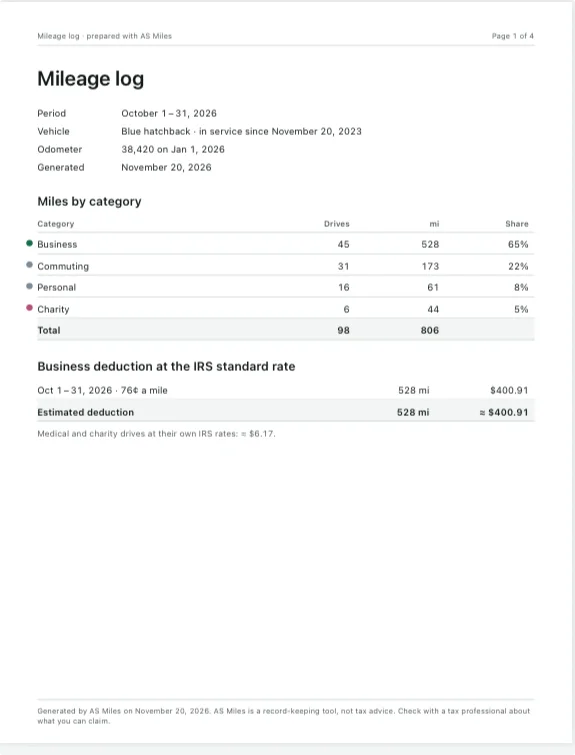
Preview your mileage log.
Export PDF or CSV.

AS Miles is a record-keeping tool, not tax advice.

The Reports screen for this tax year: 5,391 business miles, about $3,991.05 deduction at IRS rates, the split across Business, Commute, Personal, Medical and Charity, and the Schedule C vehicle lines.

The tax year

The bigger picture.

Business miles. Estimated deductions.

  • This tax year's business miles and their value at IRS rates
  • The split across Business, Commute, Personal, Medical and Charity
  • The Schedule C vehicle lines, filled in from your log
  • Odometer readings for the start and end of the year
  • More than one vehicle, and parking and tolls Pro
The Places screen: a map of saved places around Columbus and the list below it, with Home, Office, Riverside Dental, Northgate build site and Oak St Lettings and their visit counts.

Places

Know your regular stops.

Home, office and clients. In one place.

  • Saved places give your drives names you recognise
  • Save Home and Work, and AS Miles suggests Commute for the drives between them
  • With Pro, a rule can mark those drives for you Pro

On your iPhone

Your drive. In view.

A drive you start yourself

Start from the Action button, Control Center or Siri. A Live Activity on the Lock Screen shows distance and time while you go.
The iPhone Lock Screen with the AS Miles Live Activity: Driving, the miles so far, the time and an End drive button.

Widgets

For the Lock Screen and Home Screen, including one that classifies your last drive. Pro has every widget.

Two AS Miles widgets on the Home Screen: the last drive to classify with Personal and Business buttons, and the tax year with 5,391 miles month by month.

A focused review

Less checking, more clarity. Before a report, review the drives that need a decision.

The Period review screen: What were these drives for? with a drive from Office to Ace Supply and the choices Business and Personal.

Privacy

Your drives. Your business.

No account. No ads. No tracking.

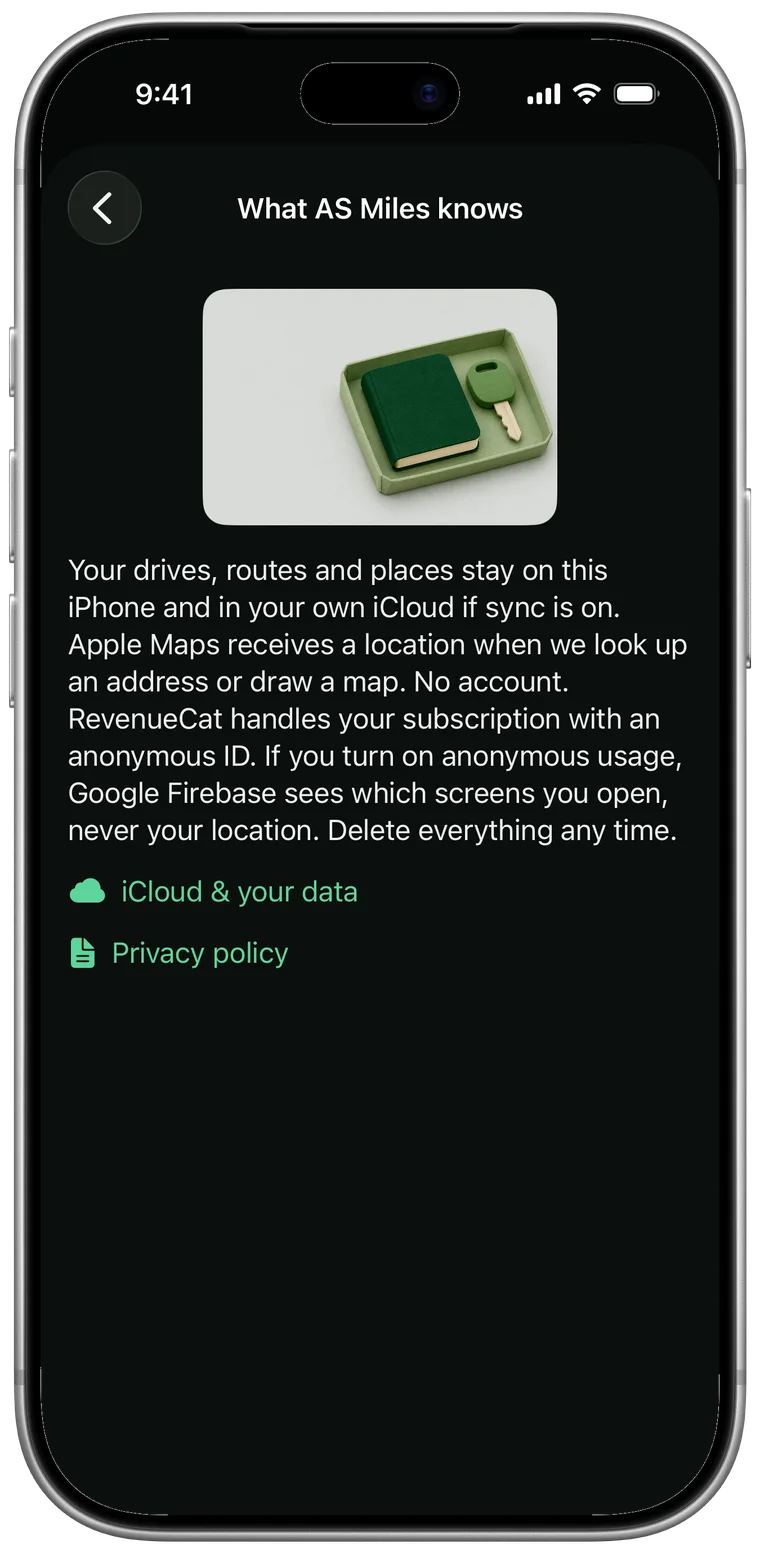
The What AS Miles knows screen on an iPhone: your drives, routes and places stay on this iPhone and in your own iCloud if sync is on, with links to iCloud and your data and the privacy policy.

Read the full privacy policy

iPhone Duo

Your miles. On a wider canvas.

Maps and reports, with room to breathe.

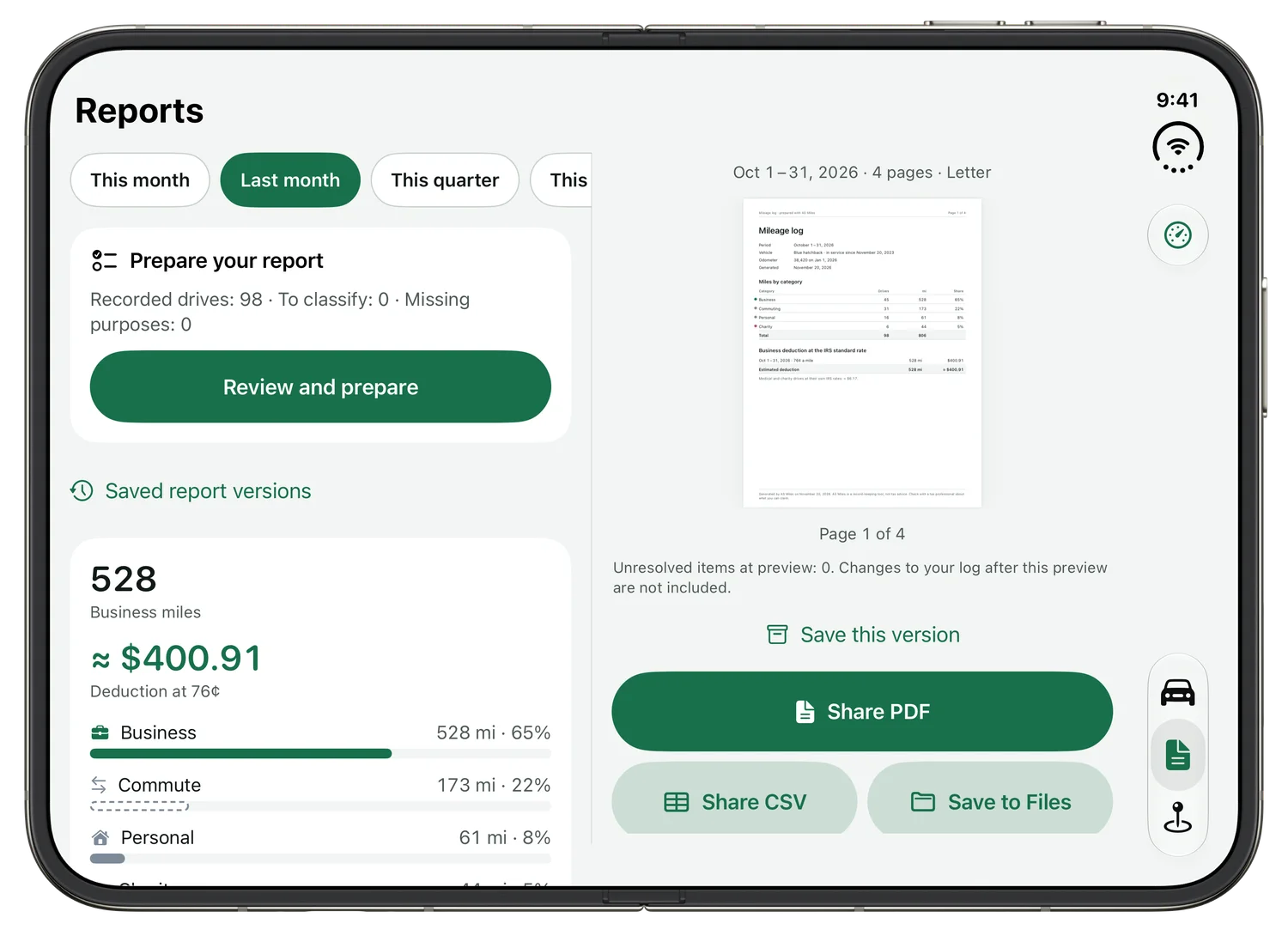
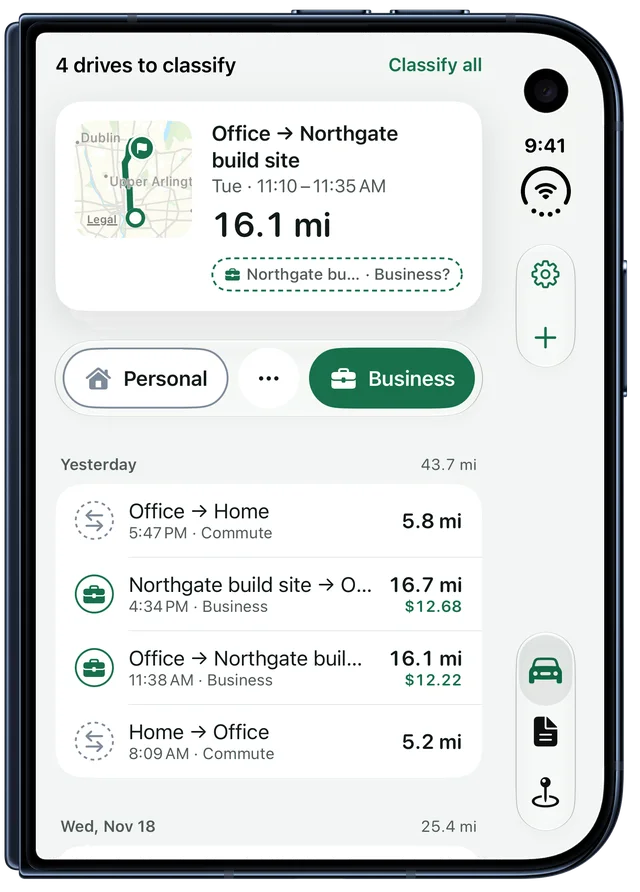
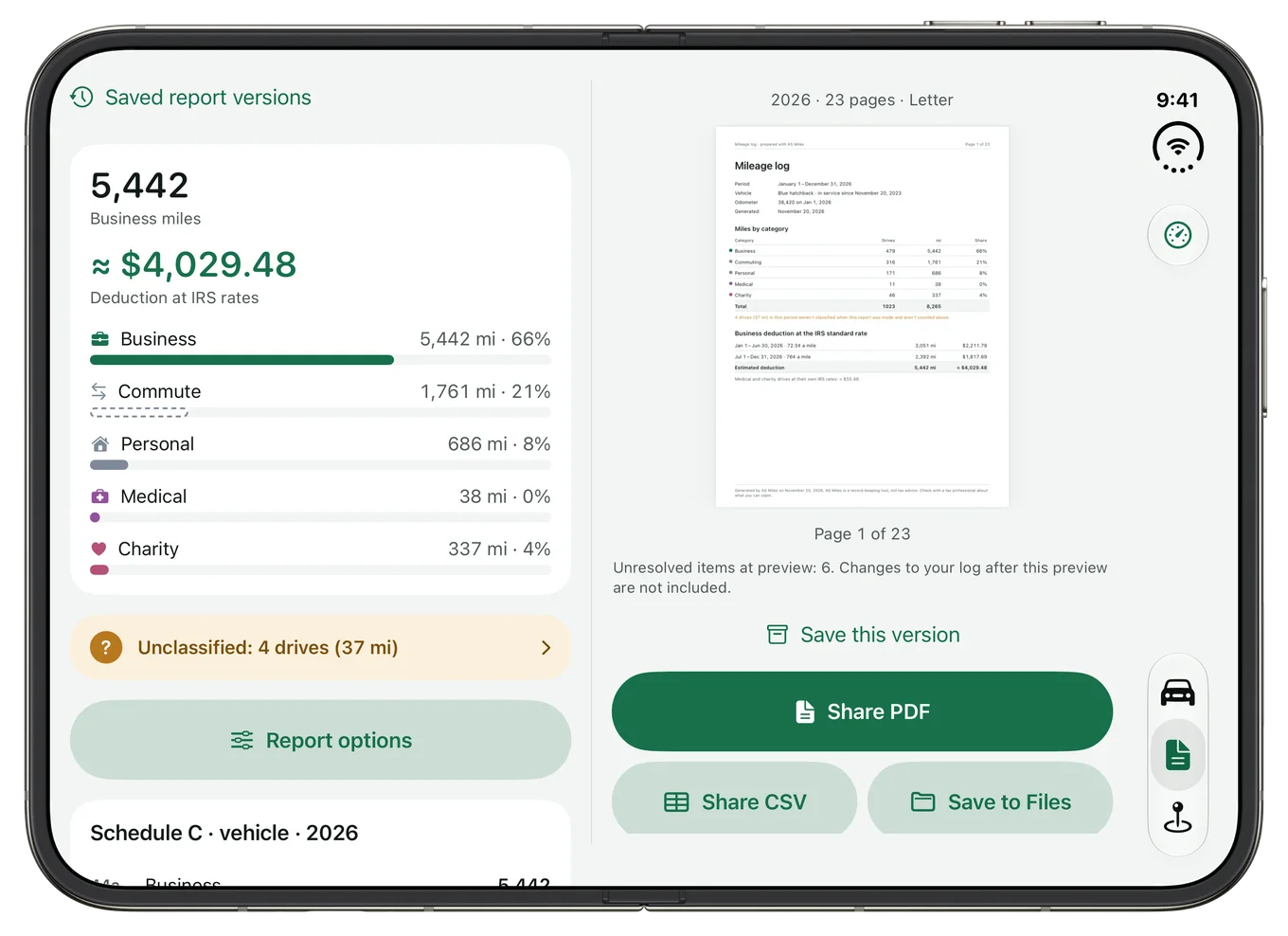
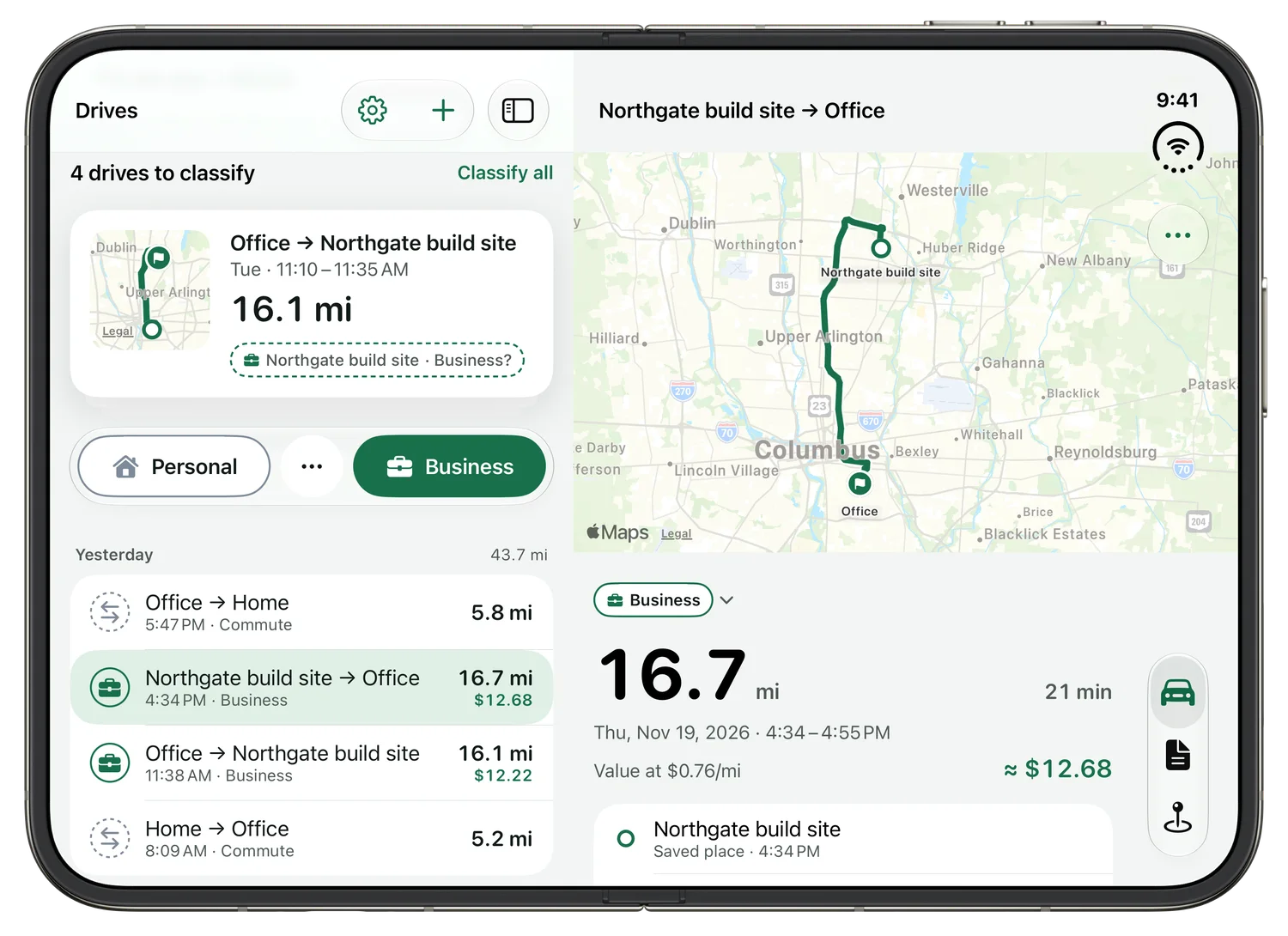
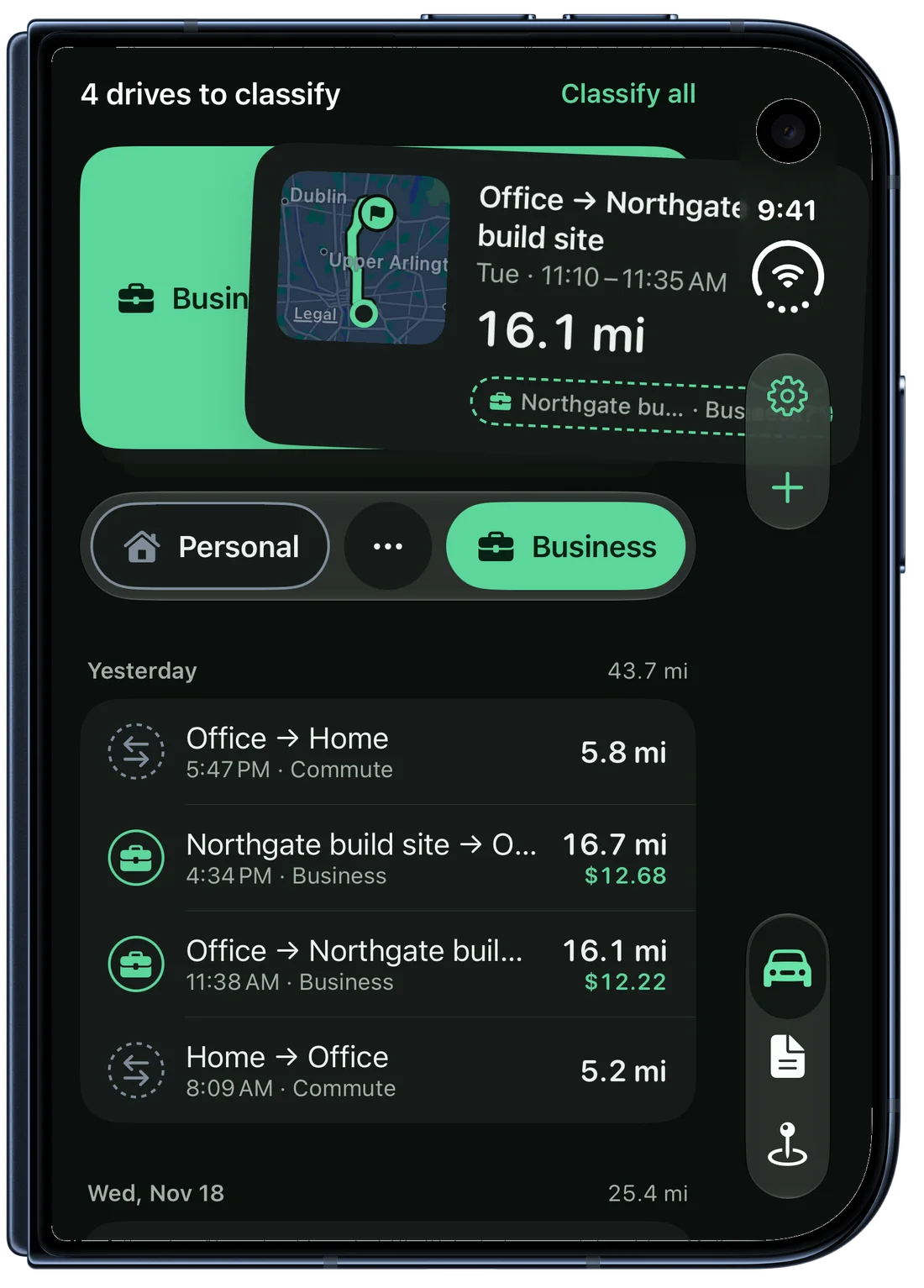
AS Miles on the open inner display of iPhone Duo: this tax year's business miles and deduction on the left, and the PDF preview of the report with Share PDF, Share CSV and Save to Files on the right. AS Miles on the outer display of a closed iPhone Duo: the drives to classify and the classified drives below them.

Free and Pro

Free to start. Pro when you need it.

AS Miles works without a purchase.

AS Miles

Free

  • 30 automatic drives a month
  • Unlimited drives you add or start yourself
  • Monthly and yearly totals
  • CSV export

AS Miles Pro

Everything in free, and:

  • Unlimited automatic drives
  • PDF reports
  • Rules that sort drives
  • More than one vehicle
  • Parking and tolls
  • Every widget
Yearly with a 7-day free trial
$39.99
Monthly
$5.99
Lifetime pay once
$99.99

Your price never goes up while you stay subscribed.

Prices in US dollars. Payment is charged to your Apple Account. Subscriptions renew automatically unless cancelled at least 24 hours before the end of the current period. Manage or cancel them in your Apple Account settings. If Pro ends, nothing is deleted. See the Terms of Use.

Questions

Good to know.

More answers, and what to check if a drive was missed, are on the support page.

Do I need an account to use AS Miles?

No. There is no account and no sign-in. Your drives, routes and places are stored on your iPhone.

Why does AS Miles need Always location?

To notice drives while the app is closed. iOS wakes AS Miles when you leave a place; AS Miles checks whether you’re driving and records only then. Without it you can still add drives by hand.

Will it drain my battery?

Between drives AS Miles uses the low-power region and visit monitoring iOS provides. GPS runs only while a drive is recording.

What does the free version include?

30 automatic drives a month, unlimited drives you add or start yourself, monthly and yearly totals, and CSV export.

What does the IRS ask for in a mileage log?

For each business drive: the date, the miles, where you went and the business purpose, plus your total miles for the year. Odometer readings at the start and end of the year give the total. AS Miles is a record-keeping tool, not tax advice.

I was a passenger, or on a bus or train. What then?

Mark it Not a drive. It’s left out of every total. After two between the same places, AS Miles offers a rule so it happens by itself (rules are part of Pro).

What happens to my log if Pro ends?

Nothing is deleted: your drives, reports and vehicles stay, rules go back to suggestions, and the free limit of 30 automatic drives a month applies again from the next calendar month.

When can I download it?

AS Miles is coming soon to the App Store. The download link will be on this page when it is live.

AS Miles

Meet your next mileage log.

Track drives. Classify miles. Export reports.

Your miles. Mean business.

Coming soon to the App Store

The screens on this page show sample data. The values AS Miles shows are estimates. AS Miles is a record-keeping tool, not tax advice.